WebGL Lighting Tips

Hi

I want to share lighting techniques and tips on the WebGL platform here
Web GL is a platform that stands between mobile and the new generation
You can run your game on powerful computers, but you have mobile limitations !!!

So you have to use certain solutions …

note: I will update the topic if i found a new tips and videos …

You have two options:
WebGL 1 (OpenGL ES2.0)
WebGL 2 (OpenGL ES3.0)

WebGL 1 (OpenGL ES2.0) Limitations:
No linear color space
No precomputed realtme GI
Forward Rendering only
.Only gamma color space

WebGL 2 (OpenGL ES3.0) advantages:
linear color space rendering
Next gen post processing
Deferred Rendering Path
No limit on realtime lights

***No precomputed realtme GI on both api

If you use WebGL 1 , you can use the following method:

  1. Use mobile post processing effects
  2. Bake ambient lights (stingray and GTA V solution ) - sky light + ao
  3. Use 1 real-time sunlight


If you use WebGL 2.0 , you can use the following method:

  1. Unity’s post processing stack 3.0 from package manager (bloom, auto exposure…)
  2. Use real-time sunlight + spot and point lights


3 Likes

I’m confused about your reference to WebGL 2.0 and OpenGL ES 3.0

The WebGL 2.0 specification states its context allows rendering using an API that conforms closely to the OpenGL ES 3.0 API.

Didn’t you mean to write WebGL 1.0 instead?

I’m sorry…fixed… I will update the workflow guide step by step in video and screenshots in the next week…currently i don’t have powerful pc now(i have notebook)
I had to write OpenGL ES 2.0 and OpenGL ES 3.0
WebGL 1 and WebGL 2

I find the poll confusing as the options are not mutually exclusive. Ex. You can have URP & WebGL 1.0 or 2.0 & ES 3.0.

poll is un editable … I’m sorry for the wrong OpenGL 3.0 option

The poll is logical… a user can use URP, Built-In or Webgl 1 and 2 at a same time …

1 Like

What do you mean by “Bake ambient lights (stingray and GTA V solution ) - sky light + ao”? Is that just lightmapping?

Also, how’d you make that grass? That scene looks pretty good for WebGL.

  1. When your all lights are in the realtime mode, then bake the lightmap, you have only baked ambient light. also you can enable Ambient Occlusion in baking window
  2. This grass texture is from Lighting Optimization Tutorial asset
    The main thing in grass lighting is the shadows that can be simulated using ambient occlusion image effect

New tutorial for nextgen outdoor lighting on WebGL 2 will be available after edit and upload:
Spec:
Built-In pipeline
Linear color space
Deferred rendering path
Post Processing Stack
Running on the Chrome
Note: No other asset used (no paid asset used)


7070695–840541–Web_GL_Profiles.unitypackage (193 KB)

2 Likes

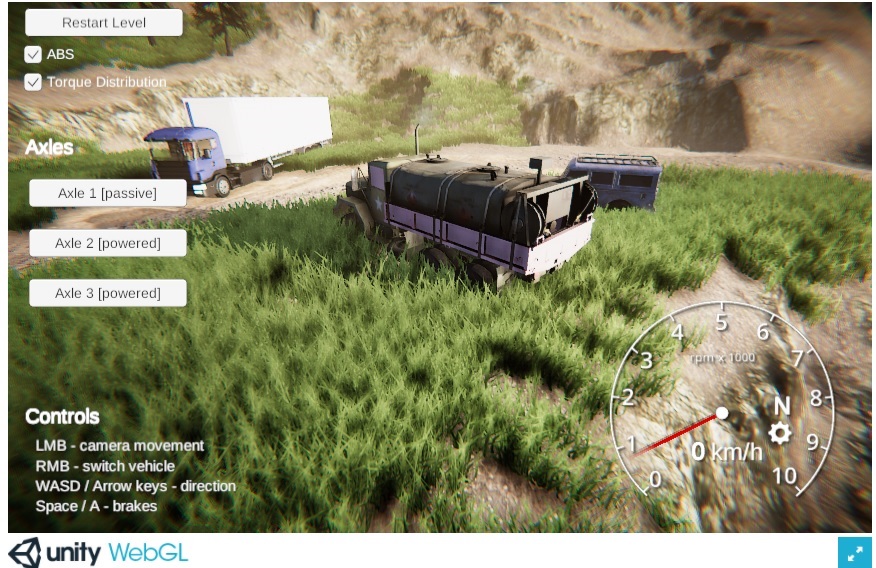
WebGL 2.0 new demo:

  • Built-In pipeline Post Processing Stack:
  • AO
  • Bloom
  • Motion Blur
  • Vignette
  • Chromatic Aberration
  • Custom color grading + auto exposure for OpenGL ES 3.2

2 Likes

Might you have a demo on WebGL for indoor environments, or basic settings for “good enough” lighting?

1 Like

How about indoor?
How can I do?

1 Like