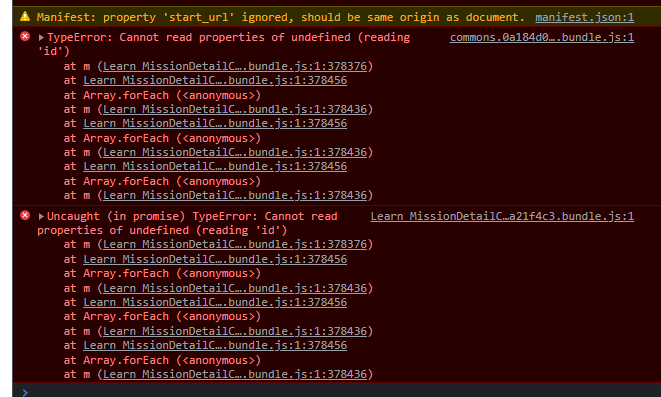
It just shows a circular loading progressbar and the whole screen just becomes white, that’s it. I can’t click or do anything. I’ve been stuck here for 2 days trying toi figure out what’s going on, then I signed out of unity website and opened the page and it loaded! but, to continue learning I must be signed it. When I try to open the page by signing in again and just shows the white screen again and again.
Same here, tried a few times last night on different browsers and logging in/out etc. with no luck. When starting the “Learn Unity” mission it shows the loading circle and the top of the page and the whole screen goes white a few seconds later (when the page would normally finish loading).
Hi all, thank you for the information shared, it has been really helpful to our devs team, they are currently working on a fix and the issue will be resolved soon, I apologize for all the frustration caused here.
Bumping since I’m having the same issue on the “Foundations: Explore Unity” 2nd course, specifically after starting it, coming back, and trying click the block to load the module.
Having the same issue on this course: Unit 1 - Player Control - Unity Learn.
Tried to use different browsers. Didn’t work.
I hope, something will change soon
I’m getting white page on “Junior Programmer: Create with Code 1>Project Unit 2 - Basic Gameplay”, tried with 2 different browsers, private mode even. It was working yesterday too.