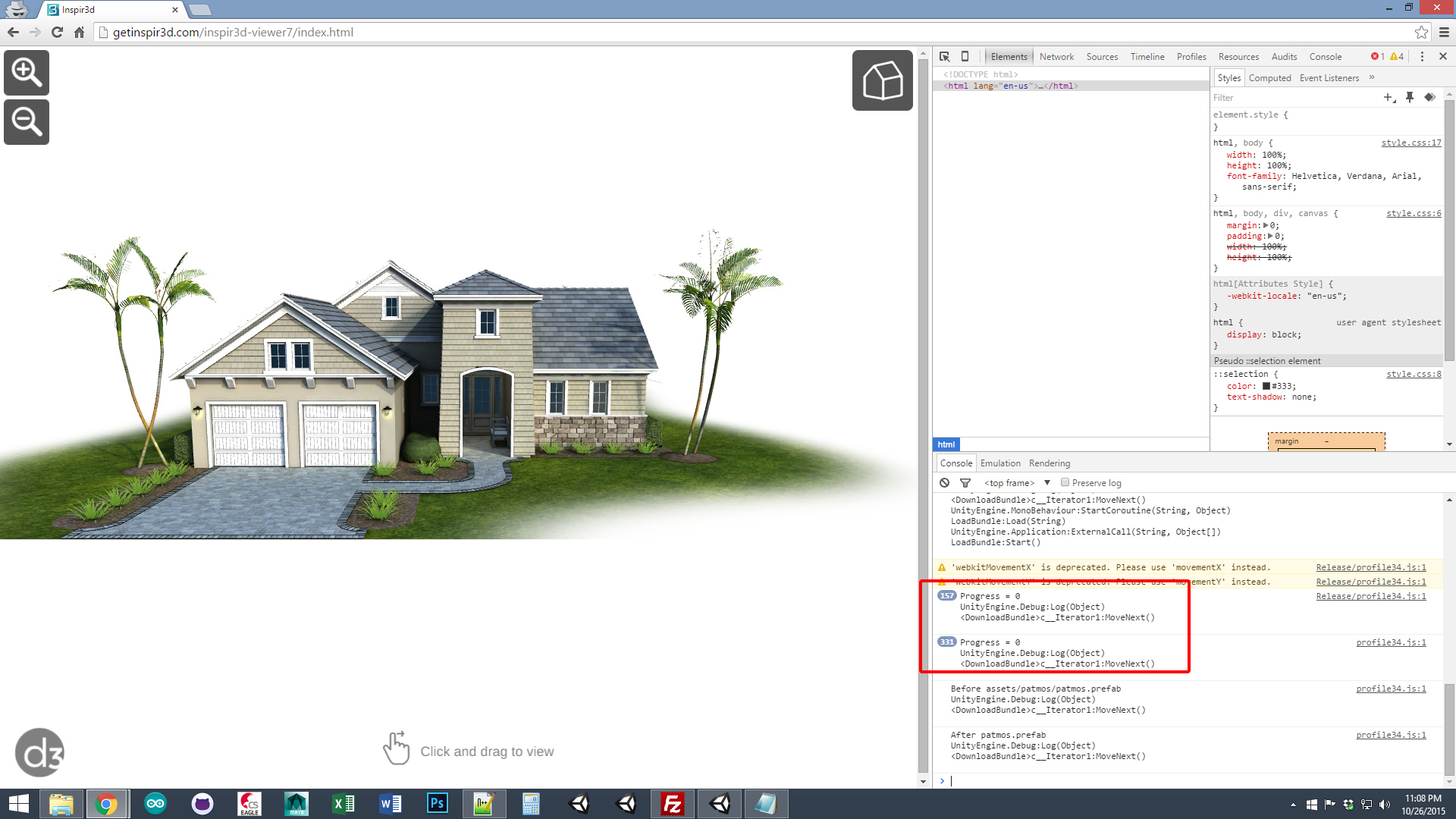
Hey I’ve been trying to get asset bundles to load and after much trial and error and playing with htaccess files I got Firefox to do it! However Chrome is throwing an error 
Here is the WebGL app:
http://getinspir3d.com/inspir3d-viewer6/index.html

I am unsure of if my htacess file(s) are set up correctly. Please let me know what changes I need to do if any.
Here is my htaccess file for the above page:
<IfModule mod_headers.c>
    SetEnvIf Origin (.*) AccessControlAllowOrigin=$1
    Header add Access-Control-Allow-Origin %{AccessControlAllowOrigin}e env=AccessControlAllowOrigin
    Header set Access-Control-Allow-Credentials true
</IfModule>

Options +FollowSymLinks
RewriteEngine on

RewriteCond %{HTTP:Accept-encoding} gzip
RewriteRule (.*)Release(.*)\.js $1Compressed$2\.jsgz [L]
RewriteRule (.*)Release(.*)\.data $1Compressed$2\.datagz [L]
RewriteRule (.*)Release(.*)\.mem $1Compressed$2\.memgz [L]
RewriteRule (.*)Release(.*)\.unity3d $1Compressed$2\.unity3dgz [L]
AddEncoding gzip .jsgz
AddEncoding gzip .datagz
AddEncoding gzip .memgz
AddEncoding gzip .unity3dgz
I couldn’t get the asset bundle to load from the same folder as the app. So it’s located here:
http://getinspir3d.com/inspir3d-viewer4/Patmos.unity3d
Here is the htaccess file from where the asset bundle is stored:
Options +FollowSymLinks
RewriteEngine on

RewriteCond %{HTTP:Accept-encoding} gzip
RewriteRule (.*)Release(.*)\.js $1Compressed$2\.jsgz [L]
RewriteRule (.*)Release(.*)\.data $1Compressed$2\.datagz [L]
RewriteRule (.*)Release(.*)\.mem $1Compressed$2\.memgz [L]
RewriteRule (.*)Release(.*)\.unity3d $1Compressed$2\.unity3dgz [L]
AddEncoding gzip .jsgz
AddEncoding gzip .datagz
AddEncoding gzip .memgz
AddEncoding gzip .unity3dgz

<IfModule mod_headers.c>
    Header always set "Access-Control-Allow-Credentials": "true",
    Header always set "Access-Control-Allow-Headers": "Accept, X-Access-Token, X-Application-Name, X-Request-Sent-Time",
    Header always set "Access-Control-Allow-Methods": "GET, POST, OPTIONS",
    Header always set "Access-Control-Allow-Origin": "*",
</IfModule>
This is the error I’m getting in Chrome:
GET http://www.getinspir3d.com/inspir3d-viewer4/Patmos.unity3d _JS_WebRequest_Send @ profile33.js:1fmg @ profile33.js:18ivc @ profile33.js:21Wge @ profile33.js:19TVl @ profile33.js:32invoke_viiii @ profile33.js:1hpk @ profile33.js:5UVl @ profile33.js:32invoke_viiiii @ profile33.js:1gpk @ profile33.js:5CWl @ profile33.js:32invoke_viii @ profile33.js:1Pyg @ profile33.js:18vFk @ profile33.js:5$Wl @ profile33.js:32invoke_iiii @ profile33.js:1XP @ profile33.js:28Lu @ profile33.js:28aQc @ profile33.js:21vId @ profile33.js:13tId @ profile33.js:13EFd @ profile33.js:20tGd @ profile33.js:20AGd @ profile33.js:20vGd @ profile33.js:20uGd @ profile33.js:20Bie @ profile33.js:19$Wl @ profile33.js:32invoke_iiii @ profile33.js:1Brk @ profile33.js:5rVl @ profile33.js:32invoke_iiiii @ profile33.js:1Wyg @ profile33.js:18wQk @ profile33.js:7$Wl @ profile33.js:32invoke_iiii @ profile33.js:1XP @ profile33.js:28Lu @ profile33.js:28aQc @ profile33.js:21wId @ profile33.js:13yGd @ profile33.js:20AGd @ profile33.js:20KJd @ profile33.js:13ang @ profile33.js:18(anonymous function) @ VM157:1SendMessage @ profile33.js:1OnLoaded @ index.html:11(anonymous function) @ VM156:1_JS_Eval_EvalJS @ profile33.js:1ohe @ profile33.js:19KWl @ profile33.js:32invoke_vi @ profile33.js:1dqk @ profile33.js:5CWl @ profile33.js:32invoke_viii @ profile33.js:1bqk @ profile33.js:5TVl @ profile33.js:32invoke_viiii @ profile33.js:1Vyg @ profile33.js:18uFk @ profile33.js:5$Wl @ profile33.js:32invoke_iiii @ profile33.js:1XP @ profile33.js:28Lu @ profile33.js:28aQc @ profile33.js:21vId @ profile33.js:13yGd @ profile33.js:20AGd @ profile33.js:20hGd @ profile33.js:20WIc @ profile33.js:21ind @ profile33.js:20cmg @ profile33.js:18EWl @ profile33.js:32Runtime.dynCall @ profile33.js:1(anonymous function) @ profile33.js:1Browser.mainLoop.runIter @ profile33.js:1Browser_mainLoop_runner @ profile33.js:1
index.html:1 XMLHttpRequest cannot load http://www.getinspir3d.com/inspir3d-viewer4/Patmos.unity3d. No 'Access-Control-Allow-Origin' header is present on the requested resource. Origin 'http://getinspir3d.com' is therefore not allowed access. The response had HTTP status code 500.
profile33.js:1 NullReferenceException: A null value was found where an object instance was required.
LoadBundle+<DownloadBundle>c__Iterator1.MoveNext ()
This is the script I wrote to load the asset bundle and instantiate the prefab inside of it:
using UnityEngine;
using UnityEngine.UI;
using System.Collections;

public class LoadBundle : MonoBehaviour {

    public Transform parent;

    public GameObject loadingUI;

    public RectTransform progressBar;
    Vector2 progressStart;

    Material mat;

    void Start()
    {
        mat = gameObject.GetComponent<Renderer>().material;
        progressStart = progressBar.sizeDelta;
        progressBar.sizeDelta = new Vector2(0f, progressStart.y);
        Application.ExternalCall("OnLoaded");
    }

    public void Load(string url)
    {

        StartCoroutine("DownloadBundle", url);

    }

    IEnumerator DownloadBundle(string url)
    {
        Debug.Log("Loading = " + url);
        WWW www = new WWW(url);

        while (!www.isDone)
        {
            Debug.Log("Progress = " + www.progress * 100f);
            UpdateProgress(www.progress);
            yield return null;
        }

        AssetBundle bundle = www.assetBundle;
        string prefabName = "PrefabNotSet";
        bundle.LoadAllAssets();
        foreach(string bundleName in bundle.GetAllAssetNames())
        {
            if (bundleName.Contains(".prefab"))
            {
                prefabName = bundleName;
            }
            //Debug.Log("checked " + bundleName);
        }

        Debug.Log("Before " + prefabName);
        //searches for slash index and gets name of prefab
        int slashIndex = 0;
        for (int i = 0; i < prefabName.Length; i++)
        {
            if (prefabName[i].Equals('/')) { slashIndex = i; }
        }

        int nameLength = prefabName.Length - slashIndex - 1;
        prefabName = prefabName.Substring(slashIndex + 1, nameLength);

        Debug.Log("After " + prefabName);

        GameObject instance = Instantiate(bundle.LoadAsset(prefabName)) as GameObject;
        //GameObject instance = Instantiate(bundle.LoadAsset("patmos" + ".prefab")) as GameObject;

        instance.transform.parent = parent;
        instance.transform.position = Vector3.zero;
        instance.transform.eulerAngles = Vector3.zero;
        instance.transform.localScale = Vector3.one;

        yield return null;

        bundle.Unload(false);

        Roof.Instance.SetRoof();
        loadingUI.SetActive(false);

    }

    void UpdateProgress(float percent)
    {
        progressBar.sizeDelta = new Vector2(percent * progressStart.x, progressStart.y);
    }
}
I’ve been doing some searching and I think this has to do with CORS.
My webhost is siteground.com and I have the most basic shared hosting package.
Anyone run into this problem before? Any suggestions are welcome I’d love some help 
Thanks!
-Ben