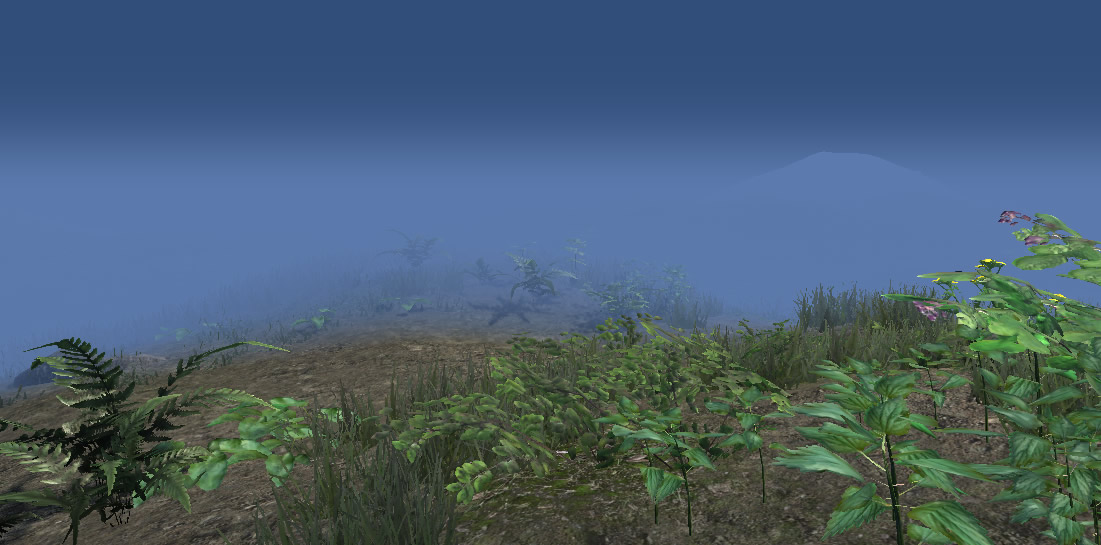
i haven’t had this kind of problem in unity 3.x – but in 2.x you had to assign any hacked terrain shader to a game object within your scene (like a simple cube) in order to get the shader exported. may be this helps.
but as i have written before: i never had to do so in 3.x – pretty strange.
Looks realistic, though a bit thin, can you make a more lush package with some bushes and larger clusters of the nettles? Also while you are at it add some lupines and more verities of flowers. More different fern types with rolled leaves and unrolled leaves.
more plants might come in another release – but it would be very difficult to combine them with other models as the terrain engine needs a manually combined texture atlas…
larger clusters of nettles would not be a good idea as they would produce a lot of floating nettles on slopes. so simply add more and more nettles manually.
i do not see any reason to use the shader on a character or skinned mesh.
you already have shaders for bumped specular lighting, so you want wind animation on a character?
i guess not.
so you want translucency? well, if so there are other shaders that offer this feature which probably fit much better to your needs.
this shader has been made to work on foliage within the terrain engine or placed as independent game object.
Thanks for the answer.
Actually I do want foliage/simple moving elements on a creature :
For example moving leaves on a faerie or small tentacles on a sea monster
In blender I can do this using hair particles, but in unity there is nothing similar,
except the terrain foliage shader. I don’t need the moving elements to be complicated
geometry, just a billboard/plane with a texture on it would be enough.
then i guess you will have to assign a second material (shader uses a alpha cut out and the forward pass due to lighting and translucency) and apply vertex colors to the parts that should be rendered using the foliage shader in order to control bending.
so theoretically it should work.
i do not know anything about the modifications of the global fog script – but i have just tested the latest version (v.2) of the foliage package which is coming soon incl. the afs advanced foliage shaders v.2 and it works right out of the box with global fog.
so may be you will just have to wait for some days…
Simply paint your plants on top of the terrain or any arbitrary geometry
Make sure you get the free “Geometry Brush AFS” tool: a very nice and handy tool that will help you to manually place any game object onto any terrain or geometry – originally posted by Matt McDonald, Owner, Chief Creative Officer and President of Heavy Water, www.heavyh2o.com, but optimized for the use with the advanced terrain shaders. https://dl.dropboxusercontent.com/u/...1.unitypackage
I just bought this package so that I could paint foliage on meshes other than terrain, however when attempting to add my FBX to the Geometry Brush tool the button “Add Selections to Brush” stays disabled no matter which mesh/fbx I try to select in my project:
Ok what the Geometry Brush Tool Documentation failed to include is that the foliage object must be a prefab! Im now able to add my foliage to the tool but when I paint the object it is rotated onto it’s side ugg! I think this has something to do with the fact Unity converts the FBX from Max’s Z up to Unity’s Y up axis, rotating it by -90. I guess I will have to manually rotate my models in max…
hi robert, i can’t tell you anything about max.
but i have tested the geometry brush with fbx written in modo and maya. both worked perfectly.
same with prefabs…
so i do not really know what causes your problems.
I am creating a scene for mobile and run into a problem with AFS. Maybe you can offer advice or a solution?
For performance reasons, I have lightmapped my scene and removed all the lights, and are using light probes to light characters or dynamic objects instead of real time lights. There are no real time lights in the scene and I can achieve very high FPS. The camera mode is vertex lit. In other words, everything in this scene is self-lit.
AFS doesn’t have an option to be self-lit. It requires a real time light. Also, beast won’t allow me to lightmap the objects, which is somewhat noted in your documentation -beast refuses to accept the static tag of AFS shader objects.
The benefit of not using real-time lights for mobile devices is staggering -the performance boost is huge. So I want to hold onto this advantage and would like to have a work around to keep my nice AFS plants, grass and foliage.
I had a look at the shader code and it’s rather beyond me.
Is it possible to remove lighting calculations from the shader and have a base light value? RGB (0.5, 0.5, 0.5) or (128, 128, 128)
Or is there some other easy solution I am overlooking?
i might have a look into this.
however this will take a while. and which shader do you exactly mean? there is a whole bunch of shaders in the afs package…