Hi all, I’ve been trying to use Unity’s AR tools to create an application that uses tracked images to display information when the camera is pointed at certain objects or images. However, I’ve been experiencing an issue where the prefab I’ve set in the TrackedImageManager never instantiates.
At first, I thought it was an issue with the textures, so I replaced the original prefab with a basic blue capsule just to check if it would work. It didn’t. I then changed the image file type to see if that was the issue. It wasn’t. I’ve even tried using simpler patterns and that’s still not working. I’ve been making sure the sizes are as accurate as possible, changed the positions of the prefab, done everything I can think to and everything that I’ve seen online. I’m yet to find anything that works. What makes it even worse is that I’m not even sure if it’s recognising the images, as I’m not sure how to set it to check that on iOS.
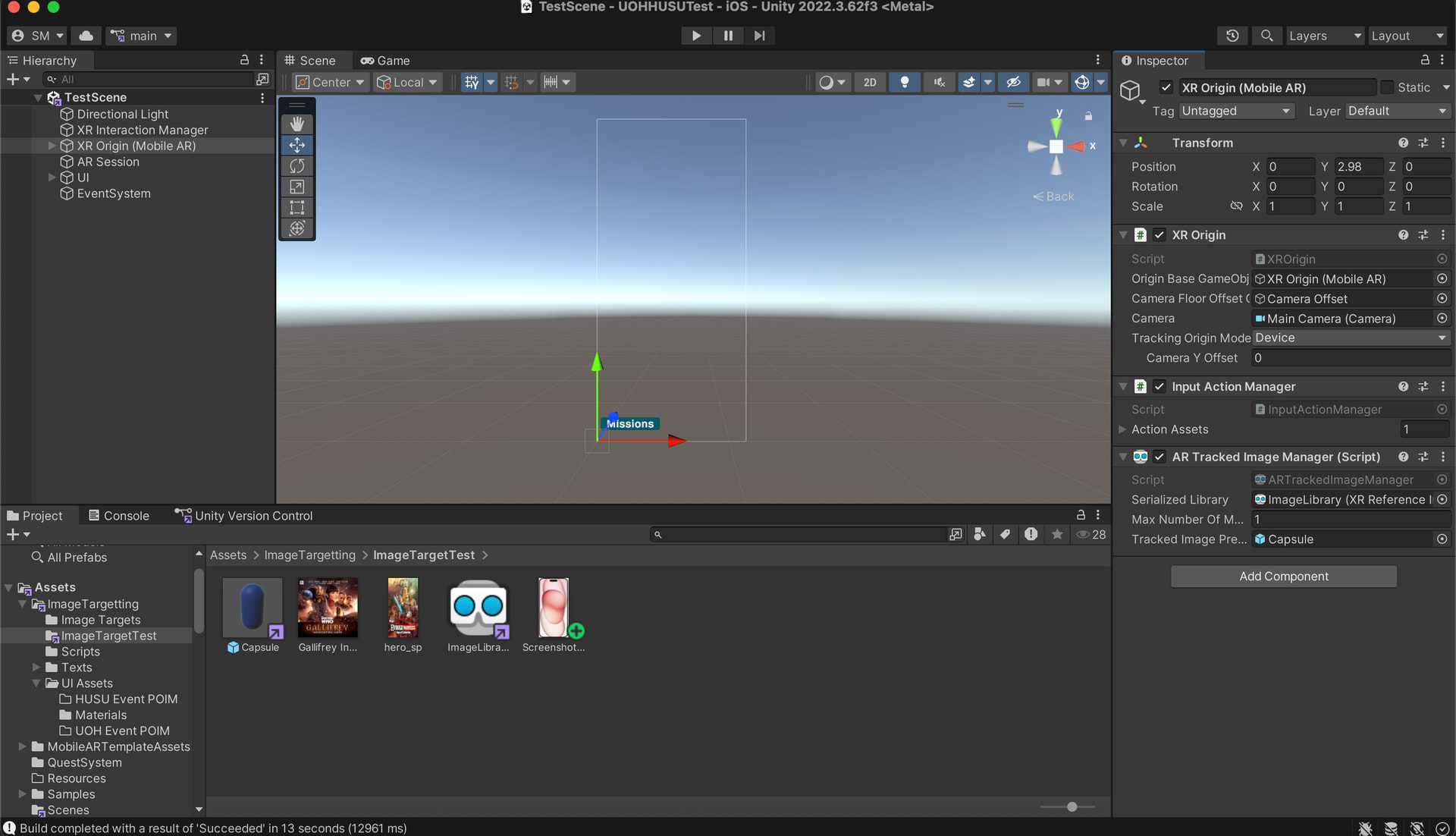
I’m happy to provide more information and I’m only allowed to attach one image so I’ve just used the one of the XR Origin file. I’d be more than happy to provide more but the forum won’t let me in this post.
Below: Image of Canvas with XR Origin attributes listed. The Project folder contains the prefab, Reference Image Library and all referenced images.
Please let me know if you can help, it would be greatly appreciated!