I would imagine my problem is because the engine is having collision with one of the corners instead of the edge of the square, but it seems to be happening a lot.
The blue line is the bad trajectory, where the yellow line is what I would expect the ball to do.
I looked into that briefly last night. Would each brick still be able to behave independently and be removed easily from the composite or would I have to re calculate the composite each time a block is removed?
Composite collider component can be configured to update automatically whenever it or any colliders that makes it up are changed. That’s the “synchronous” generation type.
The original gameobjects and colliders are still there. But if you are colliding with the composite collider, and you want to get a reference to the specific child object that was hit, you may need to do another physics check looking for non-composite colliders at the contact point, like a small OverlapCircle check.
Or do what Unity does in this brickbreaker tech demo, which is use the hit surface normal to offset the check slightly inside the collider in order to get correct tile coordinates:
So would all of my Block / Triangle objects be a child of a parent ‘Composite Collider object’ that would synchronously adapt to its children automatically? Or would each Block/Triangle have a composite Collider and infuse with its neighbors?
Have a read through the documentation I linked for it.
You just need one composite for many colliders. Each collider on the object or as a child object that has the “Used by Composite” checkbox set will be part of the final shape.
I’m not using a Tilemap. I am generate my game objects on the fly based on the devices width/height.
I am trying to figure out which individual GameObject was collided with but the x/y of the collision point is not exactly precise.
 private void OnCollisionEnter2D(Collision2D collision)
    {
        RectTransform[] allObjects = GetComponentsInChildren<RectTransform>(true);
        foreach (RectTransform rt in allObjects)
        {
            GameObject obj = rt.gameObject;
            if (obj.tag != "Triangle" && obj.tag != "Block")
            {
                continue;
            }
            Vector3[] objCorners = new Vector3[4];
            rt.GetWorldCorners(objCorners);

            foreach (ContactPoint2D hit in collision.contacts)
            {
                double x = Math.Round(hit.point.x, 3);
                double y = Math.Round(hit.point.y, 3);

                double bottomX = Math.Round(objCorners[0].x, 3);
                double bottomY = Math.Round(objCorners[0].y, 3);
                double topX = Math.Round(objCorners[2].x, 3);
                double topY = Math.Round(objCorners[2].y, 3);

                if (x >= bottomX
                    && y >= bottomY
                    && x <= topX
                    && y <= topY){
                    obj.SendMessage("gameCollision", collision);
                    //Debug.Log("Collided with: " + obj.name);
                }

            }
        }
    }
This code will detect certain objects at the top, but the ones that are closer need it to be rounded to 1 or 2 decimal places. Is what I am trying to do possible? The Composite collider solved the collision problem but now I cant detect which individual object was hit X_X.
That solution is not limited to Tilemaps. You can do a physics check using a position inside the Collider by moving it along the surface normal that you get from the initial collision. In the Brickbreaker demo this is done to change a tile, but you can do it to get the underlying GameObject.
I haven’t tested this, but here is the idea:
private void OnCollisionEnter2D(Collision2D collision)
{
    // if this object just hit a composite collider
    bool hitCompositeCollider = collision.otherCollider.GetComponent<CompositeCollider2D>() != null;

    if (hitCompositeCollider)
    {
        // a small amount of negative offset
        float offsetAlongNormal = -0.01f;
        Vector2 newHitPosition = Vector2.zero;

        // check each contact
        foreach (ContactPoint2D hit in collision.contacts)
        {
            // move the hit position inside the surface
            newHitPosition += offsetAlongNormal * hit.normal;

            // get all the 2D colliders under that new point
            Collider2D[] colliders = Physics2D.OverlapPointAll(newHitPosition);

            // filter in a loop
            foreach (Collider2D collider in colliders)
            {
                // if the object has the right tag
                if (collider.tag == "Triangle" || collider.tag == "Block")
                {
                    // do something to the object
                    Destroy(collider.gameObject);
                }
            }
        }
    }
}
        bool hitCompositeCollider = collision.otherCollider.GetComponent<CompositeCollider2D>() != null;

        if (hitCompositeCollider)
        {
            // a small amount of negative offset
            float offsetAlongNormal = 0.01f;
            Vector2 hitPosition = Vector2.zero;

            // check each contact
            foreach (ContactPoint2D hit in collision.contacts)
            {
                // move the hit position inside the surface
                //newHitPosition += hit.point - offsetAlongNormal * hit.normal;
                hitPosition.x = hit.point.x - offsetAlongNormal * hit.normal.x;
                hitPosition.y = hit.point.y - offsetAlongNormal * hit.normal.y;

                // get all the 2D colliders under that new point
                Collider2D[] colliders = Physics2D.OverlapPointAll(hitPosition);

                // filter in a loop
                foreach (Collider2D collider in colliders)
                {
                    Debug.Log(collider);
                    // if the object has the right tag
                    if (collider.tag == "Triangle" || collider.tag == "Block")
                    {
                        // do something to the object
                        Destroy(collider.gameObject);
                    }
                }
            }
        }
I combined the other code that you shared and tried yours directly but colliders is always empty.
So far this works but it will very rarely not properly detect a block.
That solution for finding a point within the child object is a working one (it works in the brickbreaker demo), so if colliders array is always empty, i would debug that before complicating the solution without really understanding what is going wrong. Why is it empty? You know that there is at least the composite collider there, so it’s suspicious that it comes up empty.
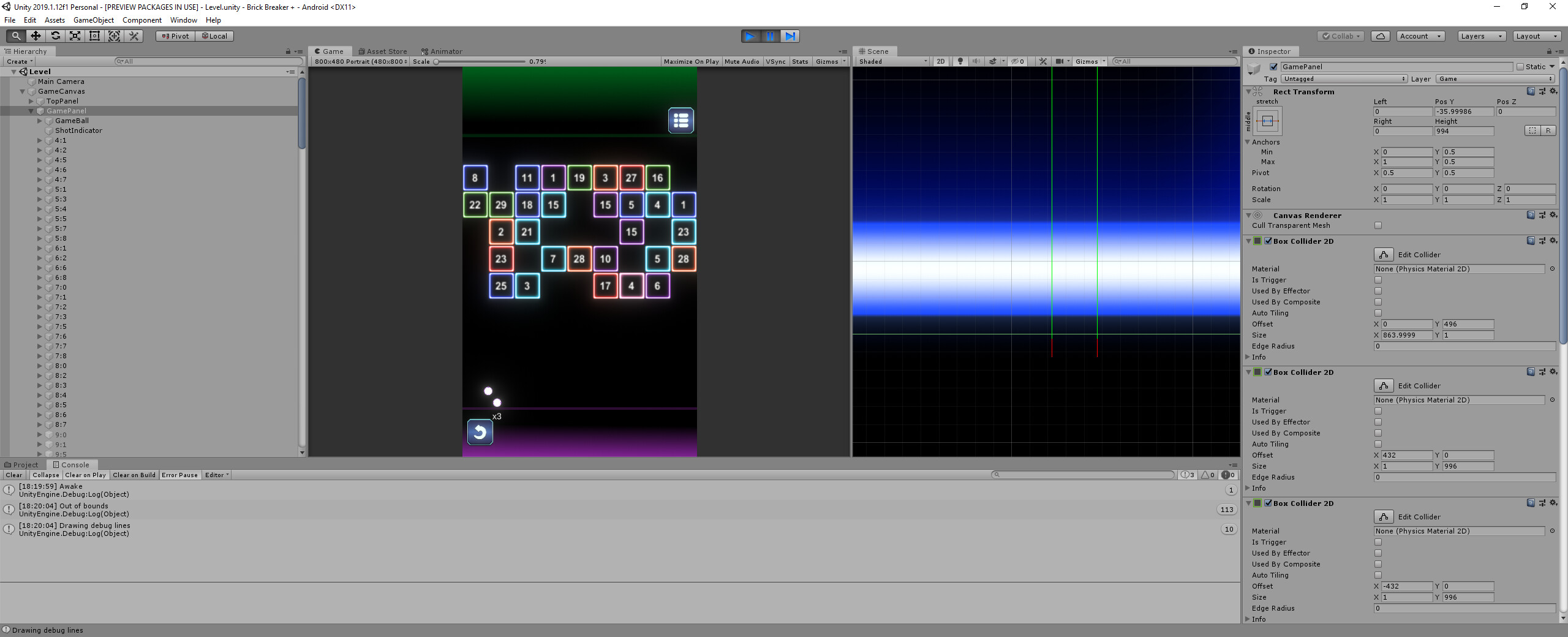
Try adding some debug lines to see where the collision point is, what the normal vector is, and where the offset is trying to check for more colliders:
foreach (ContactPoint contact in collision.contacts)
{
    // draw the surface normal
    Debug.DrawLine(contact.point, contact.point + contact.normal, Color.green, 5, false);
    // draw the offset location for second check
    Debug.DrawLine(contact.point, contact.point + -offsetAlongNormal * contact.normal, Color.cyan, 5, false);
}
Make sure that those lines look right, and the cyan line ends inside the collider you’re checking for.
Thanks for the screenshots, that raised some questions so I did some testing, and it appears that colliders that have the “Used by Composite” enabled aren’t being checked in the physics step (which makes sense performance-wise, considering they are being used to build a single larger collider).
An easy workaround is to duplicate the collider, uncheck “used by composite”, and make it a trigger. That way you can collide with the composite surface, but still use raycasting to detect the underlying shapes and objects. Using continuous collision on the ball was also key to getting accurate hit results.
Here’s the project I used to find a working solution:
Awesome man! Works like a charm! I would’ve been stuck with buggy code if not for you figuring out this weird issue. You should add a donate link to your signature for being this persistent in helping people!
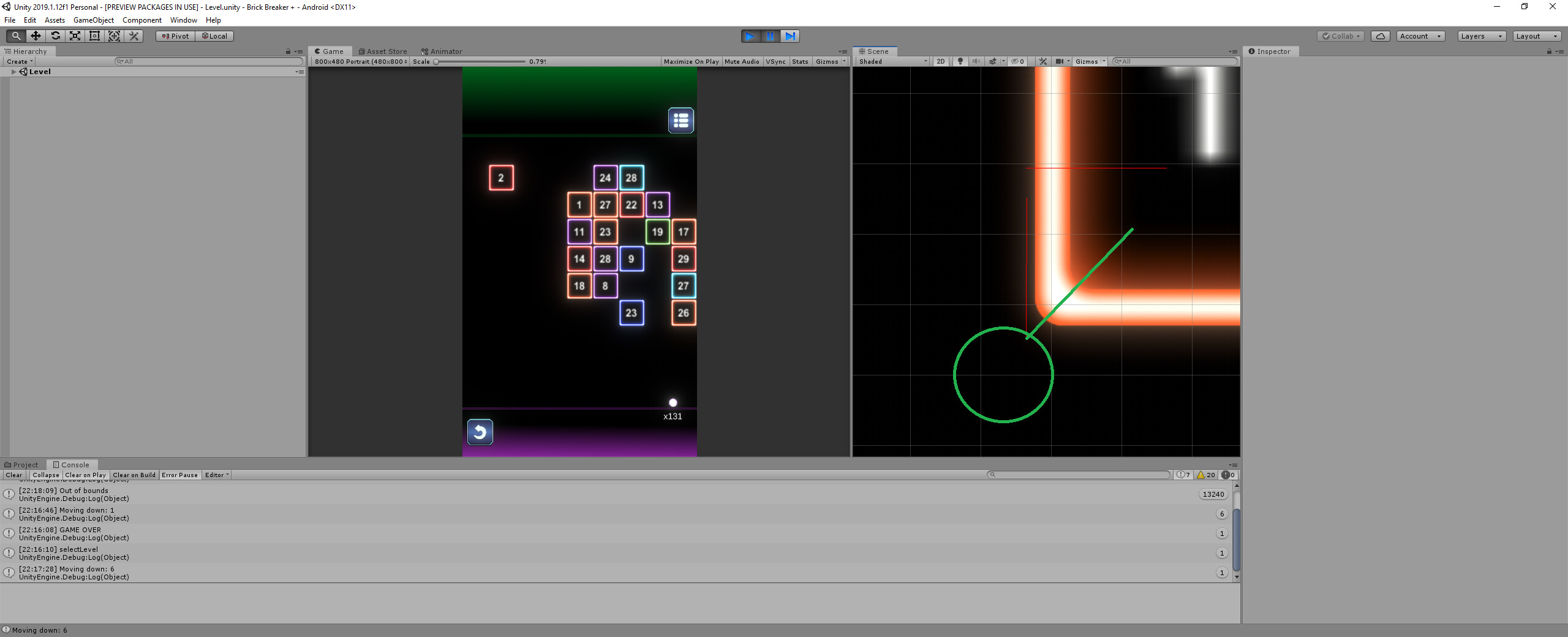
Looks like when it is colliding on the corner of a block the position we calculate is still off a little bit. Any thoughts for this scenario? The green line is what I think we should probably calculate.
This specific angle is the problem
Its very rare but sometimes blocks are still not collided with.
You can see the red line is cast slightly outside of the block at a weird angle.