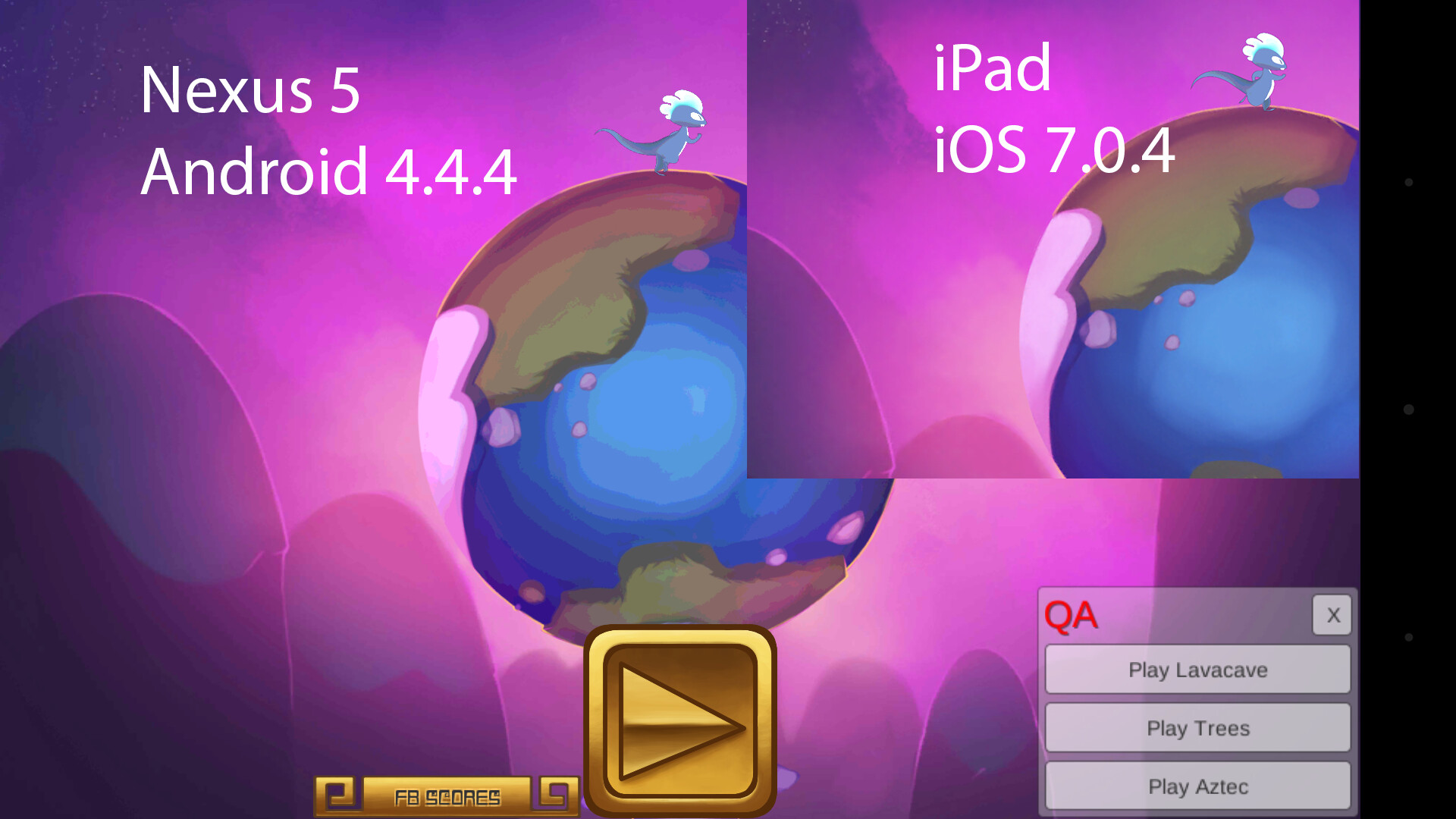
We have an issue when our game is built for Android with color banding. See the attached screenshots. This appears to happen to all ‘Compressed’ images - banding on Android, looks fine on iPad.
We’re in the process of finding more Android users to test it on different devices. We have confirmed that many graphics throughout the game suffer from this issue. Notably, the UI graphics (even when there are gradients) look crisp and clean. So this is probably an issue with the way Android decompresses the graphics? Any known way around it?
The import settings for the image are the same between Android and iOS.
The player setting does not relate to image bit depth. It’s the depth of the display buffer and really isn’t there for ram reasons but for performance reasons. Using 32 bit buffer for drawing on doesn’t necessarily mean your images will magically become 32 bit as well in ram. It means any blending or lighting you do will be smoother.
In any case, if your problem is one of compressed textures, then no, you’re stuck with 16 bit or compressed.
Oh, I thought you meant change the image’s import settings to 32-bit. The Display and Depth buffers in Player Settings both have 32- and 24-bit checked already, respectively.
When you use 16 bit depth in unity, you need to convert them to 16 bit beforehand so you’re able to take advantage of dithering, as Unity converts to 16 bit pretty much by dropping bits, it doesn’t perform any dithering. Am I right in assuming you’re using 16 bit on android but uncompressed or compressed on iOS? you should opt for compressed, not 16 bit on android, if you want to avoid banding.
From the looks of it it may be that you’re able to get away with a lower texture resolution, but a sharper mip map, or even disabled mipmaps. Typically mipmapping will generally be showing the texture at half resolution unless quite close.