I’m trying to install SpriteShape and it is not listed in the package manager:
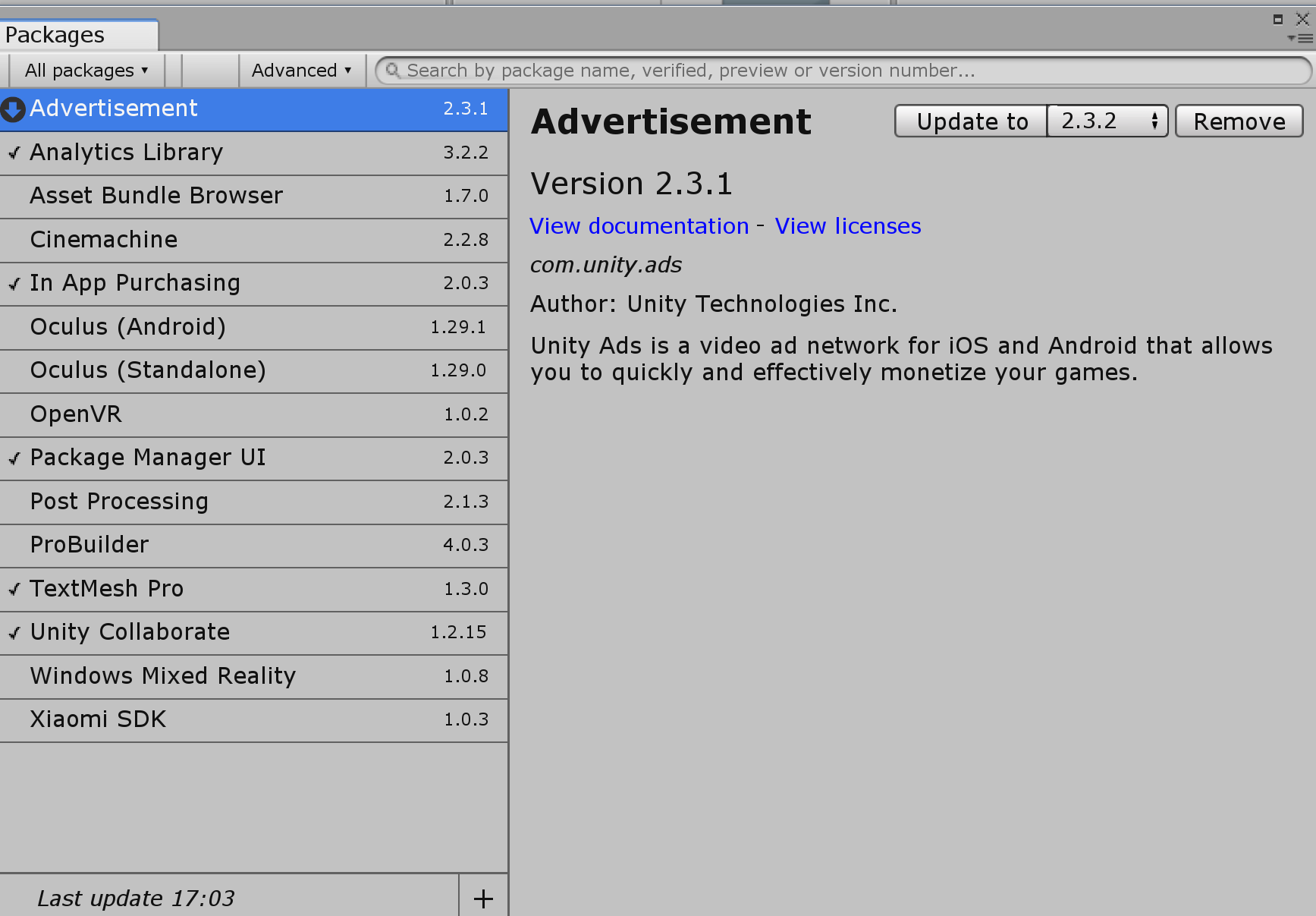
I checked out manifest.json under Packages and it looks like this:
{
  "dependencies": {
    "com.unity.ads": "2.3.1",
    "com.unity.analytics": "3.2.2",
    "com.unity.collab-proxy": "1.2.15",
    "com.unity.package-manager-ui": "2.0.3",
    "com.unity.purchasing": "2.0.3",
    "com.unity.textmeshpro": "1.3.0",
    "com.unity.modules.ai": "1.0.0",
    "com.unity.modules.animation": "1.0.0",
    "com.unity.modules.assetbundle": "1.0.0",
    "com.unity.modules.audio": "1.0.0",
    "com.unity.modules.cloth": "1.0.0",
    "com.unity.modules.director": "1.0.0",
    "com.unity.modules.imageconversion": "1.0.0",
    "com.unity.modules.imgui": "1.0.0",
    "com.unity.modules.jsonserialize": "1.0.0",
    "com.unity.modules.particlesystem": "1.0.0",
    "com.unity.modules.physics": "1.0.0",
    "com.unity.modules.physics2d": "1.0.0",
    "com.unity.modules.screencapture": "1.0.0",
    "com.unity.modules.terrain": "1.0.0",
    "com.unity.modules.terrainphysics": "1.0.0",
    "com.unity.modules.tilemap": "1.0.0",
    "com.unity.modules.ui": "1.0.0",
    "com.unity.modules.uielements": "1.0.0",
    "com.unity.modules.umbra": "1.0.0",
    "com.unity.modules.unityanalytics": "1.0.0",
    "com.unity.modules.unitywebrequest": "1.0.0",
    "com.unity.modules.unitywebrequestassetbundle": "1.0.0",
    "com.unity.modules.unitywebrequestaudio": "1.0.0",
    "com.unity.modules.unitywebrequesttexture": "1.0.0",
    "com.unity.modules.unitywebrequestwww": "1.0.0",
    "com.unity.modules.vehicles": "1.0.0",
    "com.unity.modules.video": "1.0.0",
    "com.unity.modules.vr": "1.0.0",
    "com.unity.modules.wind": "1.0.0",
    "com.unity.modules.xr": "1.0.0"
  }
}
Looking at a getting started with 2D Sprite Shape tutorial, I saw that the path was "com.unity.2d.spriteshape": "1.0.12" , so I added that to my manifest.json, but it seems like that is no longer quite the right path to the module.
I am using Unity 2018.3.0f2 Personal on Windows. Any idea why it’s not showing up?

