CombineMeshes with Different Materials

Hi,

I need to use CombineMeshes() but there is something unclear about how it works.

My situation is this: I need to combine multiple meshes of different materials into one mesh, with (I’m assuming) one submesh per unique material. Sometimes there may be multiple instances of the same mesh using a different material, or multiple instances of the same mesh using the same material but for different submeshes.

The confusion is, the Mesh object doesn’t contain information about which materials are being used for a particular instance, and CombineMesh doesn’t request that information from a MeshRenderer object, which is the only thing that DOES contain that information. Two different meshes may have multiple submeshes, say 2 submeshes, but mesh1’s submesh1’s material might not be the same as mesh2’s submesh1’s material. How would it know to put them into different submeshes?

I read that you can specify that through CombineInstance.subMeshIndex:

ArrayList materials = new ArrayList();
ArrayList combineInstances = new ArrayList();
MeshFilter[] meshFilters = <Object>.GetComponentsInChildren<MeshFilter>();

foreach( MeshFilter meshFilter in meshFilters )
{
    MeshRenderer meshRenderer = meshFilter.GetComponent<MeshRenderer>();

    for(int s = 0; s < meshFilter.sharedMesh.subMeshCount; s++)
    {
        // !! Assumes that submesh index will always correspond to material index !!
        int materialArrayIndex;

        for(materialArrayIndex = 0; materialArrayIndex < materials.Count; materialArrayIndex++)
        {
            if(materials[materialArrayIndex] == meshRenderer.materials~~)~~

break;
}

if(materialArrayIndex == materials.Count)
materials.Add(meshRenderer.materials~~);
CombineInstance combineInstance;
combineInstance.transform = meshRenderer.transform;
// ---------------------------------------------------------------
combineInstance.subMeshIndex = materialArrayIndex;
combineInstance.mesh = meshFilter.sharedMesh ??? .submesh ???
// ---------------------------------------------------------------
combineInstances.Add( combineInstance );
}
}~~
But as you can see, meshFilter.sharedMesh doesn’t give you access to the individual submeshes. So how is it supposed to know how to separate them?
Thanks for helping.

9 Answers

9

I’ve combined the Unity3d example, Zergling103, and added Benjamen247 modifications, to create a script which will combine sub meshes with different materials dynamically at runtime:

using UnityEngine;
using System.Collections;

public class MeshCombiner : MonoBehaviour
{
    public void Awake()
    {
        ArrayList materials = new ArrayList();
        ArrayList combineInstanceArrays = new ArrayList();
        MeshFilter[] meshFilters = gameObject.GetComponentsInChildren<MeshFilter>();

        foreach (MeshFilter meshFilter in meshFilters)
        {
            MeshRenderer meshRenderer = meshFilter.GetComponent<MeshRenderer>();

            if (!meshRenderer ||
                !meshFilter.sharedMesh ||
                meshRenderer.sharedMaterials.Length != meshFilter.sharedMesh.subMeshCount)
            {
                continue;
            }

            for (int s = 0; s < meshFilter.sharedMesh.subMeshCount; s++)
            {
                int materialArrayIndex = Contains(materials, meshRenderer.sharedMaterials~~.name);~~

if (materialArrayIndex == -1)
{
materials.Add(meshRenderer.sharedMaterials~~);
materialArrayIndex = materials.Count - 1;
}~~
combineInstanceArrays.Add(new ArrayList());

CombineInstance combineInstance = new CombineInstance();
combineInstance.transform = meshRenderer.transform.localToWorldMatrix;
combineInstance.subMeshIndex = s;
combineInstance.mesh = meshFilter.sharedMesh;
(combineInstanceArrays[materialArrayIndex] as ArrayList).Add(combineInstance);
}
}

// Get / Create mesh filter & renderer
MeshFilter meshFilterCombine = gameObject.GetComponent();
if (meshFilterCombine == null)
{
meshFilterCombine = gameObject.AddComponent();
}
MeshRenderer meshRendererCombine = gameObject.GetComponent();
if (meshRendererCombine == null)
{
meshRendererCombine = gameObject.AddComponent();
}

// Combine by material index into per-material meshes
// also, Create CombineInstance array for next step
Mesh[] meshes = new Mesh[materials.Count];
CombineInstance[] combineInstances = new CombineInstance[materials.Count];

for (int m = 0; m < materials.Count; m++)
{
CombineInstance[] combineInstanceArray = (combineInstanceArrays[m] as ArrayList).ToArray(typeof(CombineInstance)) as CombineInstance[];
meshes[m] = new Mesh();
meshes[m].CombineMeshes(combineInstanceArray, true, true);

combineInstances[m] = new CombineInstance();
combineInstances[m].mesh = meshes[m];
combineInstances[m].subMeshIndex = 0;
}

// Combine into one
meshFilterCombine.sharedMesh = new Mesh();
meshFilterCombine.sharedMesh.CombineMeshes(combineInstances, false, false);

// Destroy other meshes
foreach (Mesh oldMesh in meshes)
{
oldMesh.Clear();
DestroyImmediate(oldMesh);
}

// Assign materials
Material[] materialsArray = materials.ToArray(typeof(Material)) as Material[];
meshRendererCombine.materials = materialsArray;

foreach (MeshFilter meshFilter in meshFilters)
{
DestroyImmediate(meshFilter.gameObject);
}
}

private int Contains(ArrayList searchList, string searchName)
{
for (int i = 0; i < searchList.Count; i++)
{
if (((Material)searchList*).name == searchName)*
{
return i;
}
}
return -1;
}
}
It works great for my needs (dungeon generator).

plzz help. object position change after combining. is there a way to keep the position same as primary object?

This works great for a small number of objects but once you get into the 1000s it starts to fail. Any idea how to make it more robust for huge maps?

For anyone still finding this, I've rewritten the script above in a neater, safer fashion with the ability to ignore certain gameobjects, you can find it [here][1]. Thanks Bunzaga. [1]: https://github.com/BlackxSnow/MaterialSafeMeshCombine

Mesh.CombineMeshes (or to be more precise the Mesh itself) can only use one material per submesh. The submesh index is the same as the material index. If you have more materials then submeshes Unity will apply those to one of the submeshes (can’t remember which one, the first or the last, i guess to the last one).

Why do you need to combine them? Two or more different material means two or more drawcalls. So you don’t have much benefit from combining the meshes except they come up as one.

If you combine meshes you usually use a texture atlas so you need only one material.

Okay, I will try this. :) I just hope this executes quickly enough to handle fairly high-polycount objects. Thank you!

I created a script that combines the meshes but instead of manually modifying the vertex data (for transforms) and index data, it just uses the CombineMeshes() function multiple times. Is this faster than doing it manually? You seem to know your stuff so I thought I'd ask.

I used Zergling103’s script (thanks by the way!) but I was having problems with the position of the generated mesh not being in the same location. This seemed to be only the case when the object was not at world coordinates (0,0,0).

I also removed the Objects variable and changed it so the script will just combine all meshes and materials on the object that is attached to.

You will need to manually call Combine() to execute it, or right-click the script in the inspector and choose Combine from the menu.

using UnityEngine;
using System;
using System.Collections;
using System.Collections.Generic;

public class CombineMeshes : MonoBehaviour
{
[ContextMenu(“Combine”)]
public void Combine ()
{
// Find all mesh filter submeshes and separate them by their cooresponding materials
ArrayList materials = new ArrayList ();
ArrayList combineInstanceArrays = new ArrayList ();
Matrix4x4 myTransform = transform.worldToLocalMatrix;

    MeshFilter[] meshFilters = this.gameObject.GetComponentsInChildren<MeshFilter> ();

    foreach (MeshFilter meshFilter in meshFilters) {
        MeshRenderer meshRenderer = meshFilter.GetComponent<MeshRenderer> ();

        // Handle bad input
        if (!meshRenderer) { 
            Debug.LogError ("MeshFilter does not have a coresponding MeshRenderer.");
            continue; 
        }
        if (meshRenderer.materials.Length != meshFilter.sharedMesh.subMeshCount) {
            Debug.LogError ("Mismatch between material count and submesh count. Is this the correct MeshRenderer?"); 
            continue; 
        }

        for (int s = 0; s < meshFilter.sharedMesh.subMeshCount; s++) {
            int materialArrayIndex = 0;
            for (materialArrayIndex = 0; materialArrayIndex < materials.Count; materialArrayIndex++) {
                if (materials [materialArrayIndex] == meshRenderer.sharedMaterials ~~)~~

break;
}

if (materialArrayIndex == materials.Count) {
materials.Add (meshRenderer.sharedMaterials );
combineInstanceArrays.Add (new ArrayList ());
}

CombineInstance combineInstance = new CombineInstance ();
combineInstance.transform = myTransform * meshRenderer.transform.localToWorldMatrix;
combineInstance.subMeshIndex = s;
combineInstance.mesh = meshFilter.sharedMesh;
(combineInstanceArrays [materialArrayIndex] as ArrayList).Add (combineInstance);
}
}
// For MeshFilter
{
// Get / Create mesh filter
MeshFilter meshFilterCombine = gameObject.GetComponent ();
if (!meshFilterCombine)
meshFilterCombine = gameObject.AddComponent ();

// Combine by material index into per-material meshes
// also, Create CombineInstance array for next step
Mesh[] meshes = new Mesh[materials.Count];
CombineInstance[] combineInstances = new CombineInstance[materials.Count];

for (int m = 0; m < materials.Count; m++) {
CombineInstance[] combineInstanceArray = (combineInstanceArrays [m] as ArrayList).ToArray (typeof(CombineInstance)) as CombineInstance[];
meshes [m] = new Mesh ();
meshes [m].CombineMeshes (combineInstanceArray, true, true);
combineInstances [m] = new CombineInstance ();
combineInstances [m].mesh = meshes [m];
combineInstances [m].subMeshIndex = 0;
}

// Combine into one
meshFilterCombine.sharedMesh = new Mesh ();
meshFilterCombine.sharedMesh.CombineMeshes (combineInstances, false, false);

// Destroy other meshes
foreach (Mesh mesh in meshes) {
mesh.Clear ();
DestroyImmediate (mesh);
}
}

// For MeshRenderer
{
// Get / Create mesh renderer
MeshRenderer meshRendererCombine = gameObject.GetComponent ();
if (!meshRendererCombine)
meshRendererCombine = gameObject.AddComponent ();

// Assign materials
Material[] materialsArray = materials.ToArray (typeof(Material)) as Material[];
meshRendererCombine.materials = materialsArray;
}
}
}

A little rough around the edges, but it seems to have the necessary components. Need to talk to you about some alterations I have in mind to see if you can help me with my algorithm.

Here is a component which combines meshes as I had originally intended - it works exactly as CombineMeshes but while taking into account different materials across different instances.

Note that it uses ArrayList instead of fixed sized arrays, which might be slower. But the alternative - getting the array size first - would require searching through the materials and submeshes twice, once for the array size, and again for filling the array. That probably would have wound up being slower.

Code is under construction - the only issue is that after you reference meshRenderer.materials[] or sharedMaterials[] the original instances are replaced with unique clones and thus materials[materialArrayIndex] == meshRenderer.sharedMaterials ~~will always be false. :frowning:~~
using UnityEngine;
using System;
using System.Collections;

public class CombineMeshes : MonoBehaviour {
public GameObject[] Objects;

[ContextMenu(“Combine”)]
public void Combine()
{
// Find all mesh filter submeshes and separate them by their cooresponding materials
ArrayList materials = new ArrayList();
ArrayList combineInstanceArrays = new ArrayList();

foreach( GameObject obj in Objects )
{
if(!obj)
continue;

MeshFilter[] meshFilters = obj.GetComponentsInChildren();

foreach( MeshFilter meshFilter in meshFilters )
{
MeshRenderer meshRenderer = meshFilter.GetComponent();

// Handle bad input
if(!meshRenderer) {
Debug.LogError(“MeshFilter does not have a coresponding MeshRenderer.”);
continue;
}
if(meshRenderer.materials.Length != meshFilter.sharedMesh.subMeshCount) {
Debug.LogError(“Mismatch between material count and submesh count. Is this the correct MeshRenderer?”);
continue;
}

for(int s = 0; s < meshFilter.sharedMesh.subMeshCount; s++)
{
int materialArrayIndex = 0;
for(materialArrayIndex = 0; materialArrayIndex < materials.Count; materialArrayIndex++)
{
if(materials[materialArrayIndex] == meshRenderer.sharedMaterials~~)
break;
}~~

if(materialArrayIndex == materials.Count)
{
materials.Add(meshRenderer.sharedMaterials~~);
combineInstanceArrays.Add(new ArrayList());
}~~

CombineInstance combineInstance = new CombineInstance();
combineInstance.transform = meshRenderer.transform.localToWorldMatrix;
combineInstance.subMeshIndex = s;
combineInstance.mesh = meshFilter.sharedMesh;
(combineInstanceArrays[materialArrayIndex] as ArrayList).Add( combineInstance );
}
}
}

// For MeshFilter
{
// Get / Create mesh filter
MeshFilter meshFilterCombine = gameObject.GetComponent();
if(!meshFilterCombine)
meshFilterCombine = gameObject.AddComponent();

// Combine by material index into per-material meshes
// also, Create CombineInstance array for next step
Mesh[] meshes = new Mesh[materials.Count];
CombineInstance[] combineInstances = new CombineInstance[materials.Count];

for( int m = 0; m < materials.Count; m++ )
{
CombineInstance[] combineInstanceArray = (combineInstanceArrays[m] as ArrayList).ToArray(typeof(CombineInstance)) as CombineInstance[];
meshes[m] = new Mesh();
meshes[m].CombineMeshes( combineInstanceArray, true, true );

combineInstances[m] = new CombineInstance();
combineInstances[m].mesh = meshes[m];
combineInstances[m].subMeshIndex = 0;
}

// Combine into one
meshFilterCombine.sharedMesh = new Mesh();
meshFilterCombine.sharedMesh.CombineMeshes( combineInstances, false, false );

// Destroy other meshes
foreach( Mesh mesh in meshes )
{
mesh.Clear();
DestroyImmediate(mesh);
}
}

// For MeshRenderer
{
// Get / Create mesh renderer
MeshRenderer meshRendererCombine = gameObject.GetComponent();
if(!meshRendererCombine)
meshRendererCombine = gameObject.AddComponent();

// Assign materials
Material[] materialsArray = materials.ToArray(typeof(Material)) as Material[];
meshRendererCombine.materials = materialsArray;
}
}
}
:slight_smile:

@ Benjamin 247 Hi, I'm trying to figure this out, where in the code is this supposed to go?

@Sondre.S Hi the for-loop in my comment is meant to replace the for-loop section starting at line 36 in the above answer. The method can go anywhere in your script.

Thanks, but I get this error(I know you get this if you access renderer.material in the editor, so how are you supposed to get this to work, I mean after all it is written as an editor script): "Instantiating material due to calling renderer.material during edit mode. This will leak materials into the scene. You most likely want to use renderer.sharedMaterial instead. UnityEngine.Renderer:get_materials() CombineMeshes:Combine() (at Assets/Standard Assets/Scripts/Utility Scripts/CombineMeshes.cs:48)"

Instead of using renderer.materials you use renderer.sharedMaterials. If that does not fix your problem, post the line in your code that gives the problem (in your case line 48)

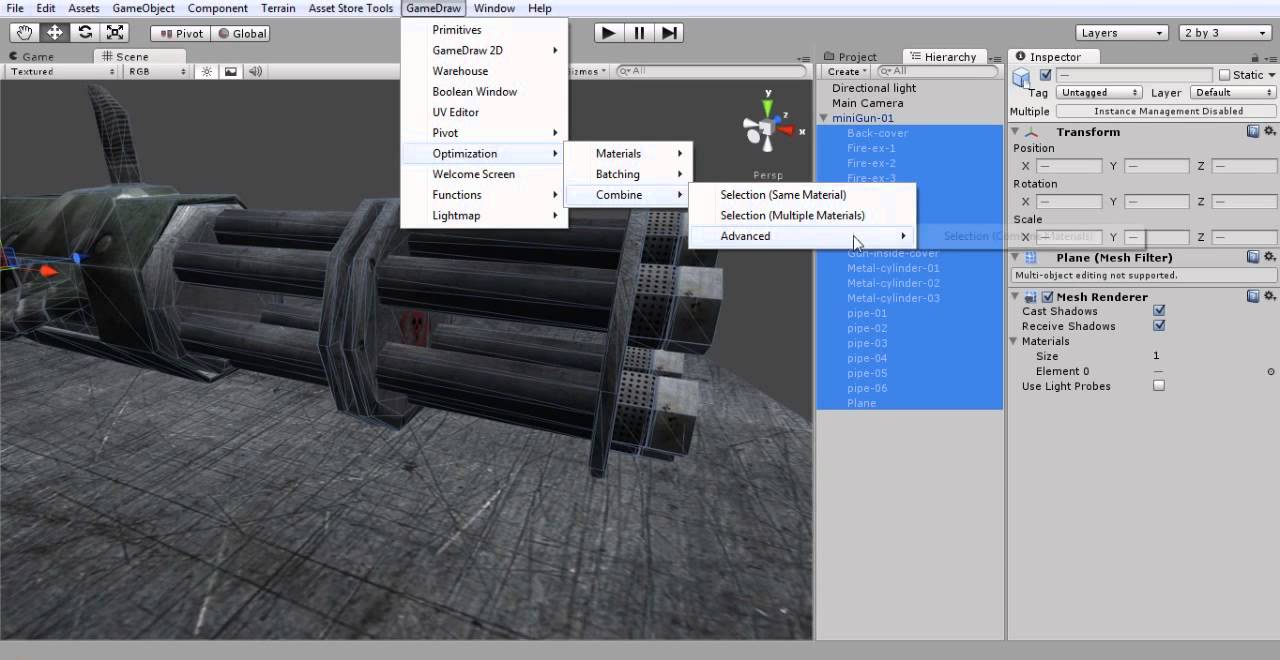
If you want a tool that do combine meshes and materials as well generating a texture atlas then GameDraw might be helpful to you!

Here is a video showing the combine meshes and materials feature in action:

and here is the link to the asset store:

"Code is under construction - the only issue is that after you reference meshRenderer.materials or sharedMaterials the original instances are replaced with unique clones and thus materials[materialArrayIndex] == meshRenderer.sharedMaterials will always be false. :("
Did you manage to solve this ?, other than that this is excellent code to combine meshes

There is a simple solution that can be use in editor mode.

using System.Collections.Generic;
using UnityEngine;

public static class MeshCombiner {
	public static void Combine(Transform parent) {
		Dictionary<Material, List<CombineInstance>> dictionary = new Dictionary<Material, List<CombineInstance>>();
		List<Material> materials = new List<Material>();

		MeshFilter[] meshFilters = parent.GetComponentsInChildren<MeshFilter>(true);

		for (int i = 0; i < meshFilters.Length; i++) {
			Material mat = meshFilters*.GetComponent<MeshRenderer>().sharedMaterial;*
  •  	if (!dictionary.ContainsKey(mat)) {*
    
  •  		dictionary.Add(mat, new List<CombineInstance>());*
    
  •  		materials.Add(mat);*
    
  •  	}*
    
  •  	dictionary[mat].Add(new CombineInstance {*
    

_ mesh = meshFilters*.sharedMesh,_
_ transform = meshFilters.transform.localToWorldMatrix*
* });
}*_

* List combineInstances = new List();*
* foreach (var item in dictionary) {*
* Mesh mesh = new Mesh();*
* mesh.CombineMeshes(item.Value.ToArray());*
* mesh.Optimize();*
* combineInstances.Add(new CombineInstance {*
* mesh = mesh,*
* transform = parent.transform.localToWorldMatrix*
* });*
* }*

* Mesh newMesh = new Mesh() { name = “mesh” };*
* newMesh.CombineMeshes(combineInstances.ToArray(), false);*
* newMesh.Optimize();*

* GameObject newMeshObj = new GameObject(“newMesh”);*
* newMeshObj.transform.localPosition = Vector3.zero;*
* newMeshObj.AddComponent().materials = materials.ToArray();*
* newMeshObj.AddComponent().mesh = newMesh;*
* }*
}

One more suggestion for anyone coming here in the future if the other suggestions don’t suit you. You can do this very easily with the “Easy Mesh Combiner MT” plugin available in the Asset Store. Here is the link: Easy Mesh Combiner MT - Scene Mesh Merge, Atlasing Support & More | Game Toolkits | Unity Asset Store

Invaluable article . For what it’s worth , if someone have been needing to merge are interested in merging of , my colleagues came across a tool here altomerge.