Hello, I want to create a little game where you control a spaceship and just go around in space. I want to put in some planets but I’m afraid that such big objects would destroy the performance. Am I wrong? If not, how could I create the illusion of a really big object in space?
Perspective. Object swap outs based on apparent distance. Maybe read some sfx how it was done guides to various movies that use planets and starships. They certainly do not use real ratio scaling. cgtalk has tons of that kind of post production insider looks.
1 Like
Also multiple cameras work. (small object close to camera)
3 Likes
As I recall, Half Life 2 did this. Every level would have a small “skybox” hidden somewhere far away from the player. There would be a second camera at the center of the skybox that rotated in sync with the main camera. Inside the skybox was a little miniature of the city skyline. When the skybox camera was rendered behind the primary camera, it created the illusion of the surrounding buildings being far away.
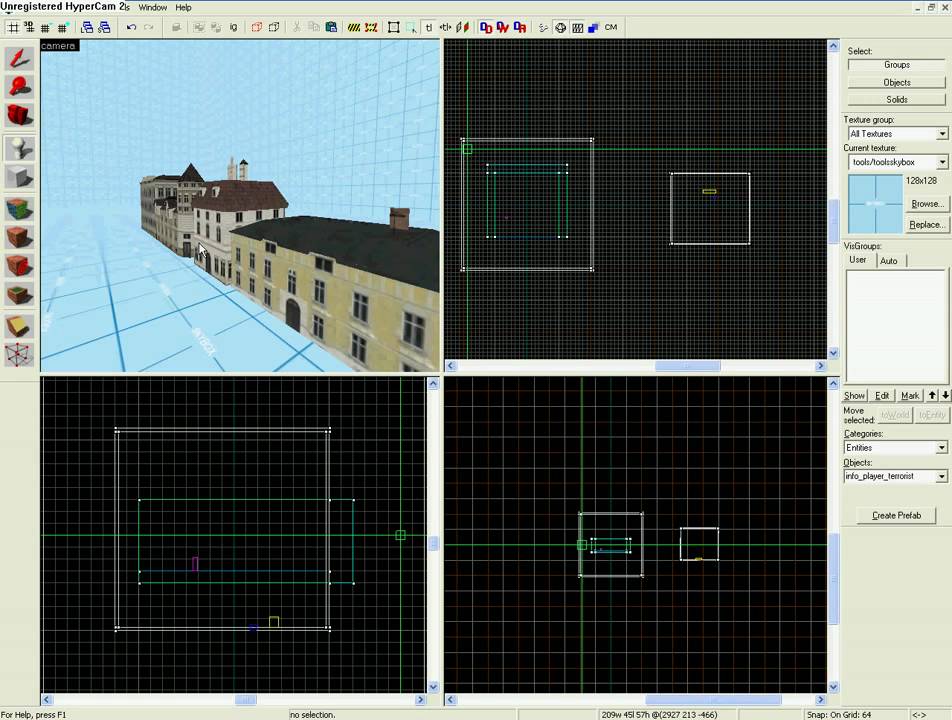
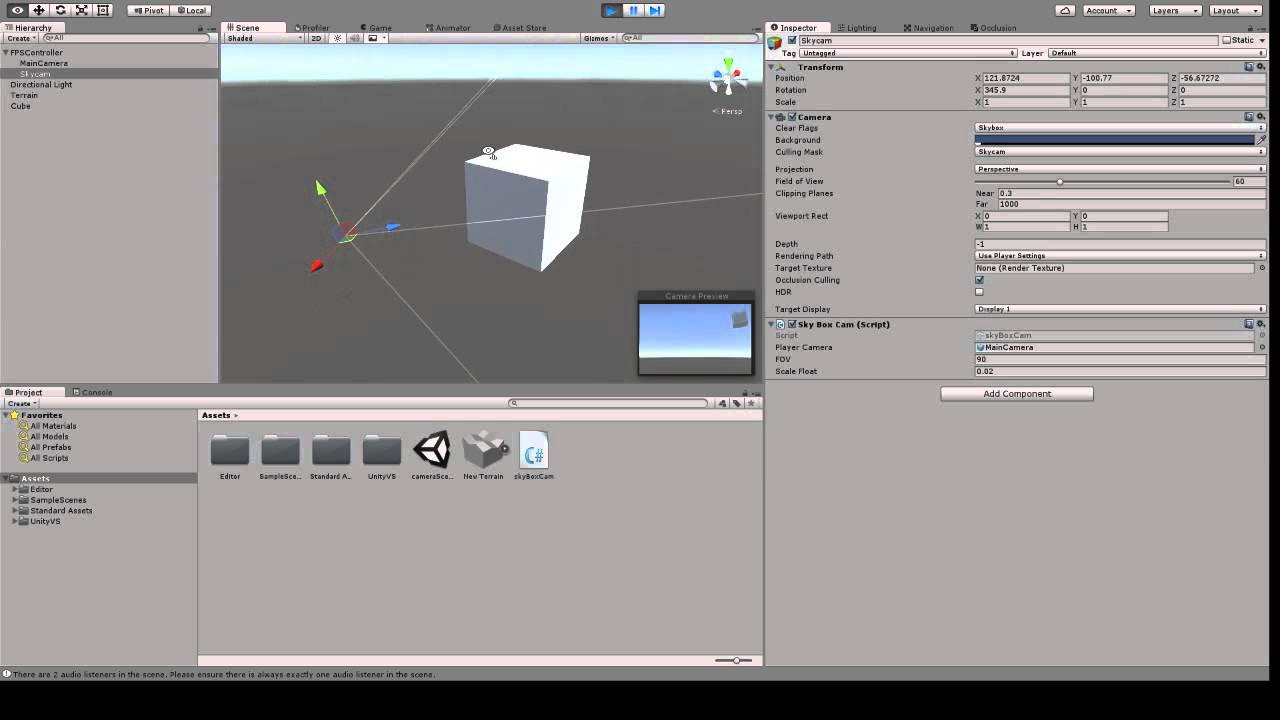
You could do the same thing with planets. Set up a secondary camera, and make your miniature planets only visible to the secondary camera. Every LateUpdate, rotate the secondary camera to match the main camera, and position the secondary camera at a fraction of the main camera’s position. For example if the scale is 100:1, moving the main camera 100 units moves the secondary camera 1 unit. If the player gets close to the planet, you would swap in a larger model that is visible to the main camera. (like @ippdev suggested).
6 Likes
thank you guys, you’re awesome! I’ll try that
1 Like
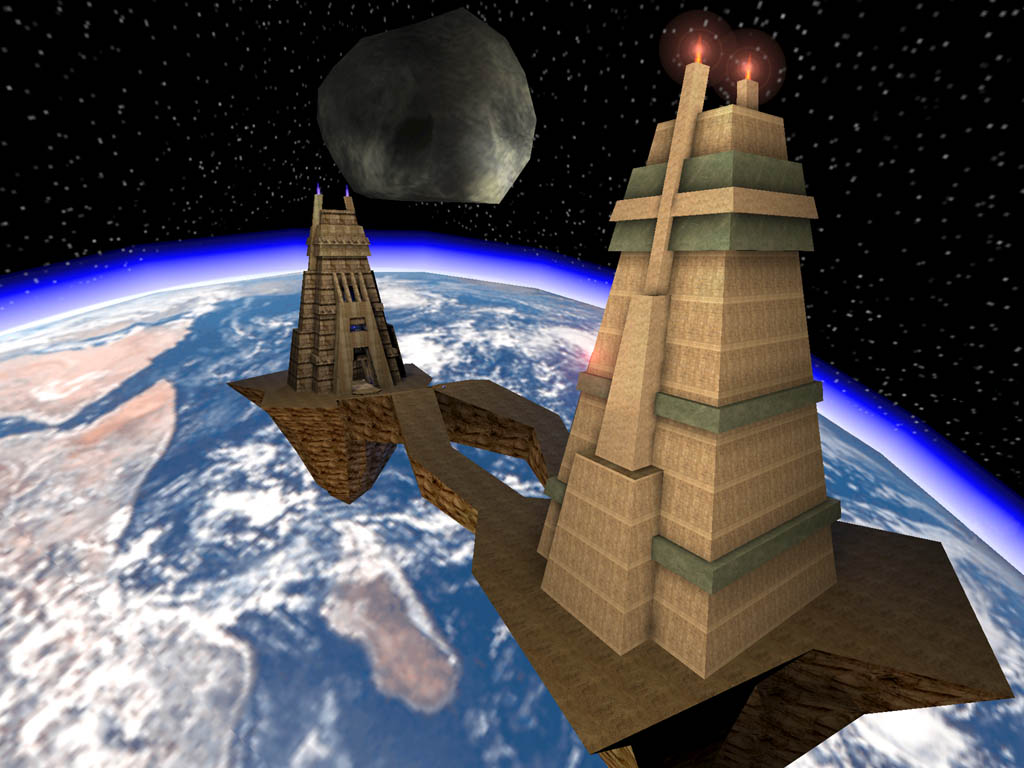
This is called a 3d Skybox, and it’s exactly what Unreal Tournament did for the stage “Facing Worlds” way back in 1999.
Interesting. How did games like Bulletstorm pull off using large vehicles like the grind wheel or the dinosaur entity? Are those actually to size or is it another perspective trick?

Yup. 3d skyboxes.
Probably.
Procedural generated planets and LOD.
This guy gives away some awesome unity projects, some of which have massive planets with LOD in Unity…
Go to 1:00
3 Likes
Was actually reading earlier on the forums and someone had a great idea. Have the planet, a giant sphere textured. With cloud type particles, or a animated atmoshere, when you get close you could have a zone warp to another scene where its the ground.
More details would help in finding the best approach.
Are the planets just in the distance, or can you actually fly by them? Do you intend to actually be able to get close enough to land on them, or just pass by?
Why would you want them small? if the object is still high poly won’t the performance be the same? The only thing I could think of is draw distance, but in the UT example it’s the only model far away so would it really make a difference?
(Though it would obviously be neater to do it with small objects)
Draw distance is the limiting factor. 3D rendering hardware has to write all depth values to a z-buffer. This is basically an image where each pixel stores a 24-bit depth value instead of color. So if you set your camera depth too large (like over 1,000,000) you’re going to start losing depth resolution and you’ll start to see nasty rendering artifacts.

Figure 1 shows two 1m spheres with an offset of 0.01m between them, at 2m from the camera. You can see the hardware correctly shows the red sphere in front on the left side, and the yellow sphere in front on the right side.
Figure 2 shows the same two spheres at a distance of 2,000,000m from the camera, and scaled appropriately. You can see the hardware is having trouble telling which one is in front of the other because of the depth buffer resolution.
I actually expected the Z-Fighting effect to be much worse. Surprisingly Unity can render objects that are very very very far away without much difficulty. But the editor does warn you if you put anything more than 1,000,000m from the center that you will be losing floating point precision. I would be concerned it would mess up your physics simulation if you have objects that far away. Plus you can’t even see the objects in the scene view when they are that far away, so it would be difficult to work with your scene. So, just don’t do it. Use a skybox.
1 Like
just pass by … anyway, the skybox solution seems to work wonderfully, I just have to practice more with it
Check out how Kerbal space program overcame the physics and size limitations within Unity using 3 scaled camera scenes and their own 64bit solar system simulation, they did a talk on it that you can find on youtube.
looks interesting, I’ll look for it later
You’re referring to the talk they did back at Unite 2013? I think the discussion relevant to sub-scenes starts around eleven minutes into the video.
1 Like
Full tutorial on this right here y’all!
3 Likes