Is it possible to create tooltips while hovering over a UI Button using an Event Trigger. I’ve looked around, but all the information I found was for older version of Unity and GUI.
This will display a tooltip with a Y offset, that will stay within the bounds of the screen if anyone else is interested in the best solution. Just attach to your tooltip object:
public class Tooltip : MonoBehaviour
{
    public bool IsActive = true;

    Camera cam;
    Vector3 min, max;
    RectTransform rect;
    float offset = 10f;

    // Start is called before the first frame update
    void Start()
    {
        cam = Camera.main;
        rect = GetComponent<RectTransform>();
        min = new Vector3(0, 0, 0);
        max = new Vector3(cam.pixelWidth, cam.pixelHeight, 0);
    }

    // Update is called once per frame
    void Update()
    {
        if (IsActive)
        {
            //get the tooltip position with offset
            Vector3 position = new Vector3(Input.mousePosition.x + rect.rect.width, Input.mousePosition.y - (rect.rect.height / 2 + offset), 0f);
            //clamp it to the screen size so it doesn't go outside
            transform.position = new Vector3(Mathf.Clamp(position.x, min.x + rect.rect.width/2, max.x - rect.rect.width/2), Mathf.Clamp(position.y, min.y + rect.rect.height / 2, max.y - rect.rect.height / 2), transform.position.z);
        }

    }
}
I’m digging up an old subject but I went through this post while I was looking for a way to add tooltip in unity but I didn’t find any answer so I tried mine, it works great so I thought I could share :
using System.Collections;
using System.Collections.Generic;
using UnityEngine;
using UnityEngine.EventSystems;

public class SCR_21_ToolTips : MonoBehaviour, IPointerEnterHandler, IPointerExitHandler
{
    public GameObject gmo_toolTip;

    void Start()
    {
        // I added this in case I forgot to set the tooltip object
        if (gmo_toolTip!= null)
        {
            gmo_toolTip.SetActive(false);
        }
    }

    public void OnPointerEnter(PointerEventData eventData)
    {
        // Same here
        if (gmo_toolTip!= null)
        {
            gmo_toolTip.SetActive(true);
        }
    }

    public void OnPointerExit(PointerEventData eventData)
    {
        // and same here
        if (gmo_toolTip!= null)
        {
            gmo_toolTip.SetActive(false);
        }
    }
}
Now all you have to do is make some text or whatever you want as tooltip, drag this script over your button and then set the “gmo_toolTip” value in the inspector :

I was lazy so I used buttons to make the tooltip boxes (goes fast with a shape, background and text inside).
Hope this could help someone 
Hi, this tutorial should work in “new” Unity Ui system
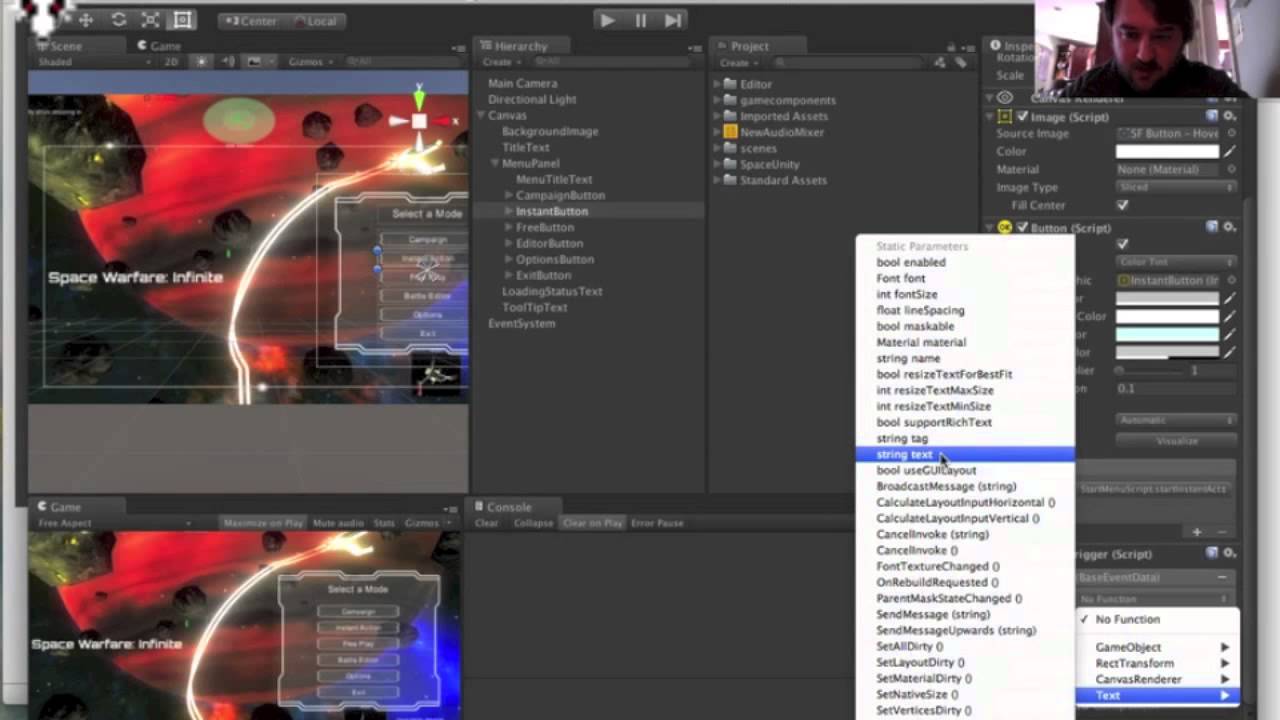
If you want your tooltip to display next to the cursor add this behaviour to the TooltipText GameObject:
public Canvas myCanvas;
public Vector3 offset;
// Update is called once per frame
void Update () {
    transform.position = Input.mousePosition + offset;
}
In the inspector set myCanvas and tweak the offset.
Hope that helps,
Bye