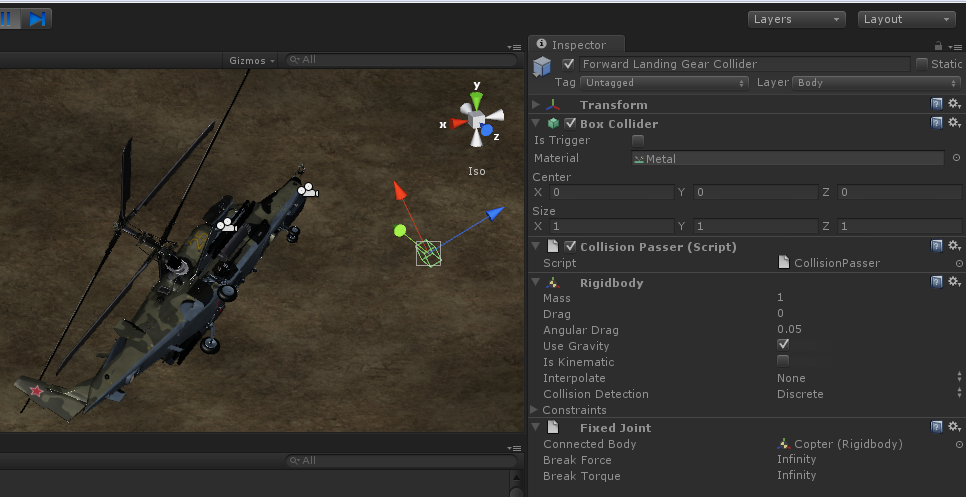
(reposted from the Scripting forum after I realized it was more suited to here)
I’m having some really confusing issues with creating multiple child box colliders for a helicopter game I’m working on. Rather than use a mesh collider, I decided I wanted to box off regions of the helicopter’s model so that I could have more complex damage detection.
I created my helicopter gameobject, and then added a rigidbody to it. Then, following the guide on Unity - Manual: Box collider component reference I created an empty game object for each ‘area’ of the helicopter. Then, I added box colliders to each of those game objects and made the helicopter gameobject with the rigidbody their parent.


At this point, everything seemed to work fine. I placed the copter onto my terrain, I hit play, it settled down into place happily on the colliders I had set up for the landing gear. At this point I figured the next step was that I should place a script into each collider to pass along collisions to the parent Flight Control script, so it could handle calculating damage. I placed the following script into each collider:
function OnCollisionEnter(collision : Collision)
{
	var arr = new Array();
	arr.push(collision);
	arr.push(gameObject);
    gameObject.SendMessageUpwards("ColliderHit", arr);
}
And in the Flight Control script, I added the following receiver function:
function ColliderHit(data : Array)
{
	var collision : Collision = data[0];
	var source : GameObject = data[1];
	Debug.Log(source.name + " collided with " + collision.gameObject.name);
}
However, when I ran my scene the next time, the collision event didn’t fire. Eventually I came to suspect that this was because my child colliders needed rigidbodies too, and that the parent helicopter object having a rigidbody wasn’t enough. At this point, my objects looked like this:

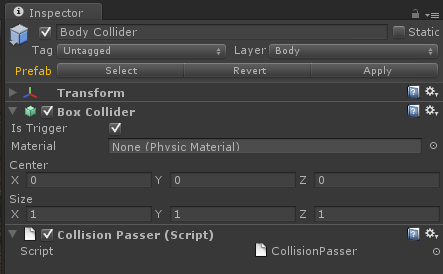
So, I went ahead and added a rigidbody to the collider I had defined for the front landing gear. I hit play… The nose of the copter went falling through the ground, and the entire collider I had defined bounced off of its parent entirely…
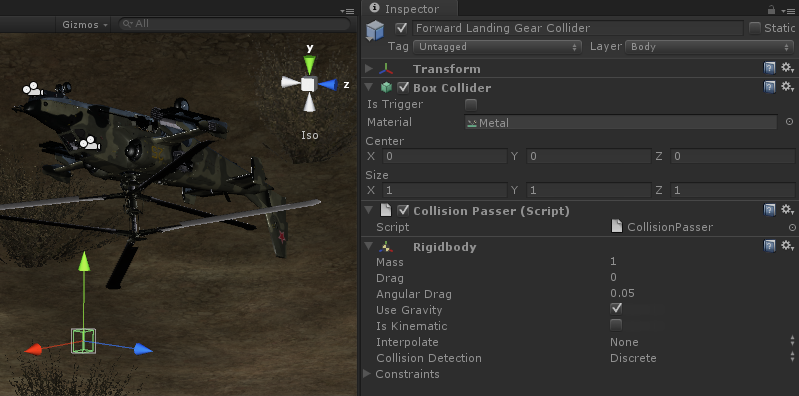
On the upside, the script event did trigger this time.

However, this result made little sense to me, because in the tutorial I linked earlier, it states that child rigidbodies will be dragged along with the parent. I didn’t expect it to just fall off like that. After some further reading I figured my issue was maybe that I had to mark the rigidbody on the collider as kinematic. I went ahead and did so, and this time, even though the collider stayed in place, the entire front of the copter fell through the ground again! The collider would no longer be stopped by the terrain, and it no longer generated any script events for collisions.
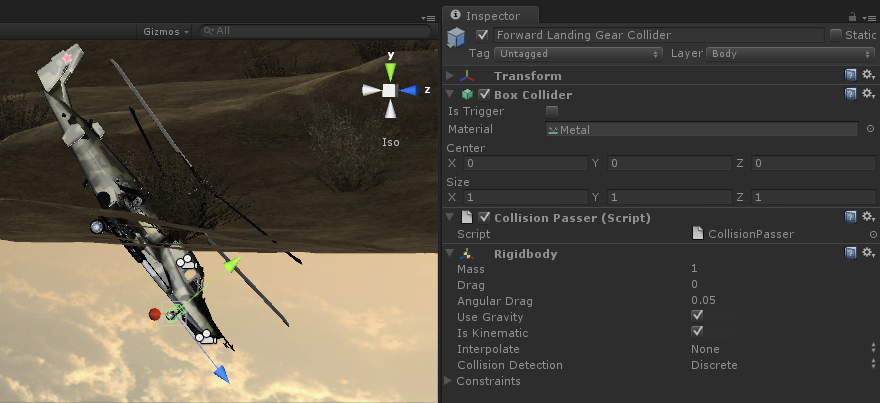
What makes even less sense here, is that while in the image above you can very clearly see that the rear landing gear are staying above the terrain, the nose, cockpit and several other colliders seem to have randomly changed their behaviour and are clipping through the ground now as well, even though they dont even have rigidbodies. Adding one rigidbody and changing it to kinematic seems to have affected half the Box Colliders on the entire object!

So, my question is, what am I doing wrong here? As far as I can tell, a normal rigid body can’t move with a parent, and a kinematic rigidbody won’t register collisions against terrain or raise collision events in scripts… How is it possible, then, to make a gameobject with multiple hit areas that can detect collisions and pass them to the parent?