I build few buildings and I need to do a park with few trees and few plants, I would like to know if it’s possible to define a mesh as a terrain and edit it like a normal terrain ?
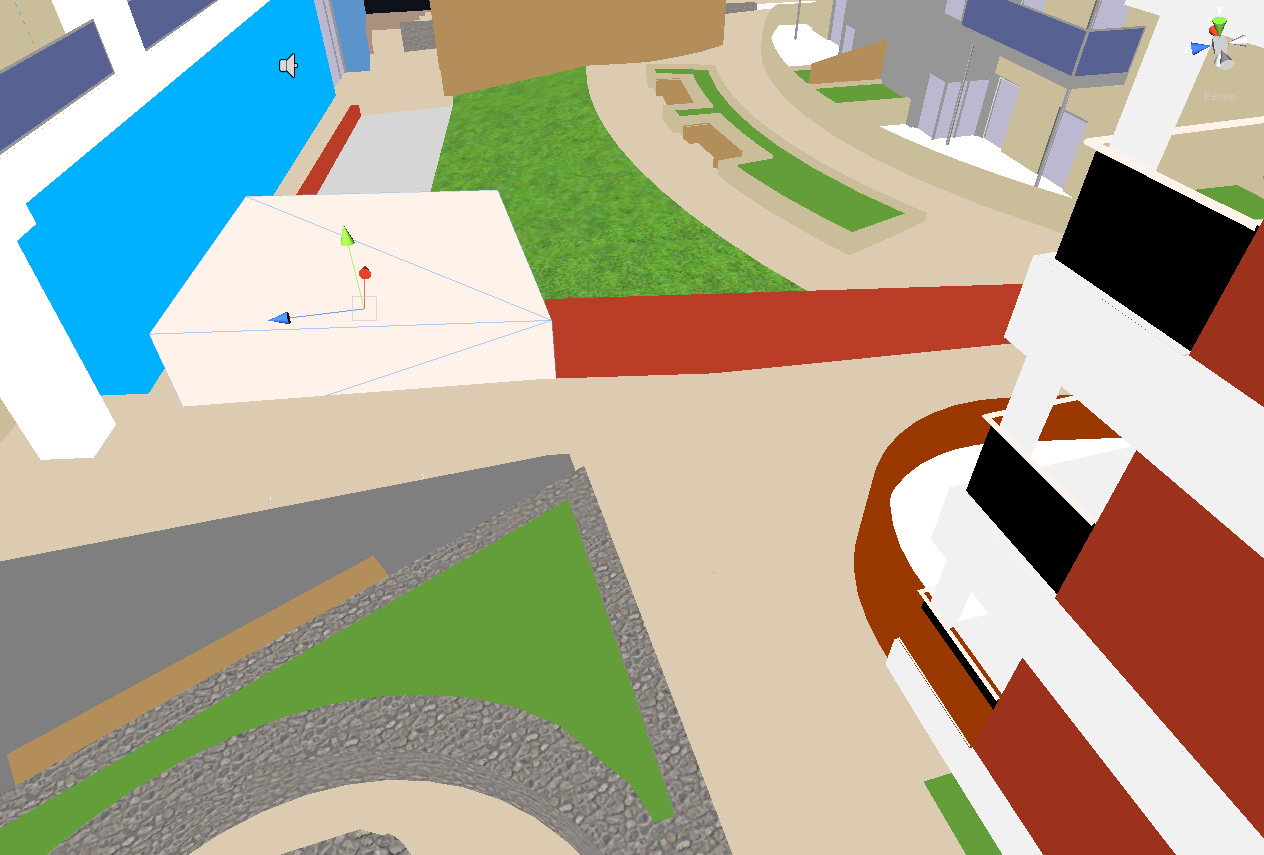
Look at my screenshot… just few poly to define as a terrain…
I know what you want to do, but I think in this case it would be better to build a uvw template - style image and wrap it around you objects. Unity highly reccommend that for performance as far as I know. Sorry if I misunderstood your question;0
Sorry i don’t understand your answer wrap what around my mesh ? the terrain ? I want to use the grass asset (moving grass) and tree from the terrain editor on my green meshes
No, it’s not possible to “define an imported mesh as a terrain”, but there are a few alternatives you can try: One is to search the forums for the thread for the “paint on mesh” project. That project will allow you to paint textures (grass, rock, etc.) on a mesh as if it were a terrain. Then, there was another (albeit very old) project years back that allowed you to assign grass to a mesh using particles, I think a search for “grass shader” may find it. Neither of these is exactly what you’re looking for, but the first or possibly a combination of the two plus some work in a modeling app may give you the results you’re looking for.
Texture painting on any mesh would be good.
This was something I wanted to suggest to the wish list. I previously worked on a tool for a different engine that allowed you to paint textures onto any mesh, not just a specific terrain mesh. You just have a set number of texture layers and store the blend info in the vertices or an additional texture. Very useful for caves, decaying buildings etc.
My second suggestion would handle the grass (not 3d objects like trees) but is a pretty ancient project. I haven’t tested it in U3 yet so don’t know if it will need some work to get it going. Otherwise, no, I’m not aware of any other way of doing it unless you “roll your own”.
 wrap what around my mesh ? the terrain ? I want to use the grass asset (moving grass) and tree from the terrain editor on my green meshes