Or not yet? And when if not?
1 Like
Not yet. In a few weeks, probably.
1 Like
Any update on this?
Yes, it’s available in preview, CM 2.3.4
3 Likes
Looks like it’s still not compatible with CM 2.3.4
You need CM 2.4.0, available now in preview
2 Likes
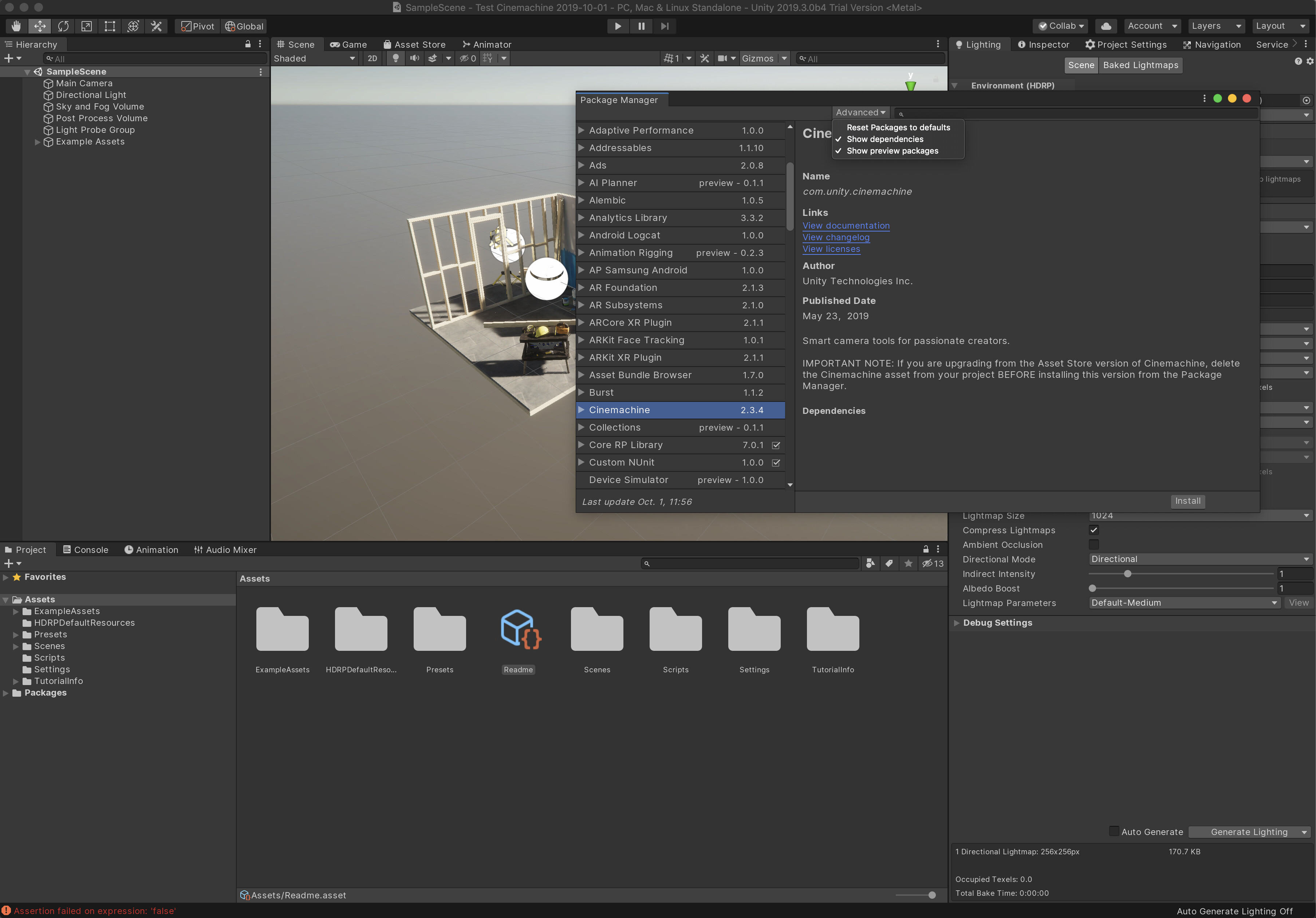
It’s not showing up for me as preview package.
It shows up for me. What version of Unity are you using? And do you have this set?

1 Like

Can you show me your manifest.json file?
Thank you for following this up
{
“dependencies”: {
“com.unity.2d.sprite”: “1.0.0”,
“com.unity.2d.tilemap”: “1.0.0”,
“com.unity.ads”: “2.0.8”,
“com.unity.analytics”: “3.3.2”,
“com.unity.collab-proxy”: “1.2.16”,
“com.unity.ext.nunit”: “1.0.0”,
“com.unity.ide.visualstudio”: “1.0.11”,
“com.unity.ide.vscode”: “1.0.7”,
“com.unity.polybrush”: “1.0.1”,
“com.unity.postprocessing”: “2.1.7”,
“com.unity.probuilder”: “4.1.0”,
“com.unity.progrids”: “3.0.3-preview.4”,
“com.unity.purchasing”: “2.0.6”,
“com.unity.quicksearch”: “1.4.1”,
“com.unity.render-pipelines.high-definition”: “7.0.1”,
“com.unity.test-framework”: “1.1.3”,
“com.unity.textmeshpro”: “2.0.1”,
“com.unity.timeline”: “1.2.2”,
“com.unity.ugui”: “1.0.0”,
“com.unity.modules.ai”: “1.0.0”,
“com.unity.modules.androidjni”: “1.0.0”,
“com.unity.modules.animation”: “1.0.0”,
“com.unity.modules.assetbundle”: “1.0.0”,
“com.unity.modules.audio”: “1.0.0”,
“com.unity.modules.cloth”: “1.0.0”,
“com.unity.modules.director”: “1.0.0”,
“com.unity.modules.imageconversion”: “1.0.0”,
“com.unity.modules.imgui”: “1.0.0”,
“com.unity.modules.jsonserialize”: “1.0.0”,
“com.unity.modules.particlesystem”: “1.0.0”,
“com.unity.modules.physics”: “1.0.0”,
“com.unity.modules.physics2d”: “1.0.0”,
“com.unity.modules.screencapture”: “1.0.0”,
“com.unity.modules.terrain”: “1.0.0”,
“com.unity.modules.terrainphysics”: “1.0.0”,
“com.unity.modules.tilemap”: “1.0.0”,
“com.unity.modules.ui”: “1.0.0”,
“com.unity.modules.uielements”: “1.0.0”,
“com.unity.modules.umbra”: “1.0.0”,
“com.unity.modules.unityanalytics”: “1.0.0”,
“com.unity.modules.unitywebrequest”: “1.0.0”,
“com.unity.modules.unitywebrequestassetbundle”: “1.0.0”,
“com.unity.modules.unitywebrequestaudio”: “1.0.0”,
“com.unity.modules.unitywebrequesttexture”: “1.0.0”,
“com.unity.modules.unitywebrequestwww”: “1.0.0”,
“com.unity.modules.vehicles”: “1.0.0”,
“com.unity.modules.video”: “1.0.0”,
“com.unity.modules.vr”: “1.0.0”,
“com.unity.modules.wind”: “1.0.0”,
“com.unity.modules.xr”: “1.0.0”
}
}
Thank you. I don’t see anything obvious there.
Can you try making a new HDRP project, and importing Cinemachine there?
I created a new HDRP project with 2019.3.0b4
But still no luck. Also not showing up with new URP project with 2019.3.0b4