My name’s Bryson Whiteman and I’m an independent game developer in Los Angeles, California. I lead a team at Sokay.net . We make Sokay Games.
We’ve just released our game Donut Get! on Android phones tablets. It was originally a Flash game, but I ported to Unity over the past month or so. It was my first serious Unity project and in the process I learned a ton about how Unity ticks, and many of the quirks to get things running smoothly on mobile.
The game has a 2d look, but it’s all in 3d of course. Here’s what it looks like in the editor:
I used 2 tri planes for each object, and plastered artwork onto them like billboards.
When I first started with Unity I spent a lot of time looking for ways to work with 2d sprite animation, tiles and whatnot. And working with the mainTextureOffset / mainTextureScale allowed me to do something like that. I was happy to figure out how to handle that! I’m used to working with bitmapData in Flash, and I don’t believe Unity has an equivalent to that.
The sprite sheets in the game look like this:
But they’re super inefficient. Many animations are only using a small portion of the texture sheet. In the future, I have to code up something to alleviate that.
I use NGUI for the UI. I had a lot of issues figuring out how to get the UI to resize for different aspect ratios but overall it’s done me well. Got me up and running pretty quickly and helped me learn a lot about Unity in the process.
I just created a blog post explaining how I accomplished the 2D Sprite animation for Donut Get! It’s not a complete solution but it could help someone out! Check it out at:


 ](https://play.google.com/store/apps/details?id=net.sokay.DonutGet)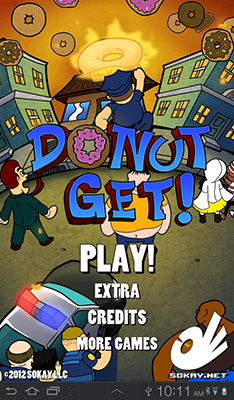


 ](
](