I’ve created an architectural app and I want the client to be able to lift up the roof off the building. I have a script that allows me to drag the roof all over the screen in the X & Y axis:
using UnityEngine;
using System.Collections;
public class mouseDrag_y_axis : MonoBehaviour
{
void OnMouseDrag()
{
Vector3 mousePosition = new Vector3(Input.mousePosition.x, Input.mousePosition.y, 6.33f); //
Vector3 objPosition = Camera.main.ScreenToWorldPoint(mousePosition);
transform.position = objPosition;
}
}
It works but what I really want is that the roof can be lifted up on the Y Axis alone. Looking on Google yealed nothing with regards to just moving the object on just the Y-Axis.
It must be very straightforward to do but my skill is 3D animation, not coding. So how can I do this, (there’s some free 3d modeling in it for anyone that can keep me from tearing out my hair further!) Thanks.
2 Likes
Insert
objPosition.x = transform.position.x;
objPosition.z = transform.position.z;
right before you assign this result to transform.position at the end of that method.
3 Likes
Works like a charm. Thanks a million mate. Let me know if you need anything modeled and if I can it’s done. Cheers.
1 Like
I realise now that the roof object when clicked moves in relation to where the camera is. No doubt because of this line here:
Vector3 objPosition = Camera.main.ScreenToWorldPoint(mousePosition);
So how do I make it that the cube will move up and down without it having anything to do with where the camera is located. The app is AR based so where the camera is when the roof object is clicked is in all different positions and I see as a result, the roof instantly disappears when clicked.
Thanks again.
Right. You don’t want to instantly move the roof to where a line through the camera crosses the view plane; you want to move the roof up and down as the mouse moves up and down.
Try something like this.
using UnityEngine;
using System.Collections;
public class mouseDrag_y_axis : MonoBehaviour {
    public float dragSpeed = 1f;
    Vector3 lastMousePos;

    void OnMouseDown() {
        lastMousePos = Input.mousePosition;
    }

    void OnMouseDrag() {
        Vector3 delta = Input.mousePosition - lastMousePos;
        Vector3 pos = transform.position;
        pos.y += delta.y * dragSpeed;
        transform.position = pos;
        lastMousePos = Input.mousePosition;
    }
}
4 Likes
Works great, thanks. Anyway to change the sensitivity? I tried to change to dragSpeed but it didn’t make any difference.
1 Like
Erm… hmm. That’s exactly what dragSpeed is for. We’re multiplying that by the mouse delta, so it’s hard to see why it wouldn’t make any difference. Perhaps you didn’t change it enough?
How can I stop when object collides with other collider? I’ll continue dragging but object has collided with other collider and further does not moves. How can I do this? Thx
hii Joe, I used your script for dragging to Y axis the gameobject how can I limit the drag like when it hit an endpoint upwards you wont be able to drag it upwards same thing when downwards… need help…
- using UnityEngine;
- using System.Collections;
- public class mouseDrag_y_axis : MonoBehaviour {
- public float dragSpeed = 1f;
- Vector3 lastMousePos;
-
- lastMousePos = Input.mousePosition;
- }
-
- Vector3 delta = Input.mousePosition - lastMousePos;
- Vector3 pos = transform.position;
- pos.y += delta.y * dragSpeed;
- transform.position = pos;
- lastMousePos = Input.mousePosition;
- }
- }
You could do this with a couple of if statements, but an even easier way is to use the Mathf.Clamp function. So it’d look like this:
    using UnityEngine;
    using System.Collections;
    public class mouseDrag_y_axis : MonoBehaviour {
        public float dragSpeed = 1f;
        public float minY = -5;
        public float maxY = 10;
        Vector3 lastMousePos;

        void OnMouseDown() {
            lastMousePos = Input.mousePosition;
        }

        void OnMouseDrag() {
            Vector3 delta = Input.mousePosition - lastMousePos;
            Vector3 pos = transform.position;
            pos.y += delta.y * dragSpeed;
            pos.y = Mathf.Clamp(pos.y, minY, maxY);
            transform.position = pos;
            lastMousePos = Input.mousePosition;
        }
    }
This is simple but maybe not quite ideal, because if you drag quite a ways past the limit, and then drag back in the other direction, the object immediately starts moving — you might instead want it to wait until the mouse has crossed the limit point again. That’s certainly doable too; let me know if you want to see that version.
when I first tap the gameobject it goes down automatically without dragging it and one last thing how can I make may player when standing above the gameObject and start dragging it upwards it also drags my player upwards… really appreciate your help
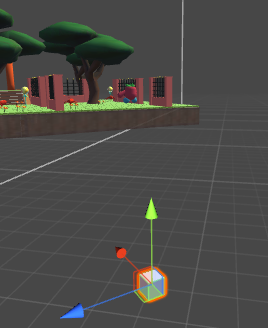
Well, that’s a bit trickier. Are you using Physics? (I.e., do the thing you’re dragging, and the player, both have a Rigidbody component?)
my player has a rigidbody only attached
Hi, Im having a problem dunno what is happening I set the position just like the first picture but when I touch the cube without starting dragging this happens on second pic… the limit endpoint not working :(… Can I see the if condition for limit?


Are you sure you set minY and maxY correctly?
minY is the default position right? and the maxY is far you drag the object.
No, those are the minimum and maximum Y values you want to allow. The code does not let the Y position of the object ever be less than minY, or greater than maxY. So you need to set those correctly for the valid range of Y values.
aside from dragging it to Y axis how can I make it drag to Z and X axis at the same time… thank you so much your response is a big help for me 
Well I’m not even sure what that means. You can only move the mouse in 2 dimensions; how exactly do you want this to change the position of the object in 3 dimensions?
If you can define that clearly, you can probably code it. You just need some more lines like lines 16-17, that affect the other parts of pos.
I got this script to be able to drag my player with the platform but when the player walk inside the platform and tried to walk outside the platform it doesnt work it just stays inside the platform
private GameObject target = null;
private Vector3 offset;
void Start()
{
target = null;
}
void OnTriggerEnter (Collider col)
{
target = col.gameObject;
offset = target.transform.position - transform.position;
}
void OnTriggerExit (Collider col)
{
target = null;
}
void LateUpdate()
{
if (target != null)
{
target.transform.position = transform.position + offset;
}
}