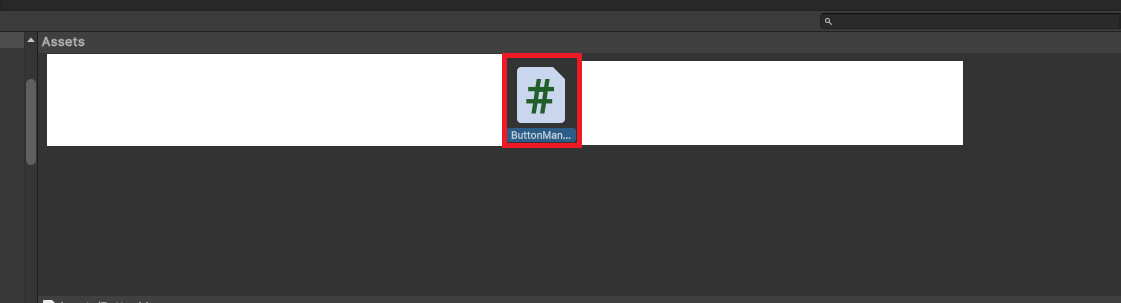
So i want to Had a ButtonManager script called “ButtonManager.cs” and it was working fine.
Now i added some Stuff and Delete other Stuff becaus i dont needed them anymore and now if i try to add the Script to my Empty gameObjecet (Named: ButtonManager)
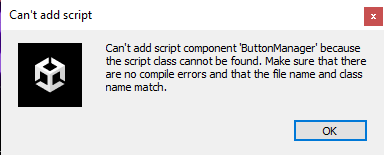
I get this Error
“Can’t add script component ‘ButtonManager’ because the script class cannot be found. Make sure that there are no compile errors and that the file name and class name match.”
And in the Insprector it says:
“No MonoBehaviour script in the file, or their names do not match the file name.”
using System.Collections;
using System.Collections.Generic;
using UnityEngine;
using UnityEngine.SceneManagement;

public class ButtonManager : MonoBehaviour
{
    public void QuitGame()
    {
        Application.Quit();
        Debug.Log("Game closed");
    }

    public void SwitchToLobby()
    {
        SceneManager.LoadScene("1");
        Debug.Log("Switched to Lobby");
    }

    public void GoToMainMenu()
    {
        SceneManager.LoadScene("0");
        Debug.Log("Switched to Main Menu");
    }
}
So you said you have read through that other thread and you also read the error you got and not just took a screen capture of it, right? So you are absolutely positive that you have no compile errors at all. So when you click the “clear” button on the console, the console is absolutely empty (of course assuming you haven’t filtered out errors). If there is ANY error in ANY file in your project, your scripts can not be compiled at all, even when the script you want to use does not have any errors itself.
Scripts are compiled into a single assembly and for that to happen, there must not be any errors.
So assuming you don’t have any errors at all, it’s possible that you switched off automatic recompilation in the editor settings or that somehow Unity did not pick up the change of the file and didn’t trigger the compilation. Try rightclicking the script and press “reimport” and see if it fixes the issue.
So i have 2 Errors in my Multiplayer Script that i also cant fix.
Maybe you have a idea to fix this.
Assets\Scripts\Lobby\Multiplayer.cs(42,9): error CS0246: The type or namespace name ‘CountdownTimer’ could not be found (are you missing a using directive or an assembly reference?)
The Code that creats this error is:
Line 42: CountdownTimer heartbeatTimer = new CountdownTimer(k_lobbyHeartbeatInterval);
Line 43: CountdownTimer pollForUpdatesTimer = new CountdownTimer(k_lobbyPollInterval);
So the warning told you that you should check for errors but you ignored that. Please read errors as they are provided to you before posting as it’ll save you and everyone a lot of back/forth trying to help you.
This error is the compiler telling you that it has no idea what “CountdownTimer” is so hopefully you know what it is and where it is defined.
I didnt get a Warning lol
In the Inspector it just said the MonoBehaviour thing and in the Consol i had 2 Errors for ContdownTimer but i tought that cant be the problem now i know.
Entschuldigen Sie die Unannehmlichkeiten
But im not a Speciallist in Unity
I still dont know how to fix the Errors maybe you know
If you are just getting started in all things programming I would highly suggest using the Getting Started forum in the future. I’ll move this thread there now for you.
I just did above when I said…
I don’t know what this is either so I cannot fix it for you unfortunately. Look at the original code to find this type. Maybe you’ve not copied it or have spelt it incorrectly.