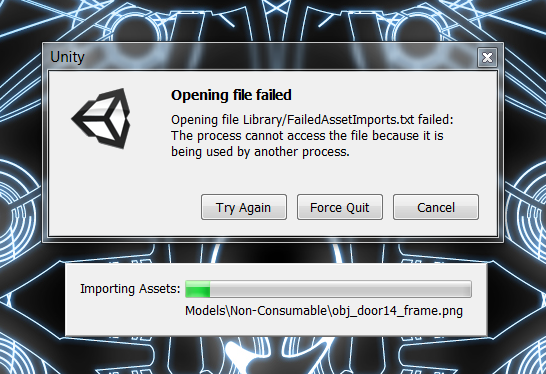
I thought I’d posted about this previously but couldn’t locate it.
I work back and forth on my projects between Mac and Windows.
When I open the project on Mac, it takes about 20 minutes - reimporting assets and stuff, but I can walk away and just come back when it’s done.
When I open the project on Windows, it displays the error shown probably 10-15 times during the opening. It still takes 20 minutes, but I have to sit there and keep pressing “Try Again”. When I hit “Try Again”, it always happily moves on and everything is fine until the next error (where I have to “Try Again”).
Does anyone know why it happens and how to stop it happening? This “pattern” is 100% reproducable - the Mac version NEVER has these errors, the Windows version ALWAYS has these errors.