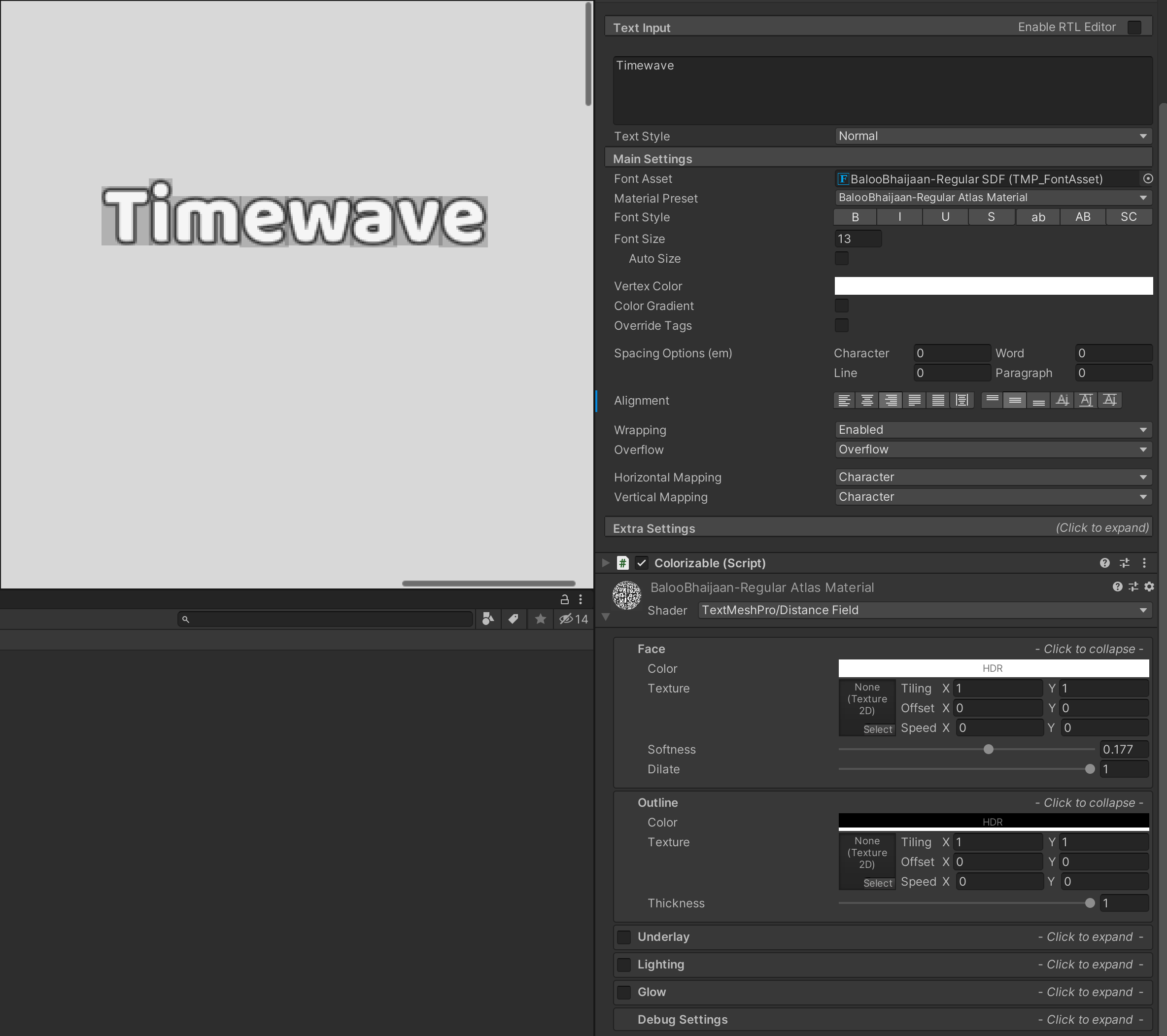
I’m using TextMesh Pro 2.1.1 in Unity 2019.4.19 to render my UI text elements. For some reason, these half-transparent black rectangles are being rendered behind the characters (see image on the right). When I zoom in to the label on the scene it is as sharp as you would expect it to be (see image on the left), without these weird artifacts. However, zooming out causes the same problem to appear even in the scene viewport.
I have no idea what causes them but they are probably related to the black outline of the font as the problem disappears when I turn down the face dilation of the font atlas material shader.
If this helped you fix this problem please rate this up, so it can help other people thank you.
I have found the answer! (It’s simple…)
After coming across the same artifacts with text mesh pro and frustratedly stumbling across this thread I spent many hours trying all sorts of ideas to try an solve this problem and none of them worked, But, I now know on how to solve this problem!
The developers of test mesh pro has already answered this question before, but it’s in the dark depths of unity’s forums. No worries though, I will just tell you here(sources included).
How to fix!
When you create a TextMeshPro font asset what happens is it creates a texture with all the characters spread out with a padding of 5 (default). So, when trying to add an outline you start to see these weird artifacts due to there not being enough padding between the characters on the texture sheet.
So, how do I add more padding? Easy.
You need to open the Font Asset Creator (Window > TextMeshPro > Font Asset Creator)
I have the same problem with custom fonts. I have tried to change the Padding with a proportion greater than 10% of the font point size, but I can’t solve it. I thank you in advance for any help.
I know what might be causing the problem, but I have never figured out how to fix it in similar scenarios.
What I do know is a problem with the shader properties. I once had problems with a sprite in the same sense. When an image has transparency and you put numerous copies of it superimposed on top of one another, it starts to look not-so-transparent. All the dirt in the image starts to stand out. You can test this theory in an image editor that uses transparency. But that’s what I know.
Perhaps a Font (the material that constitutes it) with a transparency can solve it. From what I’ve seen, TextMeshPro uses an image with a completely black background. I don’t know if changing this can solve the problem and/or cause another one.
Also note that text created by Unity’s default editor does not cause this problem, which may also be a limitation of TextMeshPro.



@sebastianfeistl @xinuxano I hope that I also solved the problem for you guys too not just for myself :)
– BlipBTHANK YOU! Works like a charm. Mobile shader, Font with thick outline, and no more background artifacts. TY.
– Hoorza