YAPP - Yet Another Prefab Painter
Introduction
There are already many prefab painters available for Unity, this is yet another one. In case you have use for this one, feel free to download and use YAPP.
It’s FREE and Open Source, so also feel free to fork, modify and add more features to it.
Here’s a quick demo use case video to get you started:
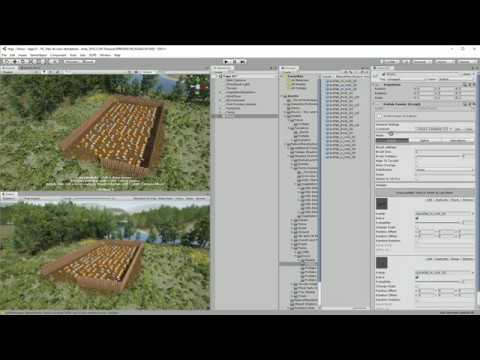
Example screenshot:

Requirements
- Unity 2018.3+
Download
or via Package Manager git url:
https://github.com/Roland09/PrefabPainter.git?path=/Assets/Yapp
Quick Setup
Installation
-
create a new Unity project
-
add the Yapp folder of the GitHub repository to your project
-
in Hierarchy view open the context menu and press Yapp → Create PrefabPainter

First Steps
The created prefab painter looks like this initially in the inspector:

There are 2 things that are now required:
-
a container to put your prefabs in. You can use any gameobject for that. For convenience when you hit the New button, a container is generated automatically as child object of your prefab painter gameobject. But you can use whatever you prefer, it doesn’t necessarily have to be a child. Just drag your container gameobject into the container slot.
-
prefabs which should be instantiated in the scene by this prefab painter and put into the specified container. The container can be cleared, i. e. the container children deleted, by using the Clear button.
Now you can already start painting. Please read the scene view instructions about how to use the current brush, e. g. shift + mouse drag is painting with the brush.
The Idea
When I started Unity I thought this might be a good idea to learn coding. Creating a prefab painter is something rather trivial. All you need to do is analyze an area around the mouse cursor and instantiate a prefab there.
However as usual one thing leads to the other and it turned out that there’s always something that one wants more. The existing prefab painters - free and commercial - didn’t meet my requirements. So I created my own.
A big shoutout to the awesome people of the Unity Community who provided tutorials which I used for the more advanced features. Please see the credits section in the GitHub repository. Thanks to them coding this asset took about a week.
Features
Among others, these are the core features:
- Container based
Operates on gameobjects which are considered containers (or folders) for grouping and contain the actual prefab instances
-
Paint modes
-
Brush
Brush settings like size, rotation, terrain alignment, slope dependency, distribution -
Spline
Spline settings like curve resolution, loop, separation distance, multiple lanes along the spline, snap to terrain -
Prefab Instantiation
Probability, scale variation, position offset, rotation offset, random rotation
- Batch operations
Batch operations on container children like applying Physics (gravity, other forces), copy/paste transforms
Beta
Please note that this is still beta and work in progress, so features may change. Also the UI might change. Currently I used standard Unity UI setup, it was rather trivial and straightforward to do so.
Feedback is very welcome.
Have fun 


