Hello,
I was wondering how to embed a unity game into a web page. Lets say I own xgames.com (just an example) and I made a game. I uploaded the .html and a .unity3d file named "“webplayer” to a page called files (the page is hidden). How would I embed the game into a webpage? Would I use custom html?
Thanks in advance!
1 Like
The simplest way is to grab the guts out of the html file generated by unity and stick that in the page html that you want the game in.
Add this bit in the head:
<script type="text/javascript" src="http://webplayer.unity3d.com/download_webplayer-3.x/3.0/uo/UnityObject.js"></script>
<script type="text/javascript">
<!--
function GetUnity() {
	if (typeof unityObject != "undefined") {
		return unityObject.getObjectById("unityPlayer");
	}
	return null;
}
if (typeof unityObject != "undefined") {
	unityObject.embedUnity("unityPlayer", "NAMEOFYOURGAMEUNITYFILE.unity3d", 480, 320);

}
-->
</script>
<style type="text/css">
<!--
body {
	font-family: Helvetica, Verdana, Arial, sans-serif;
	background-color: white;
	color: black;
	text-align: center;
}
a:link, a:visited {
	color: #000;
}
a:active, a:hover {
	color: #666;
}
p.header {
	font-size: small;
}
p.header span {
	font-weight: bold;
}
p.footer {
	font-size: x-small;
}
div.content {
	margin: auto;
	width: 480px;
}
div.missing {
	margin: auto;
	position: relative;
	top: 50%;
	width: 193px;
}
div.missing a {
	height: 63px;
	position: relative;
	top: -31px;
}
div.missing img {
	border-width: 0px;
}
div#unityPlayer {
	cursor: default;
	height: 320px;
	width: 480px;
}
-->
</style>
And this bit somewhere in the body (wherever you want it)
<p class="header"><span>Unity Web Player | </span>WebPlayer</p>
<div class="content">
	<div id="unityPlayer">
		<div class="missing">
			<a href="http://unity3d.com/webplayer/" title="Unity Web Player. Install now!">
				<img alt="Unity Web Player. Install now!" src="http://webplayer.unity3d.com/installation/getunity.png" width="193" height="63" />
			</a>
		</div>
	</div>
</div>
<p class="footer">« created with <a href="http://unity3d.com/unity/" title="Go to unity3d.com">Unity</a> »</p>
That’s all and now it’s in your webpage.
If you wanted to get a little bit more fancy and have it only load when you click on it or something, you’ll need to do a bit of Googling for ‘Unity webplayer load on demand’ or something. I wrote a little post ages ago about doing this for squarespace blogs.
Fake edit: Just noticed how much simpler the Unity generated html page is now. Very nice.
The simplest way is to grab the guts out of the html file generated by unity and stick that in the page html that you want the game in.
Add this bit in the head:
<script type="text/javascript" src="http://webplayer.unity3d.com/download_webplayer-3.x/3.0/uo/UnityObject.js"></script>
<script type="text/javascript">
<!--
function GetUnity() {
	if (typeof unityObject != "undefined") {
		return unityObject.getObjectById("unityPlayer");
	}
	return null;
}
if (typeof unityObject != "undefined") {
	unityObject.embedUnity("unityPlayer", "NAMEOFYOURGAMEUNITYFILE.unity3d", 480, 320);

}
-->
</script>
<style type="text/css">
<!--
body {
	font-family: Helvetica, Verdana, Arial, sans-serif;
	background-color: white;
	color: black;
	text-align: center;
}
a:link, a:visited {
	color: #000;
}
a:active, a:hover {
	color: #666;
}
p.header {
	font-size: small;
}
p.header span {
	font-weight: bold;
}
p.footer {
	font-size: x-small;
}
div.content {
	margin: auto;
	width: 480px;
}
div.missing {
	margin: auto;
	position: relative;
	top: 50%;
	width: 193px;
}
div.missing a {
	height: 63px;
	position: relative;
	top: -31px;
}
div.missing img {
	border-width: 0px;
}
div#unityPlayer {
	cursor: default;
	height: 320px;
	width: 480px;
}
-->
</style>
And this bit somewhere in the body (wherever you want it)
<p class="header"><span>Unity Web Player | </span>WebPlayer</p>
<div class="content">
	<div id="unityPlayer">
		<div class="missing">
			<a href="http://unity3d.com/webplayer/" title="Unity Web Player. Install now!">
				<img alt="Unity Web Player. Install now!" src="http://webplayer.unity3d.com/installation/getunity.png" width="193" height="63" />
			</a>
		</div>
	</div>
</div>
<p class="footer">« created with <a href="http://unity3d.com/unity/" title="Go to unity3d.com">Unity</a> »</p>
That’s all and now it’s in your webpage.
If you wanted to get a little bit more fancy and have it only load when you click on it or something, you’ll need to do a bit of Googling for ‘Unity webplayer load on demand’ or something. I wrote a little post ages ago about doing this for squarespace blogs.
Fake edit: Just noticed how much simpler the Unity generated html page is now. Very nice.
Sorry I didn’t reply faster, I have been trying to figure this out.
So, the name of my unity3d and html file is “webplayer”. And when exporting the webplayer I checked the boxes streamed and offline deployment. The I uploaded all 3 of the files to the website. (webplayer.html, webplayer.unity3d, and UnityObject.js) Then on a page I added the following code to a page.
<script type="text/javascript" src="http://webplayer.unity3d.com/download_webplayer-3.x/3.0/uo/UnityObject.js"></script>
<script type="text/javascript">
<!--
function GetUnity() {
	if (typeof unityObject != "undefined") {
		return unityObject.getObjectById("unityPlayer");
	}
	return null;
}
if (typeof unityObject != "undefined") {
	unityObject.embedUnity("unityPlayer", "webplayer.unity3d", 480, 320);

}
-->
</script>
<style type="text/css">
<!--
body {
	font-family: Helvetica, Verdana, Arial, sans-serif;
	background-color: white;
	color: black;
	text-align: center;
}
a:link, a:visited {
	color: #000;
}
a:active, a:hover {
	color: #666;
}
p.header {
	font-size: small;
}
p.header span {
	font-weight: bold;
}
p.footer {
	font-size: x-small;
}
div.content {
	margin: auto;
	width: 480px;
}
div.missing {
	margin: auto;
	position: relative;
	top: 50%;
	width: 193px;
}
div.missing a {
	height: 63px;
	position: relative;
	top: -31px;
}
div.missing img {
	border-width: 0px;
}
div#unityPlayer {
	cursor: default;
	height: 320px;
	width: 480px;
}
-->
</style>
<p class="header"><span>Unity Web Player | </span>WebPlayer</p>
<div class="content">
	<div id="unityPlayer">
		<div class="missing">
			<a href="http://unity3d.com/webplayer/" title="Unity Web Player. Install now!">
				<img alt="Unity Web Player. Install now!" src="http://webplayer.unity3d.com/installation/getunity.png" width="193" height="63" />
			</a>
		</div>
	</div>
</div>
<p class="footer">« created with <a href="http://unity3d.com/unity/" title="Go to unity3d.com">Unity</a> »</p>
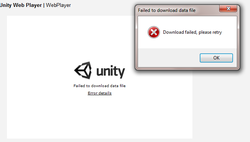
But it does not work. It said that download failed.
Do I need to tell the code the addres of my game files? Thanks for all of your help, sorry I could not figure this out!
that is a good option…
and you can try dropbox… is easy to use and effective…
https://www.dropbox.com/home
1 Like
Hello everyone,
@spaceMan-2.5 I will check out dropbox, looks pretty cool!
I was shearching around the internet and found a code that works for me. Here it is:
<object id="UnityObject" classid="clsid:444785F1-DE89-4295-863A-D46C3A781394"
    width="600" height="450"
    codebase="http://webplayer.unity3d.com/download_webplayer/UnityWebPlayer.cab#version=2,0,0,0">
    <param name="FULL ADRESS TO .UNITY3D FILE " value="NAME OF .unity3d" />
    <embed id="UnityEmbed" src="FULL ADDRESS TO .UNITY3D FILE " width="600" height="450"
        type="application/vnd.unity" pluginspage="http://www.unity3d.com/unity-web-player-2.x" />
</object>
Then just replace the all caps text with what it says. Hope this helps, and thanks for your help!
this forum may be dead but i am having same problem. what do i do with that html code above
Its quite simple. Change the Italics to the location you built your unity game file. Drag both the files into your website folder (The HTML and .unity3D which it creates when you build) and then place this in the HTML
I’m dealing with this issue right now myself on my Moonfruit hosted site. I can’t find a way to get the file path to the .unity3d file…though I can upload it to my file manager on the host. So since I can’t find the file path, I can’t put that into the HTML code snippet so it knows where the Unity file is!
I’ve been including unity files in web pages in a constantly increasing rate and needed a generic solution to streamline the process.
I was looking for a jQuery plugin dealing with this but I didn’t find one - so I created it:
component.json
{
  "name": "jquery-unity3d",
  "version": "0.2.0",
  "main": ["./jquery.unity3d.js"],
  "dependencies": {
	  "jquery": "~1.8.2"
	}
}
example.html
<!doctype html>
<html>
	<head>
	<title>Unity Web Player</title>
        <script type="text/javascript" src="http://code.jquery.com/jquery-1.8.3.min.js"></script>
		<script type="text/javascript" src="jquery.unity3d.js"></script>
        <script type="text/javascript">
        $(function(){
			$("#unityPlayer").unity3d({
file : "http://cdn.unitypeeps.com/files/501aec1bb58a0.unity3d"show original
jquery.unity3d.js
/**
* unity3d - jQuery plugin to embed Unity3D files
* Created by: Makis Tracend (@tracend)
*
* Licensed under the MIT licenses:
* http://www.opensource.org/licenses/mit-license.php
*
**/
(function( $ ) {
$.unity3d = function(options, container) {show original
There are more than three files. show original
Basically it gives you a one liner that you can include in any web pages and has only jQuery as a dependency.
There’s a short readme giving usage instructions but feel free to post any questions if you want to use it.
Cheers
1 Like
Hey there, UNITY3D PEOPLE.unity3d object is.
Just thought I would make it more READABLE (like your suppose STRUCTURING YOUR CODE , people…
<!DOCTYPE html PUBLIC "-//W3C//DTD XHTML 1.0 Strict//EN" "http://www.w3.org/TR/xhtml2/DTD/xhtml1-strict.dtd">

<html xmlns="http://www.w3.org/1999/xhtml" xml:lang="en">
<head>
	<title>The Title of Your Webpage</title>
</head>
<body>
      <object id="UnityObject"
              classid="clsid:444785F1-DE89-4295-863A-D46C3A781394"
              width="800"
              height="450"
              codebase="http://webplayer.unity3d.com/download_webplayer/UnityWebPlayer.cab#version=2,0,0,0">
         <param name="[Your Unity3D Game Name].unity3d"
                value="[Your Unity3D Game Name].unity3d" />
             <embed id="UnityEmbed"
                    src="[Your Unity3D Game Name].unity3d"
                    width="600"
                    height="450"
                    type="application/vnd.unity"
                    pluginspage="http://www.unity3d.com/unity-web-player-2.x" />
     </object>

</body>
</html>
Enjoy
LtKelleyUSMC:
Hey there, UNITY3D PEOPLE.unity3d object is.
Just thought I would make it more READABLE (like your suppose STRUCTURING YOUR CODE , people…
<!DOCTYPE html PUBLIC "-//W3C//DTD XHTML 1.0 Strict//EN" "http://www.w3.org/TR/xhtml2/DTD/xhtml1-strict.dtd">

<html xmlns="http://www.w3.org/1999/xhtml" xml:lang="en">
<head>
	<title>The Title of Your Webpage</title>
</head>
<body>
      <object id="UnityObject"
              classid="clsid:444785F1-DE89-4295-863A-D46C3A781394"
              width="800"
              height="450"
              codebase="http://webplayer.unity3d.com/download_webplayer/UnityWebPlayer.cab#version=2,0,0,0">
         <param name="[Your Unity3D Game Name].unity3d"
                value="[Your Unity3D Game Name].unity3d" />
             <embed id="UnityEmbed"
                    src="[Your Unity3D Game Name].unity3d"
                    width="600"
                    height="450"
                    type="application/vnd.unity"
                    pluginspage="http://www.unity3d.com/unity-web-player-2.x" />
     </object>

</body>
</html>
Enjoy
Best post ever. I would have closed this page and not even bothered without making that code readable.
It does’n work,
In Unity make a webplayer build. Unity creates a folder with an html and unity3d file. Copy those to your webserver. Now enjoy the game.
1 Like
efath
December 3, 2013, 7:23pm
15
My hero. Works like a charm!
Here’s a commented version of LtKelley’s code with the sections that you need to change marked up. Works for me
<!DOCTYPE html PUBLIC "-//W3C//DTD XHTML 1.0 Strict//EN" "http://www.w3.org/TR/xhtml2/DTD/xhtml1-strict.dtd">
<html xmlns="http://www.w3.org/1999/xhtml" xml:lang="en">
<head>
    <title>PAGE TITLE</title>
</head>
<body>
      <object id="UnityObject"
              classid="clsid:444785F1-DE89-4295-863A-D46C3A781394"
              width="800"
              height="450"
              codebase="http://webplayer.unity3d.com/download_webplayer/UnityWebPlayer.cab#version=2,0,0,0">
         <!--change address below to match file path-->
         <param name="https://URLGOESHERE/FILENAME.unity3d"
                value="FILENAME.unity3d" /> <!--change to name of unity file-->
             <!--change address below to match file path-->
             <embed id="UnityEmbed"
                    src="https://URLGOESHERE/FILENAME.unity3d"
                    width="960"
                    height="600"
                    type="application/vnd.unity"
                    pluginspage="http://www.unity3d.com/unity-web-player-2.x" />
     </object>
</body>
</html>
Here is a blog with nice tutorial explaining your question.
duv222
April 14, 2015, 12:13pm
18
hi…i have written a blog on unity…kindly visit
system
December 16, 2015, 2:06am
19
This was so convenient but this is now obsolete - or more accurately, as of this march 2016. Any alternatives?
1 Like