Hello,
I am simply trying to upgrade my free version of Unity to the Pro Version. My employer has purchased the License and I need to accept the seat and upgrade. I have the product key, I just have no idea where to enter it.
Thanks!
Hello,
I am simply trying to upgrade my free version of Unity to the Pro Version. My employer has purchased the License and I need to accept the seat and upgrade. I have the product key, I just have no idea where to enter it.
Thanks!
Check this help page for information:
» How Do I Activate My License?
Try here and the pages below it
Thanks for the prompt responses!
However, I already tried these steps from the “How do I activate my License” link
After I log in to Unity, I am looking at my Projects panel. I am on Windows and the only “Help” option is in the dropdown under “My Account” and it takes me to a browser page that is of no help. “Upgrade License” is also an option but, again, it takes me to a browser page where it gives me the options to purchase the different versions. I apologize for my lack of understanding
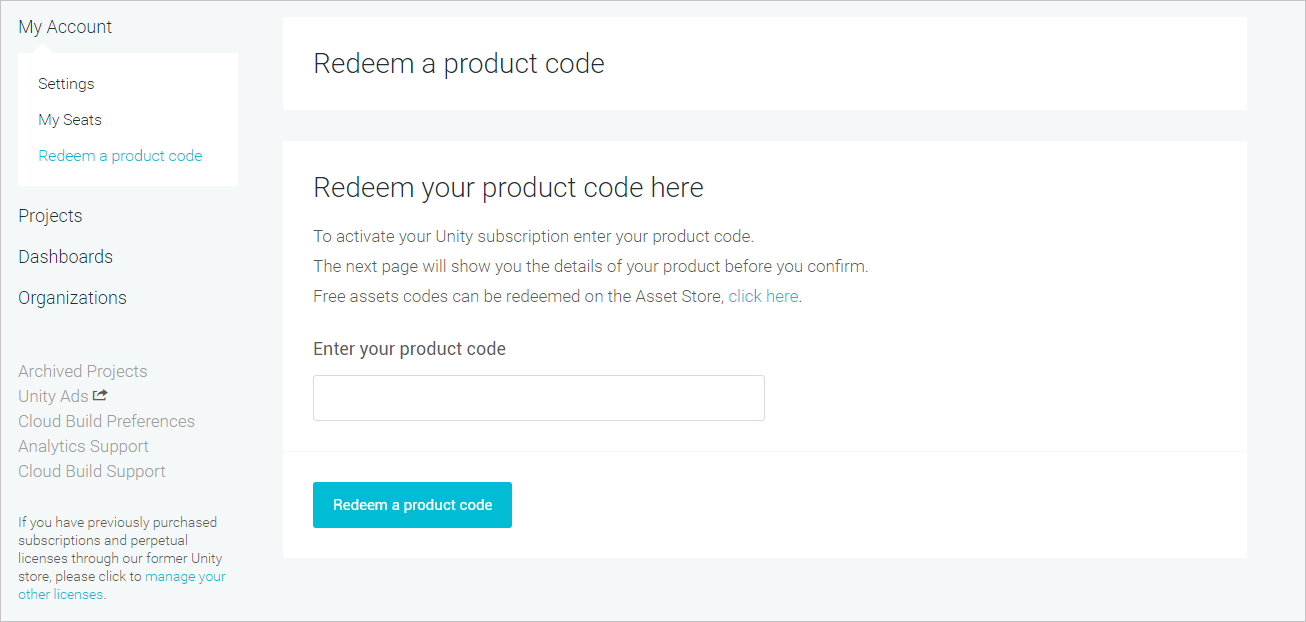
When clicking on “My Account”, there should be a “Redeem a product code” link. Can you see it?
Hi,
I’m sorry, but I also have this problem. When I enter my product key in the window in your screenshot above, I get “Invalid Product Key”. I can see in the organization dashboard that the seat is indeed already associated with me, but Unity still won’t let me disable the “Made with Unity” splash screen, which is our sole reason for upgrading…