InputSystem silent crashing in Unity Editor as well as in built game

I’ve been dealing with this issue for a while now and I cannot for the life of me figure out what’s exactly wrong or what’s causing it.

In short, during gameplay of my split-screen kart game, the new Input System (1.9.0) randomly, stops functioning with no error given. My 2 gamepads immediately become unresponsive, one is a wirelessly connected Xbox controller and the other a wired Switch controller.
Here are some facts I’ve deduced from troubleshooting.

  • No errors or events show in the console
  • Crash occurs seemingly at random. Sometimes 30 seconds into the game, sometimes 30+ minutes into the game. The game itself doesn’t crash, just the input.
  • Resetting the scene in-game doesn’t work
  • Keyboard strikes using the old input system continue to work. Only the new InputSystem is dead
  • Disconnecting and connecting controllers shows “Joystick reconnected” events. But don’t work on re-play of game within editor without fully restarting the Unity Editor.
  • Attempting to close the Editor hangs on “Application.Shutdown.InputShutdown” Waiting for unity’s code to finish executing. I have to eventually end task on Unity Editor to close it.
  • I was experiencing the same issues in lower versions of Unity Editor and InputSystem which led me to trying to upgrade incrementally to latest. So I’m not convinced it’s necessarily a version issue.

Anyway, I’m losing my mind a bit here because I feel like the trail has gone cold and I don’t know where to go from here. Any help would be appreciated.

Unfortunately I don’t have a solution, just wanted to confirm that it’s not just you.

I have the same issue (using Unity 6000.0.12 preview, InputSystem 1.9.0), it’s only the Gamepad that stops working, the keyboard input (using the new input system as well) works fine. I also have split-screen in my game, but this happens when playing single player.

Otherwise exactly the same, closing Unity hangs on “Application.Shutdown.InputShutdown”. No other errors. In built mode (if the gamepad has stopped responding) the game stops responding when I run Application.Quit().

If anyone has found a solution please share.

@logan_izer10 this sounds like a serious issue. Can you provide a simple repro project through the Bug report in the Editor? This would allow us to prioritize this issue and find the right solution to fix the problem.

How are you both setting up the split-screen in your games @RedCabinGames @logan_izer10 ?

Also, I assume this is on Windows? But I want to confirm.

Hi, is it possible to share an git link with my entire project with you or someone at Unity? I don’t have a small example project.

I’m using “Generate C# class” for the Input, and have written my own PlayerInput class that has an InputUser reference.

Yes it’s on Windows (11).

i’ve been having the same issue with unity 6 preview (6000.0.5f1) and Input System 1.8.2 on Windows 11. i’ve been working with a relatively small scene to prototype a new feature and using input values directly from Mouse.current.delta.value and similar for keyboard and gamepad. for me, the input system only “silent crashes” when using the gamepad. after the input system crashes, when i close the editor, the editor hangs while trying to close during “Application.Shutdown.InputShutdown.”

@RedCabinGames @logan_izer10 @owennnnnnnnn what Gamepad models have you used when you observed this problem? This can help us narrow down the problem.

Thanks all for raising this issue. Could you open a bug report @owennnnnnnnn through the Editor?

I was using a 3BitDo Xbox Controller as well as a Switch Pro Gamepad.

I’ve tried on Xbox 360 and Xbox One controllers (wired)

Hi, Is there any update about this issue ? We’ve got the same problem in our game with Unity 6 preview (6000.0.18f1), the problem are the same as above : Input system for controllers slient crash and the controllers are not usable until we restart the project but at the shutdown Unity stay with “Application.Shutdown.InputShutdown.”
I’ve already submited a bug report [IN-86080] via Unity with an empty project and a little scene where i could reproduce the bug.

We’re encountering the same issue on Unity 6 Preview (6000.0.22f1) and Input System 1.11.1, and happens on any controller model we’ve tested (including the Xbox Wireless Controller). We can’t find a reproduction, and the entire runtime of our game crashes upon disconnecting the controller after the Input System fails.

Hi, same issue here, after ~20/30min regardless if in Play mode or not, my Xbox controller won’t provide any inputs but is still detected by Input Debug window (keyboard/mouse still working).
Tried to unplug/plug the controller, reset the device with Input Debug window…

the only way to get inputs back is to restart unity but I need to go through task manager as shutdown will end in infinite “application.shutdown.InputShutdown”

Unity 6000.0.21.f1 / InputSystem 1.11.1

I’m experiencing everything exactly as OP and other people in this thread have described. Sometimes it goes in 30 seconds, sometimes 30 minutes, but eventually the Editor will just completely stop recognizing any input from any controller. The only way to fix it is to restart the editor, but trying to do so will get infinitely stuck on this Application.Shutdown.InputShutdown message:

image

I don’t know if it makes a difference, but for reference, these are the controllers I have plugged in:

image

I haven’t figured out a way to work around this, or figured out what triggers this. The only thing I know is that when it loses the input, it carries on whatever the last input was. So e.g. if I was holding right thumbstick to the right when it was lost, then it’ll continue to hold that direction until I exit and re-enter play mode, at which point all controllers are completely inop, even though they still appear in the input debugger. In the input debugger, it does not react at all to any inputs I give either. I have not found any way to recover from this state without force closing the Editor.

I have tried using Input through the global actions, or through using the C# created class. Result is the same with either option.

For reference, this is the entirety of my input handling code (the C# created class version), with the TinyTraderInput class simply being the default InputActions that come with a new project, renamed.

As said before, there is no error message, no report, no log, no sign that it’s stopped other than it no longer recognizes input. It seems to stop working only in play mode. This is a complete deal-breaker for Unity 6 at the moment.

Same problem here, it’s really really annoying, I’m desperate, I’d like to upgrade to unity 6 but because of this, I can’t.

Please Unity, do something.

The only workaround I’ve found, and this isn’t exactly a workaround, is to just disable the new Input System and use the tried and true old Input Manager + Rewired.

I’ve tried, but it doesn’t solve the problem for me. Even on a blank project, the same problem occurs.
I’m using a ps4 controller with DS4Windows, I’ve also tried with an Xbox One controller and it doesn’t work at all, whereas everything worked fine in version 2022. It’s a very strange problem and I’m surprised that it happens to so few people. I’m desperate :tired_face:

Yes, me too. Problem arises after ~30 second, and it’s stuck with the button(s) that was pressed. Hanging of InputSystem Shutdown. It started happen from when I tried to connect more than one Gamepad (the DS4 as usual on bluetooth and the new Freaks and Geek ps4 controller with a usb cable)

This is also happening to me. I’m only using an Xbox One controller. I’ve noticed that my input is stuck on gamepad even if its off. Which seems to be why WASD has broken for me.

When I attempt to close the editor, it is stuck for what appears to be forever. Currently at 8 minutes of busy.

image

image

It’s strange, not a single controller currently hooked into my machine but it still thinks that is the control scheme to use. Even if I turn off auto-switch AND set it to keyboard as default.

Some updates.

Before I hit play:
image

But once I hit play, its hooked up to Xbox Controller.

I’m a single player, single screen, simple WASD controls (in fact they are from the 3D tutorial scene iirc).

The component is on a prefab. If that helps.

And finally for tonight, the package I’m on:
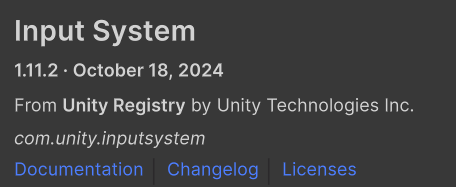
image

Edit Again, I lied. I have more info. Additionally, if I set a “default for the project” input system then the settings page is blank and returns the following error.

ArgumentOutOfRangeException: Specified argument was out of the range of valid values.
Parameter name: index
UnityEngine.InputSystem.Utilities.ReadOnlyArray`1[TValue].get_Item (System.Int32 index) (at ./Library/PackageCache/com.unity.inputsystem/InputSystem/Utilities/ReadOnlyArray.cs:147)
UnityEngine.InputSystem.Editor.InputSettingsProvider+<>c__DisplayClass14_0.b__3 (UnityEngine.Rect rect, System.Int32 index, System.Boolean isActive, System.Boolean isFocused) (at ./Library/PackageCache/com.unity.inputsystem/InputSystem/Editor/Settings/InputSettingsProvider.cs:356)
UnityEditorInternal.ReorderableList.DoListElements (UnityEngine.Rect listRect, UnityEngine.Rect visibleRect) (at <1f8babe234e540299e4f7387cdc20cd8>:0)
UnityEditorInternal.ReorderableList.DoLayoutList () (at <1f8babe234e540299e4f7387cdc20cd8>:0)
UnityEngine.InputSystem.Editor.InputSettingsProvider.OnGUI (System.String searchContext) (at ./Library/PackageCache/com.unity.inputsystem/InputSystem/Editor/Settings/InputSettingsProvider.cs:159)
UnityEditor.SettingsWindow.DrawControls () (at <1f8babe234e540299e4f7387cdc20cd8>:0)
UnityEditor.SettingsWindow.DrawSettingsPanel () (at <1f8babe234e540299e4f7387cdc20cd8>:0)
UnityEngine.UIElements.IMGUIContainer.DoOnGUI (UnityEngine.Event evt, UnityEngine.Matrix4x4 parentTransform, UnityEngine.Rect clippingRect, System.Boolean isComputingLayout, UnityEngine.Rect layoutSize, System.Action onGUIHandler, System.Boolean canAffectFocus) (at <39dcd6cb83f94d46afd27f779648424a>:0)
UnityEngine.GUIUtility:ProcessEvent(Int32, IntPtr, Boolean&)

Basically I’m finding quite a few problems with this in Unity 6, bit of a shame since everything else appears to be working pretty nicely.

Hi everyone. I’m sorry you’re all experiencing this. We were able to reproduce this issues under certain conditions and are working to fix it.

This is great news!

I’m use 1.11.2. Same. I can’t even find the workaround…