So I’ve tied a DistanceJoint2D to a weapon added some gravity so that when the player moves around, this effects how the spikey ball swings around. However I’m unsure how to get the start of the chain to be tied to the player, as you see it’s also swings around, so I essentially want the chain to be following the green lined gizmo of the DistanceJoint2D. I tried editing the pivot on the sprite, but that doesn’t do much. Do I need to rotate the sprite in accordance with it moving?
The DistanceJoint2D doesn’t know about sprites, pivot points etc. Physics only understands physics. Joints only understand Rigidbody2D. Joints have anchors (on the Rigidbody2D its on) and a connectedAnchor (the Rigidbody2D its connected to).
That’s all I can state really.
I’ve got a bunch of examples for physics components in my GitHub repo includign DistanceJoint2D etc. Specifically there’s this one here. Choose the branch for the Unity version you’re using if you do.
oooo legendary! I’ll pull down the repo and have a look, can use some of these examples to make some funky physics based weapons, thanks for this Melv, as always!
To be clear, I’m not pushing you to only look at that, please always feel free to ask me a specific question on it if something isn’t clear or seems to be misbehaving.
Not had chance to pull your repo down yet but 100% will as I’m interested in really understanding the 2D physics system and all the querks.
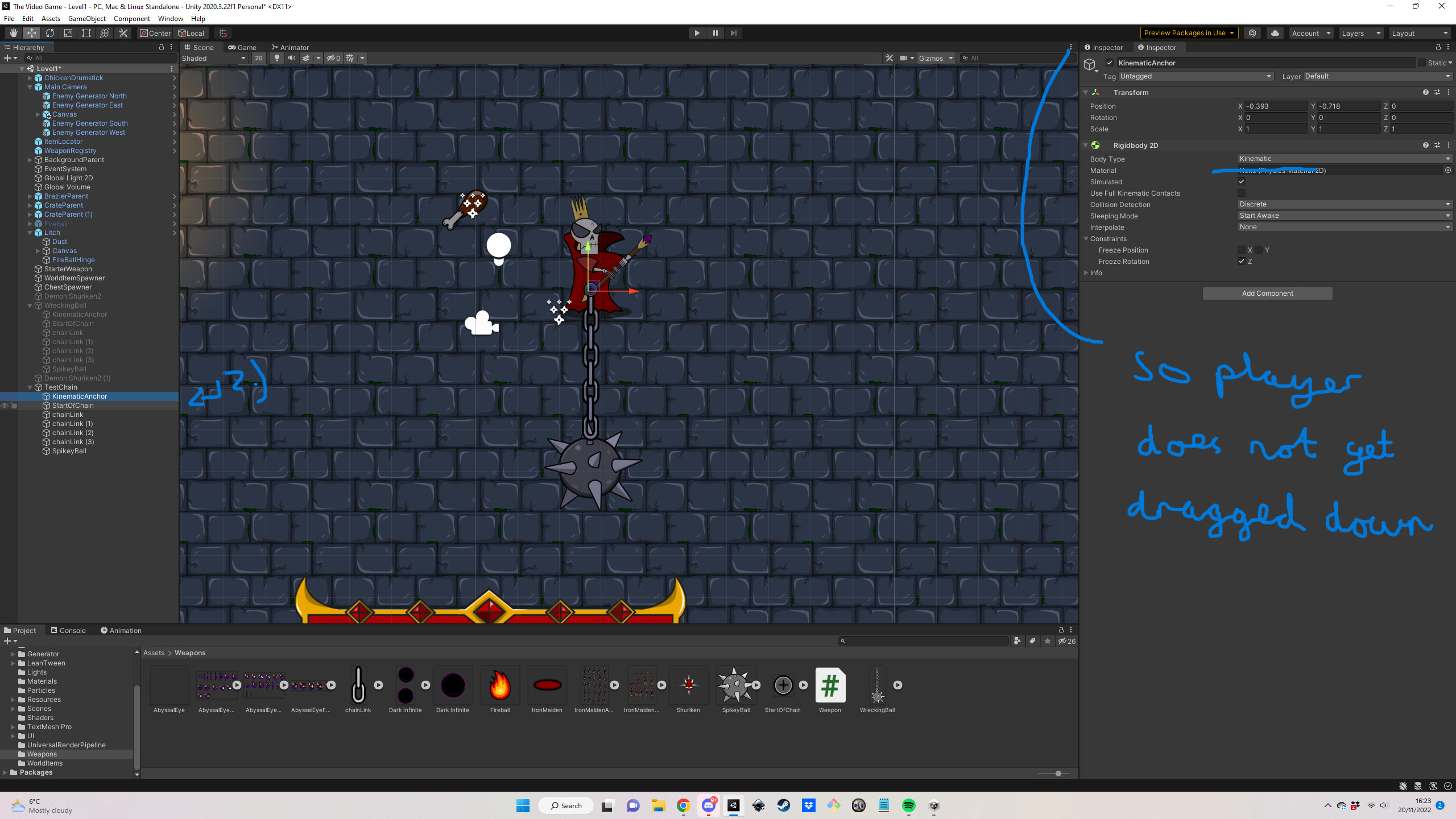
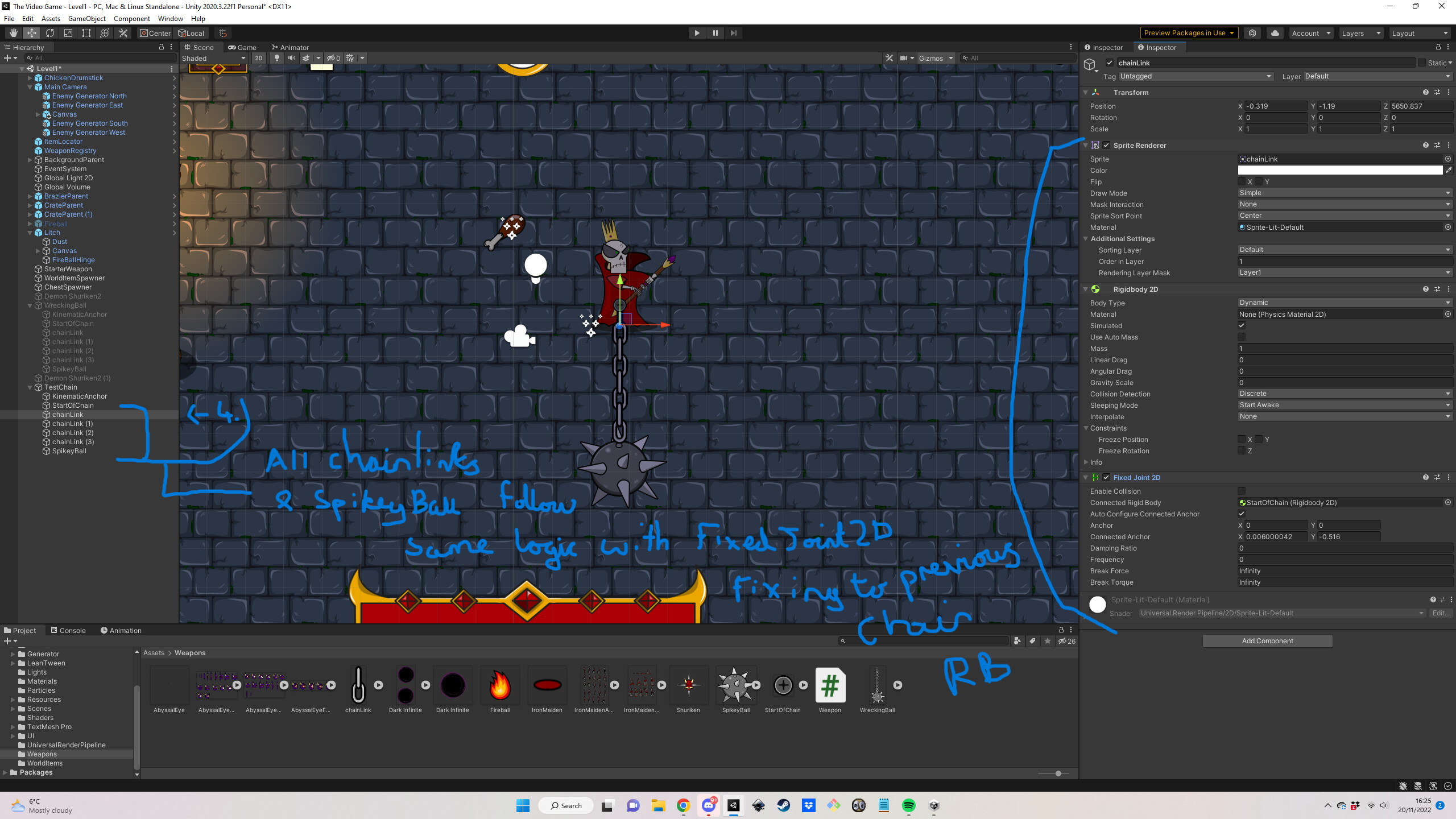
I’ve had another go at this ball and chain thing and I’ve got it looking okay I think. To achieve this outcome I used a series of different joints across each GameObject. Check out the screen shots if you’re interested (it’s a mixture of FixedJoints2D, HingeJoints2D, DistanceJoints2D and RelativeJoints2D). I also messed around with the gravity and drag - which I may need to further tweak. Check it out! :
coolsmoggychipmunk
If I have any questions on your examples on your repo, am I okay to create a new post and tag you, or would you prefer a different way?
I scrapped the idea above, didn’t end up liking it in the end. So, what I did was simply have the start of the chain have a HingeJoint on it, then I simply made the other chains + the spikeyball a child of the start of the chain, that way it’ll all rotate around. Cloned your repo and installed the 2020.3.12 version of Unity on unity Hub and had a poke around, some great stuff in there to learn from, thanks bud