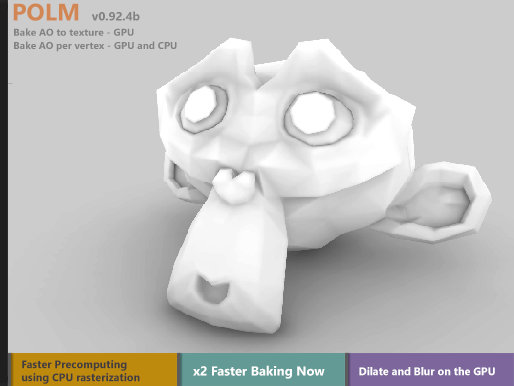
POLM v0.92.4b is an editor tool which is capable of baking per object Ambient Occlusion data into Textures or to Vertex Colors on the GPU using compute shaders. It requires a Graphics Card with support for DirectX 11 and OpenGL (4.3 and up or Core). The tool requires the Windows version of Unity3D Editor with a platform which supports compute shaders to be selected.
* MAC support may come in Unity v2017.1 * Baking AO to vertex colors can be processed on the CPU and does not depend on Graphics hardware and platform
Demo - using NVidia GTX 750 Ti while screen capturing using the GPU (nVidia NVENC codec)
Features:
Bake a single or group (one of a time) of objects and use some as occluders only
Bake AO to textures and to vertex colors
Fast object precompute using Rasterization technique
Preview the baking process (using the Standard Shader). Choose to either load or not the baked texture to the AO or Detail Map slots
Choose UV set to bake - UV, UV2, UV3 or UV4 - used when baking to texture
AO radius value
AO power value
CleanUp value
Darken up the AO values by adding more black - feature added by request.
v0.92.4b
The AO baking process is now 2 times faster
Added a color field to give a background to the texture
Switch to grid based uv set choosing options instead of using enum
Move the dilate, blur and texture darkening to the GPU - much faster now
Added a couple of buttons (to set all objects as blockers or as objects which will be baked) - This is useful in case you add many blockers and have to turn them all off one by one. Instead just make all objects blockers and enable the one you want to bake only.
“Add % of black” field is now renamed to “Darken baked texture” and is moved to Post Process group
Nice, let us know when it´s included so I´ll definately give it a try.
(Another suggestion I would like to make is to optional output the AO-Map blended onto a 50% black background:
This way the map can be applied to the Detail Albedo x2 channel, for example on large-scale ground planes or walls.
The problem behind this approach is discussed here.)
You can just use the standard shader which has a slot for AO maps or use a custom one.
It is the same as to bake the AO map in some 3D package and import it to Unity.
You mean the Occlusion slot?
I never use this slot because it´s sharing UV0 and this way its impossible to independendly use the AO-map for large scale objects (ground, walls,…).
I know that by using the detailchannel for AO I am mistreating the Standard Shader, but in my eyes (and also in many others) the Standard Shader is definately missing a fundamental feature here…)
EDIT: Oooops, you were a second faster, thanks for looking at it.
Yes, as you wish. It is saved as a texture so the devs can use it the way it suits their needs.
I guess using it in the Occlusion slot is ok for some objects like statues of characters.
Just a quick test. AO map multiplied with 50% grey. I am not much familiar with the way you want to use that, but i see it helps. Is that the proper result. If so i guess a slider (0-1) to multiply with can be included.
Windows and DirectX 11/12 are required but I assume it is possible to use the saved texture on the model in another device (Android SM 2.0), getting the same result, isn’t it?
The Editor has to run under DX11/12 mode right.
And the texture is just a normal PNG texture as you would bake it in Blender or any other software which can bake AO textures and import it in the assets. So yes use it just as normal on any object.