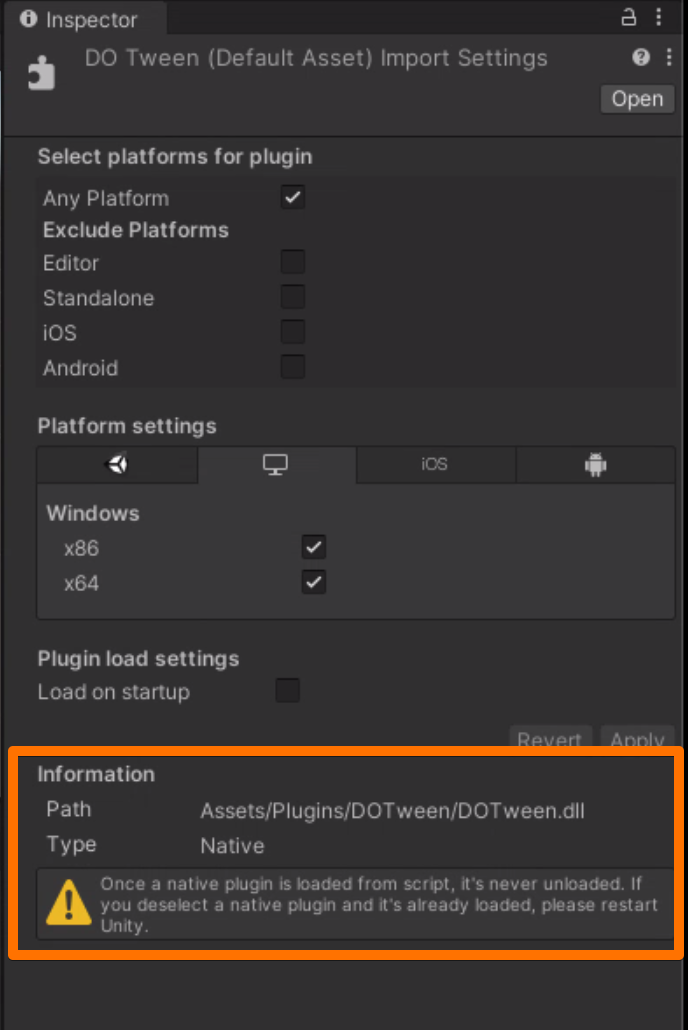
I am trying to open my project on a clean macOS Monterey mac-mini with Intel CPU and it fails to compile scripts (Unity 2020.3.30f1)
As I understand the cause is all managed DLLs (like Zenject-usage.dll or DOTween.dll) are considered native and thus are ignored and this leads to CS0246 - The type or namespace name could not be found (are you missing a using directive or an assembly reference?)
I have exactly the same problem on 2 brand new Macbook M1 Pro on Monterey 12.3. The weird thing is :
I had a M1 13" which was working fine. Bought a M1 Pro to replace it and did the transfer to the new macbook with Apple’s migration tool. My project works fine (but this laptop is still on Monterey 12.2.1).
Another M1 Pro (same configuration than mine) but with a clean install on Monterey 12.3 leads to the impossibility to open the project due to Odin dlls (with Unity seeing dlls as native).
I’m too afraid to upgrade my working Macbook to Monterey 12.3 to see if it’s related.
@AntonPetrov What version of Monterey do you have right now ?
People on the Odin discord server say it can happen on Windows too but I never saw this problem before (team of 7, having Odin on our projects since few years). I can’t make it work at all on Monterey 12.3 and with both of you saying you are on Monterey 12.3, I think it’s related to MacOS latest version. Let’s hope someone at Unity can answer us asap.
Without any answer from the Unity Team and with half of our team being unable to work on their main computer, I decided to make some more researches.
I was able to reproduce it on my Monterey 12.2.1 Macbook which works fine with our main game. The difference between both test projects is that I transfered all my data (including the working project with its already compiled Library folder) from a previously setup (Macbook M1 13") when I got my new Macbook Pro. If I create a brand new project with just Odin in it, it doesn’t work at all.
If I copy the working project (the whole directory, with Library, obj…) from the 12.2.1 Macbook to another one (via AirDrop for example), I can open the project and everything is fine (even if I delete Library / Obj…).
So despite our first investigations, it seems NOT to be related to MacOS 12.3 specifically.
I made a simple repro project that you can test attached to this post, please try to open it on your Macbook and tell us if it works (with details on your setup / macos version).
I think this is a git LFS configuration issue. In that zip file, all the .dll files are 130 bytes in size (which is way too small for managed assemblies). Opening them in text editor shows this:
version https://git-lfs.github.com/spec/v1
oid sha256:94814a0a7ef2ccd0dd834cd11319da5af13194ecc42fcc8a3edb388905558d1c
size 38400
When Unity is unable to parse a .dll file as a managed assembly, it assumes it’s a native plugin.
P. S. I deleted the zip file from your post as I found some potentially personal data in it.
I can’t believe that’s the problem… but it is. Sorry for sending you in the wrong direction and thanks for the help.
For the others : We moved from SourceTree (which initializes GitLFS when cloning) to Fork (which doesn’t and needs manual LFS initialize). If you use fork too, you need to click on Repository > Git LFS > Init.
Thank you guys. This saved a lot of headache and rebuilding iterations for me. All my plugins were coming as native rather than managed, and Git LFS needed to be initialised and pulled on my new Macbook.