hello,
i am a total beginner with unity and have very little knowledge in programming.
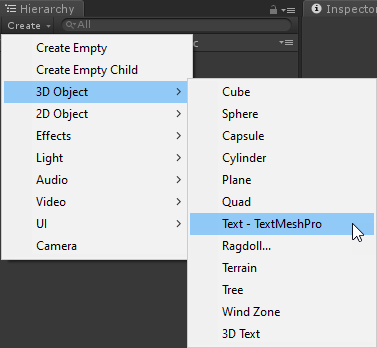
for a game scene i would need to pull random texts to be displayed in a textmesh canvas.
could somebody help me with a beginner friendly how-to this?
i saw this posting:
Here it is recommended to use these codes:
var snippets = ["hello", "good day", "what's up"];
//random number between 0 and length-1
var index = Random.Range(0, snippets.Length);
3)

```csharp
 GetComponent(TextMesh).text = snippets[index];
 function Start() {
     var snippets = ["hello", "good day", "what's up"];
     var index = Random.Range(0, snippets.Length);
     GetComponent(TextMesh).text = snippets[index];
}
Sorry for asking such basics, but how can i implement this in detail?
I tried to create a new script and called in RandomText.cs
    using System.Collections.Generic;
using UnityEngine;

[System.Serializable]
public class RandomText
{


var snippets = ["hello", "good day", "what's up"];


     //random number between 0 and length-1
var index = Random.Range(0, snippets.Length);


     GetComponent(TextMesh).text = snippets[index];


         function Start() {
     var snippets = ["hello", "good day", "what's up"];
     var index = Random.Range(0, snippets.Length);
     GetComponent(TextMesh).text = snippets[index];
}


}
But this is giving errors that var and GetComponent are not allowed to used.
Also after creating the script, is it just to add the script to the TextMesh object in the canvas?
Hope you can help me and sorry for asking such stupid/basic things!
All the best,
Mark