Hi,
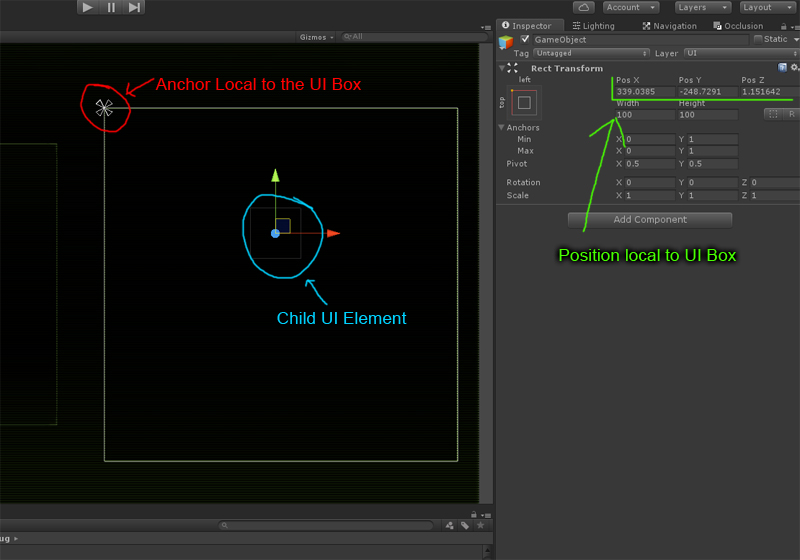
I’m only learning coding in general, but I’ve just used a week or so on similar issues. Like you mention, it becomes obvious, that nearly all of the commands in RectTransform class that spit out some positions, are relative to parent, this seems to serve users of UI in inspector but not that much in code side, I think.
This is what I’ve done.
To get corners of some item, under parent or many parents, first get the points and transform them to world space:
Vector3[] corners1 = new Vector3[4];
rt.GetWorldCorners(corners1);
Imagine RectTransform corners now just in a virtual plane next to 0,0,0, not related to canvas.
Then transform these points to your canvas space:
for (int i = 0; i < 4; i++)
{
corners1 = canvasRt.InverseTransformPoint(corners1);
}
Now you have the same points back in space of canvas, which can (should in this case) be your literal canvas rectTransform.
Also, if you need to calculate distances between, say, a item that is child of child of canvas, and compare it’s pivot to canvas pivot location in canvas space:
First transform a pivot point (or any other point) to world space, from it’s (parent) space:
Vector3 parentPos = parent.pivot;
Vector3 itemPos = item.TransformPoint(item.pivot);
Then, transform item’s point to your target / new parent space, which might be a canvas or just some other container:
itemPos = parent.InverseTransformPoint(itemPos);
Then you can get their distance or offset in (now) same parent space:
return new Vector3((parentPos - itemPos).x, (parentPos - itemPos).y);
I hope I got all correct here!
I’ve just done a sort of simplified custom ScrollRect, which calculates all the edge collisions, distances and such using above methods, so I think this works OK. I can do hiding of items when they are out of canvas, limit scrolling of content to parent / canvas edges, calculate distances and automatically move to certain item, add soft elastic movement similar to Unity’s rectTransform, Parent viewport can be scaled, stretched, rotated and above mentioned approach / calculations seem to result in OK behaviour despite of this.
I once checked the Unity RectTransform code, at seems to take completely different approach, I couldn’t work out how they did what they did, it seemed too complicated for me to make sense in short time.
Let me know if this helped or not!