GAF stands for Generic Animation Format. GAF Converter enables the conversion of 2D animations from an Adobe Flash SWF file into .gaf format. GAF: Flash to Unity plug-in ensures that gaf animations are seamlessly integrated into Unity. It comes with full Unity editor integration and sources.
GAF: Flash to Unity on the Asset Store for FREE
GAF Pro: Flash to Unity on the Asset Store to get more functionality like integration with Unity animator, resource management and more!
Official GAF Media website with FAQs, Forum and contact us form
Pay attention:
To unlock more GAF Converter settings you need to get Studio or Enterprise license.
Important:
Before importing this version, please delete the previous one in your project!
Also, you will need to recreate (NOT RECONVERT) your animation game objects.
This (4.0) version doesn’t support WinPhone. We are working to support it in the future versions.
Features:
- GAF data import
- Extended animation cutomization
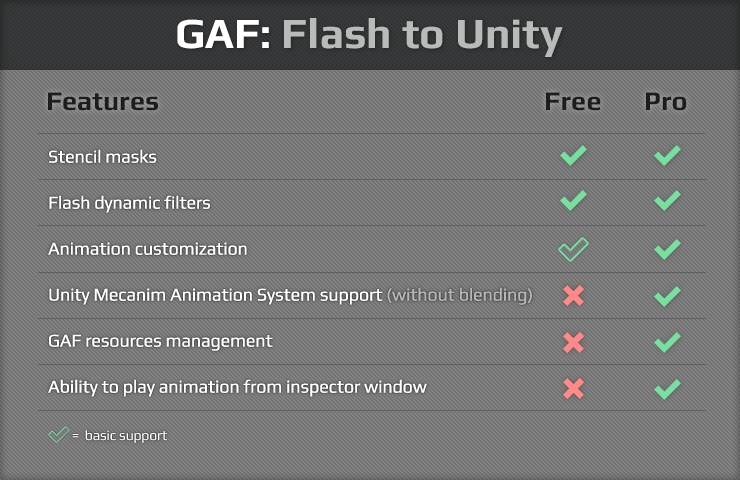
- Flash dynamic filters
- Stencil masks
- Custom animation color
- And more
To convert your animations:
Video tutorial
Convert your animation directly from Unity with no additional applications to install!
Just place your SWF files into your project’s Asset folder and the converter window with the animations list will appear.
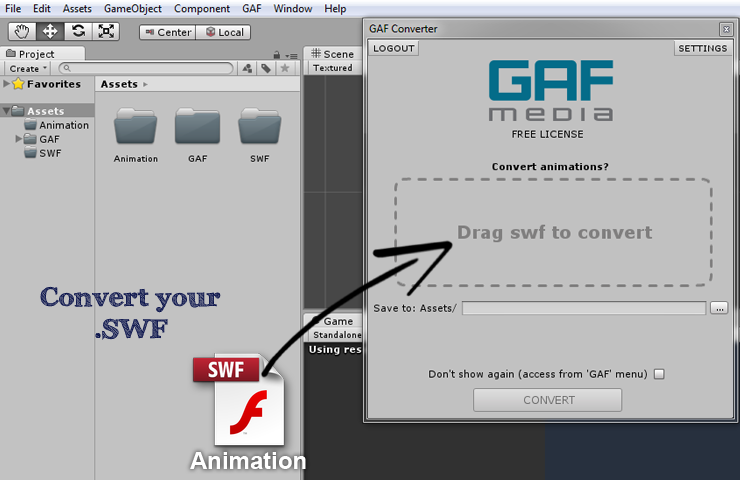
You can as well use drag and drop to upload SWF files into the Unity Converter window.
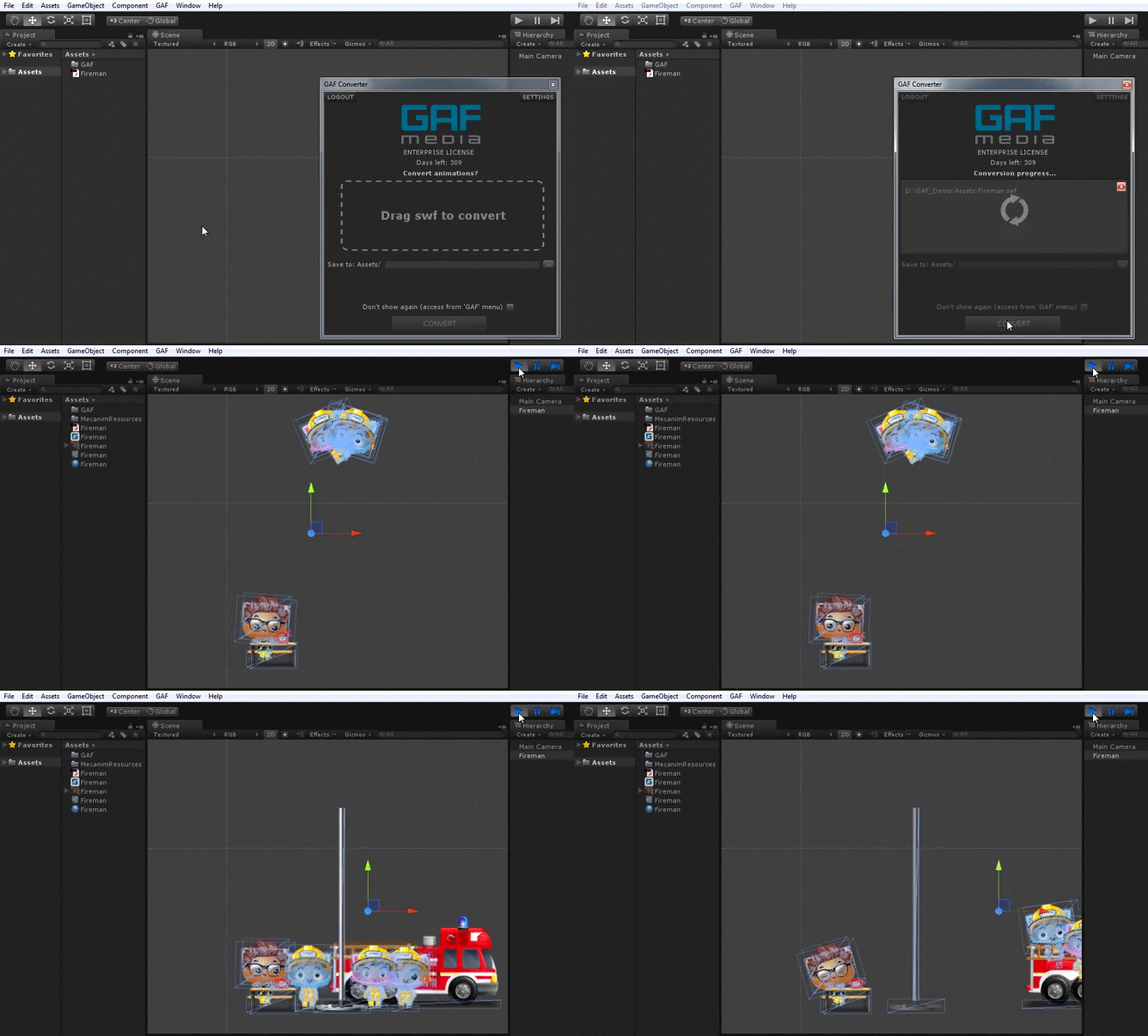
To open the Unity Converter window click the Converter item in the GAF menu.
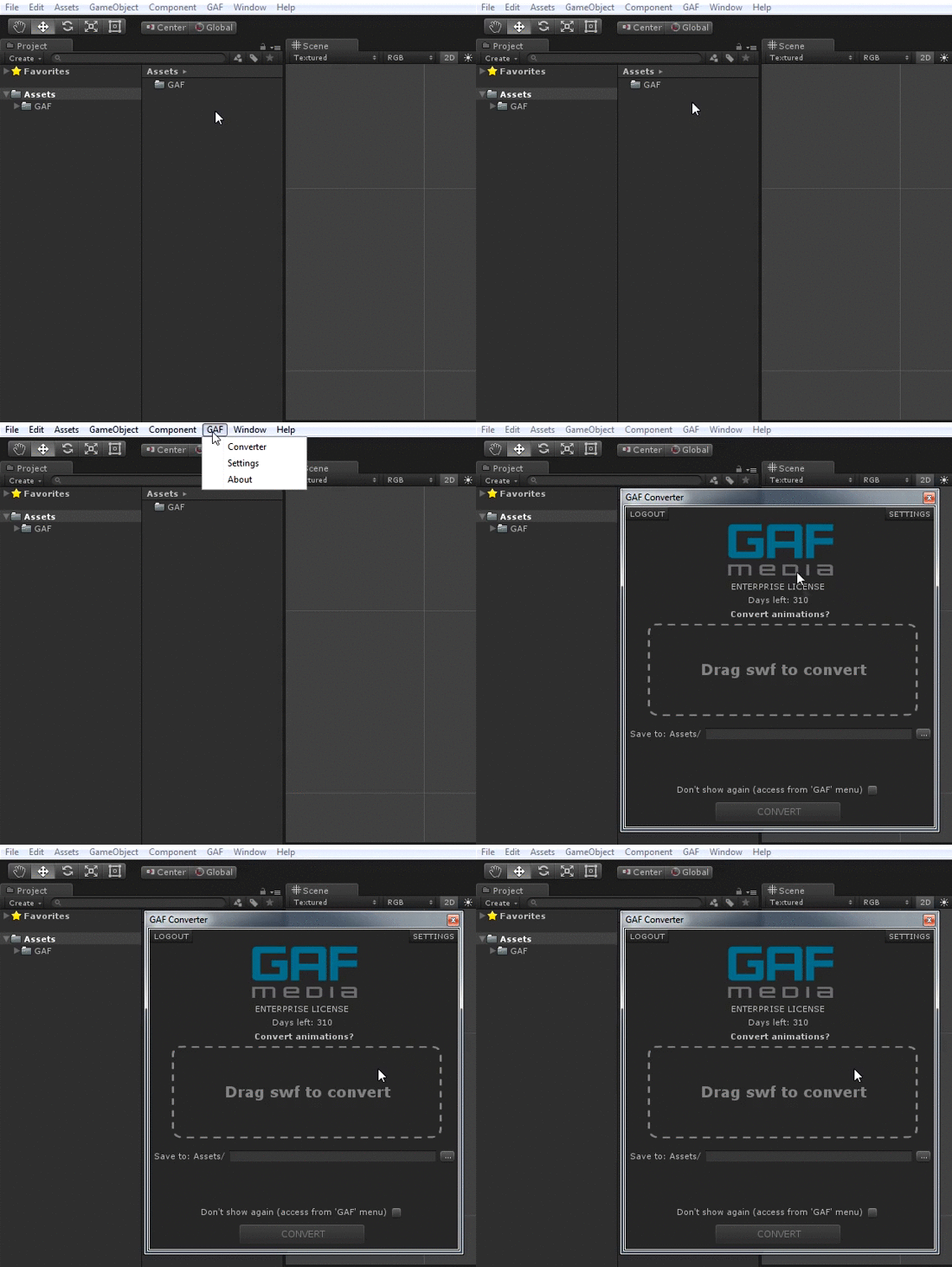
Or you can download GAF Standalone Converter application (view GAF quick start guide here). Also, here is a video with GAF Standalone Converter.
Here is Webplayer demo that contains SWF animations converted with GAF
GAF: Flash to Unity in action:
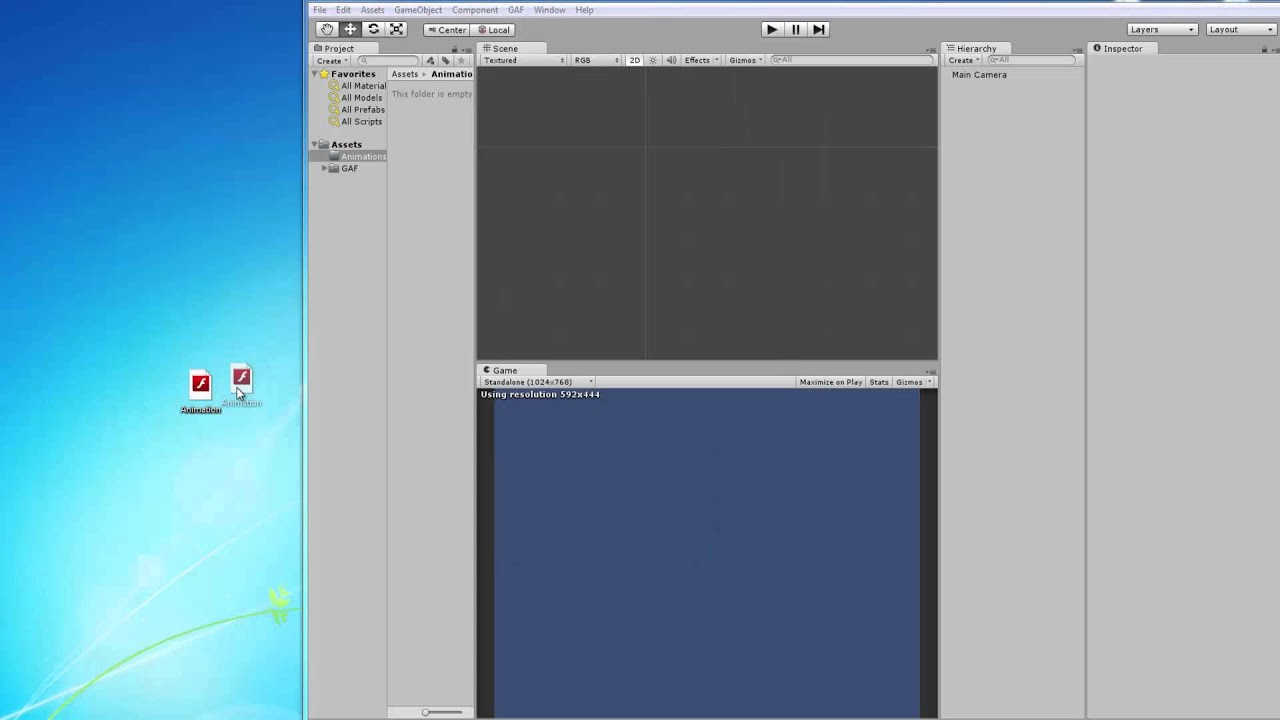

Tutorial screenshots

GAF Movie Clip properties in Unity:
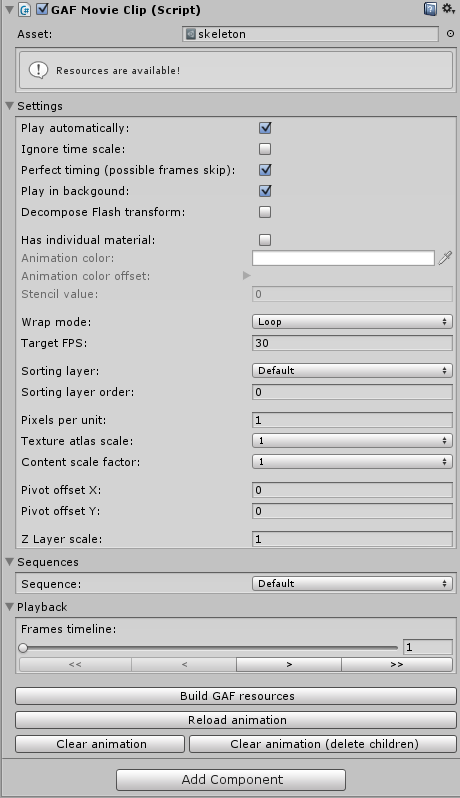
- Play automatically
Should the animation be played automatically when starting the scene?
(Defines whether the animation should be played automatically when starting the scene)
- Ignore time scale
Animation will be played even if timescale == 0.
- Perfect timing (possible frame skip)
Additional precision for proper animation duration.
- Play in background
Animation will still be playing even if the application loses focus (for example minimize)
- Decompose Flash transform
If turned on, animation parts will change their postiton\rotation\scale by using unity transform. If turned off, animation parts will change their postiton\rotation\scale by using geometry changing
- Has individual material
Ability to set indivudial material to your animation
- Animation color
Abitily to change animation color
- Animation color offset
Abitily to change animation color offset
- Stencil value
Possibility to render animation only if value in stencil buffer is equal to this value
- Wrap mode
loop - the animation will loop when it finishes playing.
once - the animation will be stopped when it finishes playing.
- Target FPS
Target FPS of your animation.
- Sorting layer
The layer used to define this animation’s overlay priority during rendering.
- Sorting layer order
The overlay priority of this animation within its layer. Lower numbers are rendered first and subsequent numbers overlay those below.
- Pixels per unit
Ability to scale animation by changing the size of the mesh.
- Texture atlas scale
Ability to change animation’s scale if you convert your animation with at least two scales. [float value]
- Content scale factor (CSF)
Ability to use bigger textures in the same mesh if you convert your animation with two scale factors (for example 1 and 2 for non retina and retina). [integer value]
- Pivot offset X
Animation pivot point offset X
- Pivot offset Y
Animation pivot point offset Y
- Z Layer scale
Multiplier for distance between subobjects
- Sequence
You can use frame labels to define different parts of animations (in your *.fla). Than you can select corresponding sequence to play it.
Requirements:
Unity 4.6.3 or higher
OS X or Windows® XP/7/8
Adobe® Flash® CS3 (9.0) or above (only for animations creation\correction)
Adobe® Air® runtime (only for GAF Standalone Converter)