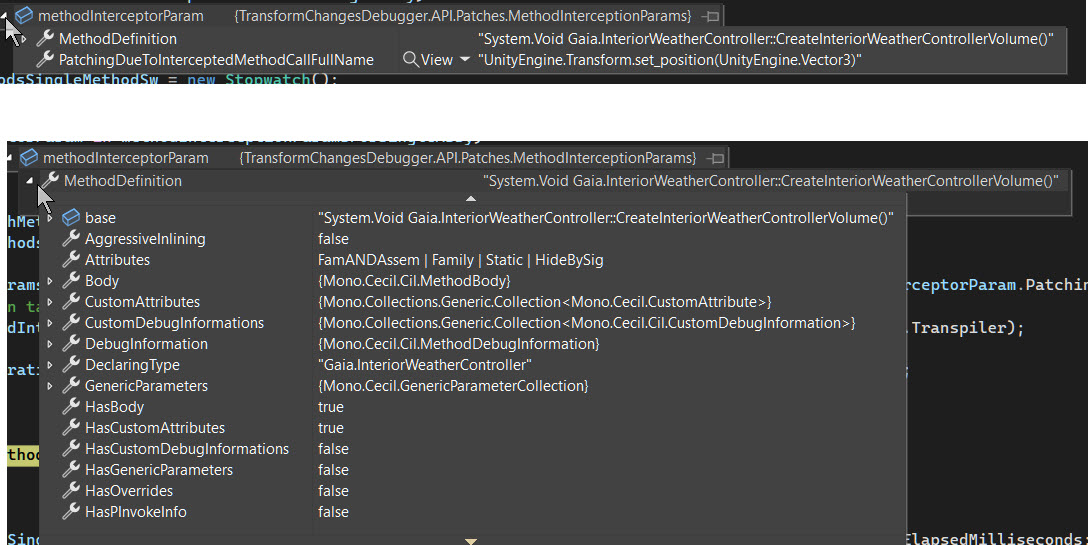
Yes I am using .Net framework, see screen capture.
I did some more testing:
I have a test cube in my loading scene with a simple move script on it. The move script is disabled. I trigger the loading of the second scene which will trigger the Opsive UCC assembly to load, this has code that will move the cube in the loading scene. The cube starts moving, but the debugger does not register any movements on the cube.
I then enable the simple move script on the cube. The debugger starts to register the movements. The debugger was showing some info above, I can’t recall the exact wording, but it was advising that there were changes to the transform occurring that were not tracked.
Is it possible, that your code does not recognize if an assembly is loaded after the first scene completes loading, and cannot detect the C# code in these late loaded assemblies?
EDIT: I moved the simple move script into the Opsive UCC assembly. Now the debugger won’t track movements on the move script. I definitely have the DLL selected on the main debugger window. It seems that for some reason on my System the debugger will only track code outside of an assembly?
I created a new assembly with just the simple move script and had this enabled in my loading scene. the debugger still couldn’t track the movements. I next deleted the assembly definition so that the move script was not in assembly, the debugger could now track the movements!! It seems like the debugger cannot track code that is an assembly on my system.
Also, just regarding your comment about the Ultimate Editor Enhancer might be unloading assemblies. I am still testing in a copy of my project, from which I deleted the Ultimate Editor Enhancer and Odin.
Alright, thanks that helps narrow it down as it’s unlikely to be related to other asset.
I’ve checked similar setup with asmdef on my end just now and it looks ok.
I think it’s best to dig into a quick debugging session to find what’s happening.
I appreciate you taking the time to look into this one and also I’m aware that’s not the point of buying asset - very happy to process a refund for you if you’d prefer that.
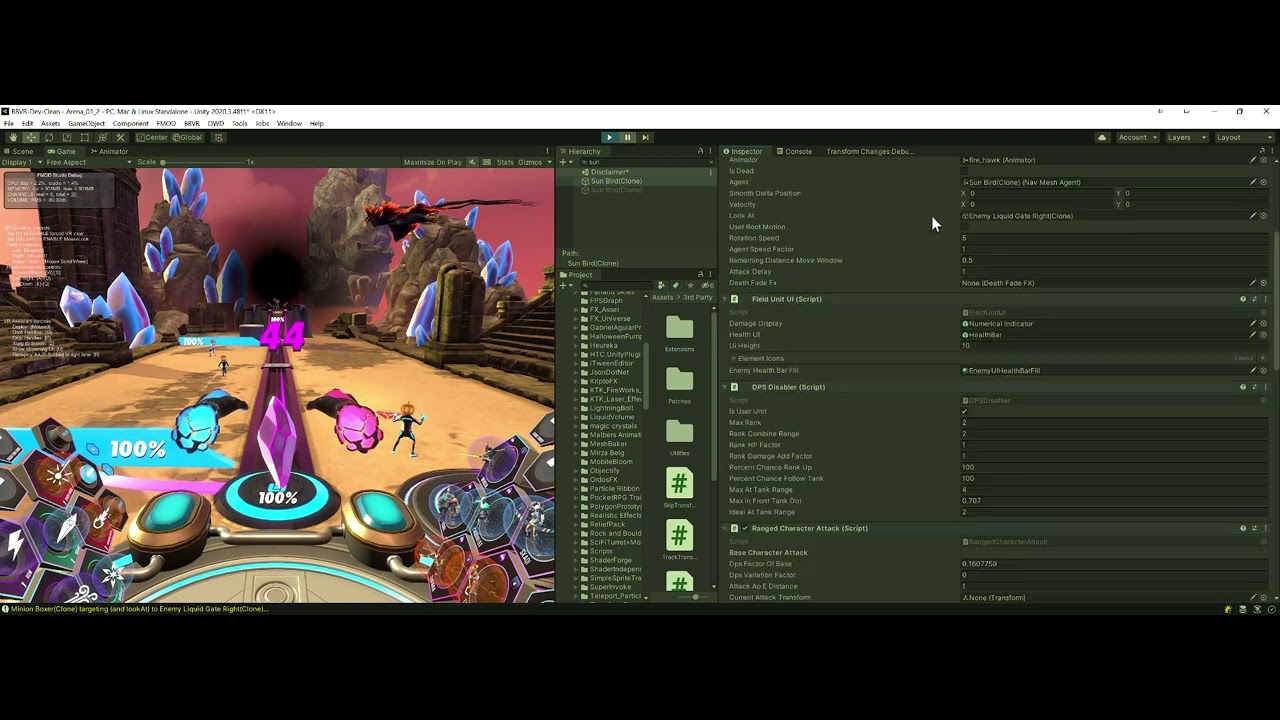
If you want to go further I’ve put a recording with some steps to help narrow the issue down:
The methods I’m referring to in vid:
TransformChangesDebugger.API.Patches.TransformPatches.InterceptMethodsToEnableChangeTracking
TransformChangesDebugger.API.Patches.CoreInterceptionPatch.SendMessagePrefix
I found it. It is throwing an IL compile error in this bit of code. My apologies, the debugger was throwing an error, I just missed it because my own code was throwing lots of errors because the copy project wasn’t setup correctly and so I didn’t look closely.
                        foreach (var methodInterceptorParam in methodInterceptionParamsForSingleAssy)
                        {
                            try
                            {
                                var timeTakenToPatchMethodsSingleMethodSw = new Stopwatch();
                                timeTakenToPatchMethodsSingleMethodSw.Start();

                                var interceptCallParamsForType = TranspiledMethodDefinitions.InterceptionTypeToInterceptCallParameters[methodInterceptorParam.PatchingDueToInterceptedMethodCallFullName];
                                //PERF: patching can take a while, especially for bigger assy like UnityEngine.Core - how to get that speed up?
                                harmony.Patch(methodInterceptorParam.MethodDefinition.ResolveReflection(), transpiler: interceptCallParamsForType.Transpiler);

                                perMethodPatchingDurations.Add(methodInterceptorParam, timeTakenToPatchMethodsSingleMethodSw.ElapsedMilliseconds);
                            }
                            catch (Exception e)
                            {
                                Debug.LogError($"Method Error: {e.Message}");
                            }
                        }
System.NullReferenceException: Object reference not set to an instance of an object
  at TransformChangesDebugger.Editor.TransformChangesDebuggerInitializer+<>c.<.cctor>b__0_9 (System.Object sender, TransformChangesDebugger.API.Patches.RedirectSetterMethodsFromCallingCodeResult result) [0x00001] in D:\UnityProjects\DeadFearRot\DeadFear3\Assets\TransformChangesDebugger\Editor\TransformChangesDebuggerInitializer.cs:90
  at (wrapper delegate-invoke) System.EventHandler`1[TransformChangesDebugger.API.Patches.RedirectSetterMethodsFromCallingCodeResult].invoke_void_object_TEventArgs(object,TransformChangesDebugger.API.Patches.RedirectSetterMethodsFromCallingCodeResult)
  at TransformChangesDebugger.API.Patches.TransformPatches.InterceptMethodsToEnableChangeTracking (HarmonyLib.Harmony harmony, System.Collections.Generic.List`1[T] assemblyPaths) [0x00369] in D:\UnityProjects\DeadFearRot\DeadFear3\Assets\TransformChangesDebugger\API\Runtime\Patches\TransformPatches.cs:147
  at TransformChangesDebugger.API.TransformChangesDebuggerManager.Initialize (System.Collections.Generic.List`1[T] allAvailableAssyPaths, System.Collections.Generic.List`1[T] assemblyPathsChosenToPatchByUser) [0x00080] in D:\UnityProjects\DeadFearRot\DeadFear3\Assets\TransformChangesDebugger\API\Runtime\TransformChangesDebuggerManager.cs:99
  at TransformChangesDebugger.Editor.TransformChangesDebuggerInitializer..cctor () [0x001a2] in D:\UnityProjects\DeadFearRot\DeadFear3\Assets\TransformChangesDebugger\Editor\TransformChangesDebuggerInitializer.cs:95
UnityEditor.EditorAssemblies:ProcessInitializeOnLoadAttributes (System.Type[])
It’s down to a code pattern that tool rewriting can’t handle (assigning value via property initializer) - I’ve raised a bug for that and will sort it out later. But that may not be quick.
In the meantime I’ve added better error handling for patching. Really for patches that fail it should just continue with others rather than fail completely.
Hi @anoworl - thanks! You’re right it doesn’t support Apple Silicon yet. And the harmony issue you’ve found is at the core of it.
It looks like needed change was merged to Harmony in June but I’ve not yet had a chance to update.
I’m not quite sure where that’d happen, if Mac is your only use I’d be happy to get it refunded for you.
Also till it’s updated you may find MissingUnityEvents to be helpful. It’s not as polished but it achieves very similar goal using slightly different approach that should work on mac
[SOLVED] The issue is that we are creating our unit prefabs at runtime, so adding the tracker to another static component allowed me to then track the one I wanted. Might want to give a hint about attaching the component to an object in the scene before runtime in the debugger window itself when nothing is matching…
Hey @ChrisHandzlik I have been trying to debug an issue with one of our units rotation constantly being set to the wrong direction. I was excited when I found your asset, but I have been unable to get it to work. I think I set everything up as you advise and the example scenes do work.
Here is a video showing me spawning the unit, confirming it has the Tracker component, even tried re-dragging the unit into the Tracker Debugger which it allows, but it doesn’t show anything. I have enabled ALL scriptassemblies and yet I’m not getting any info on position or rotation updates.
You can see me manually set the rotation Y to 0 in the inspector about halfway through the video and it immediately gets changed back and yet nothing shows in the debugger window… What am I missing?
We are also using Odin very lightly in some places in our project (I mention this since I see many posts in this thread about issues with it), but I’m not seeing any errors…
Btw. chaning through editor doesn’t go via properties / methods on c# side and might not show.
All the changes that go via managed side, like your scripts / 3rd party scripts will show.
I had a quick go today but I wasn’t able to identify the cause of an unexpected transform change, yet.
I expect the change is occurring somewhere in an assembly I haven’t found yet.
It was hard to tell if the tool was even working, since nothing appeared in the window. Perhaps there could be some help, for example if there is any TrackChanges components in the scene they appear in the window, with a warning if there are no tracked movements yet.
Also it is hard to figure out what assemblies to try enable, perhaps the tool could look at the gameobject with the TrackChanges component, look at the all the scripts on it, and figure out what their assemblies are and offer to enable them.
I’m using XRI which moves a rigidbody on the gameobject, so it’s possible my issue is physics movement, but it’s hard to tell, it would be nice if that was supported.
Does this tool support animation changes too?
Hard to find transform changes is a known challenge with Unity so we try write our code to avoid this happening. So it’s quite unlikely that it’s our code that’s the problem.
I look forward to figuring this out and using this tool in the future!
Thanks
I just bought the tool, installed it and tried to track position changes for an object which is spawned at runtime into the scene.
I have ticked all the needed assembly boxes and restart Unity, as it threw errors at me after the assemblies had changed.
I connected the TrackTransformChanges Script to my prefabs I wanted to track and attached a function to the PositionChanged event.
I made Debug.Log into the areas were the position is changed. The tool did track nothing at all.
I have no idea what I should do to make this work. I have read the documentation, restarted Unity several times with no avail.
Any help would be greatly appreciated otherwise I need to refund.
Hi - I’ve just purchased the asset, and would like this feature too. The transform I’m trying to track belongs to a prefab that’s instantiated at runtime. Could this be sent to me? Or perhaps included in an update to the package? Thanks!
EDIT: Even adding a TrackTransformChanges object to a static object at the root of my boot scene (which hangs around forever) doesn’t appear in the visual debugger. This is with ALL assemblies patched too. Perhaps a Unity 6.3 issue?