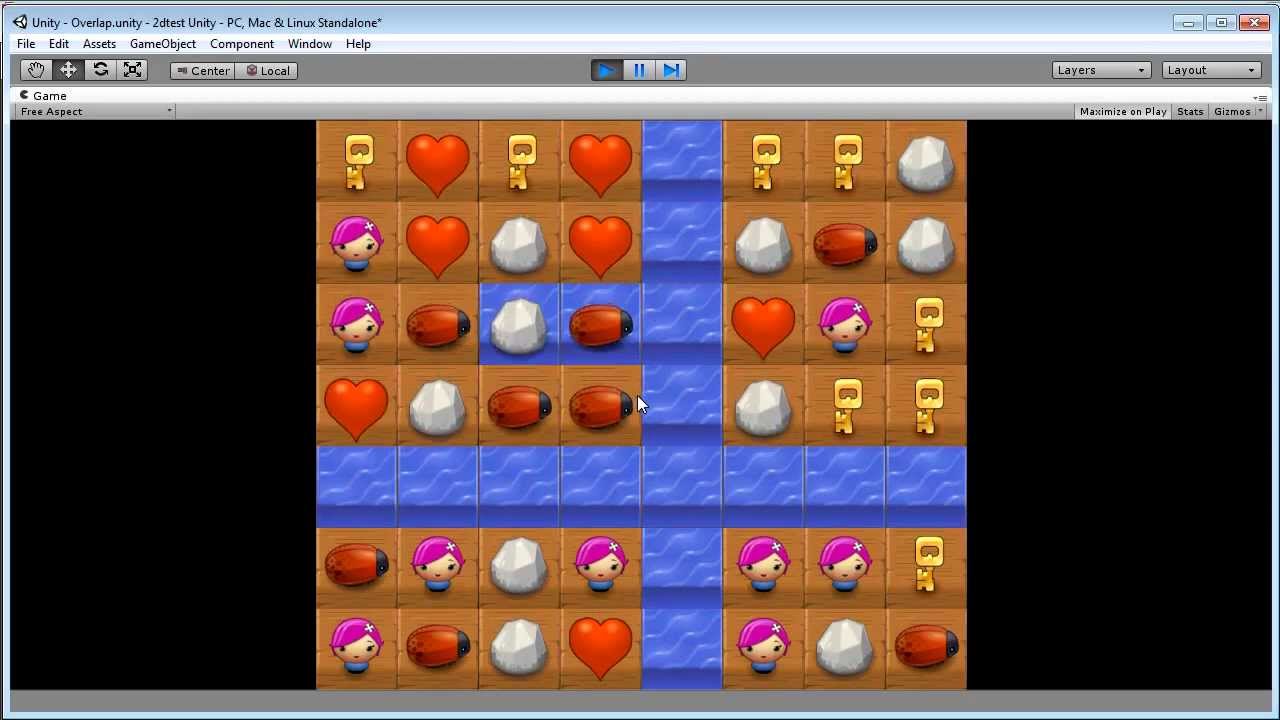
Hi everyone, just wanted to announce the release of some match-3 source code that I’ve been working on which makes use of Unity 4.3’s new 2D tools. Here is a demo video:
Just passing by… checking out the neighbourhood. Currently the owner of JMF.
Props on the match-3 engine as well as using Unity 2d engine + the hex layout ability
looks like there is more work to do but the future looks good at the moment
all the best on your engine~
Btw, Just want to let you know if you didn’t know already;
last i know of, as long as your asset is in the Unity Store, the Unity Asset Store EULA overrides and superceeds any pre-made / add-on license. Thus your license statement is void if the user purchased it over the Asset Store.
you can read more about it here
@jbh142@ProjectOne The scoring system has to be coded yourself. I’m currently “dogfooding” the starter kit with my own project, and in my experience, you just need to insert one SendMessage call in an unmodified version of the kit to expose the information you need for scoring, and you can make the computations from there based on how you want to reward your player. Doing it this way should keep your own code modular and prevent you from introducing potentially-brittle dependencies. Having said all that, I’ve helped existing customers navigate their way through the code to accomplish whatever it is they need to do, and I hope that I’ll be able to do the same for you if you decide to get the kit.
@ProjectOne Currently, you’ll have to introduce events yourself, and hopefully I’ll be able to guide you to the points in the code that might be relevant for you. As I get more customers and better understand the use cases I hope to be able to add these in to the default version of the kit if needed.
That is correct, one scene for each level would work.
@kurayami88 Thanks for passing by and for the kind words, and great work on your product, all the best to you, too! Hopefully there’s enough room for all of us in this space.
Yup, I know about this, these terms only apply to those who buy from me directly. Sorry for the confusion.
First off; Hi and great kit! (this is my first official post in the Unity forums, yay!)
The single “documentation” video isn’t a bad general walk-through on the developer features of the kit, but it would be awesome if there was some actual written documentation.
I specifically would like to know where the key points in the code are so I can add my own code for scoring points. I suspect this would be where you are implementing the match detection in your code.
Also I where would it be best to detect/count the exact number of blocks that were matched (again scoring purposes) and it would be even better to find out the best way (and/or place in code) to count chained matches for extra bonuses we decide to add.
I’m a fairly competent programmer, but I’m really new to C# so directing me to the exact script and method would help me quite a lot.
I like the idea of a modular approach and it would be handy to have maybe an “on event” type of field that we can drag and drop our own scripts into for execution when an event like a match or a chain happens. It would also be great is we were able to count lengths and match counts in chains as well.
If this was exposed to the Unity editor shouldn’t we be able to leverage it in our own scripts not needing to modify the original imported kit?
A “better” solution, if you are the coding type, can be easily be done with a single scene if whoever is using the kit is able to write their own scripts that modify the object’s settings for each level in their game.
You’ll of course need to store this data in your own data structure (lean database or records) and draw from that using whatever level/stage system you’ll put in place. This will save a lot of redundant work in your projects. It would probably save you a lot of your development time too as long as you know how to code in C# or JavaScript.
I like what this kit does so far, lots of extra features that I’m happy that I can turn on and off as I please. I do with there was some written documentation for better reference purposes and a little more information about adding common required features of that of a match-3/puzzle/casual game. Other than that very clean and performs rather well from what I can tell so far.
I’ve updated the first post in this thread to add some information about my new game 2 Nonlinear Match-3 Fueled Birds which makes use of this starter kit.
@ultimatematchthree Thanks for the great asset!! This is a must have for anyone interested in creating match 3 or similar style game. well written and performing great otb.
@jkamcmillen well said. I am glad to have made this purchase and I look forward to seeing whats pans out from your well written post!
Hello,
I was wondering if anyone knows how to change the code for the space sprites. Out of the box, when there is a match it draws a new sprite on top of the original. My space sprites are not boxes like in the example so when I do this in my game you can see the original sprite under the new one. Is there a way to change it so it deletes sprites instead of adding them?
Sure this is easy, you need to change the order on board.cs like so:
using UnityEngine;
using System;
using System.Collections;
using System.Collections.Generic;
public enum BlockType { Normal, Long, Overlap, Max }; public enum SortingLayer { Specials, Blocks, Hint, Matched, Unmatched }; <<<<<<< as you can see, for this the specials would appear on the top layer for you.
hope this helps
Hello! Would it be okay if we continue this conversation over email? Please send me a message at (the username I use in this forum) at gmail. Thank you!
Hey emmit6378, I really appreciate your comment here, thank you so much for your help!
Would’ve been really useful to have an indication of how to stop the game after the player matches all tiles, when he turns everything blue. Especially since I doubt there is anyone who wants to play this game forever.
At least some code comments would’ve been nice if not an end-game functionality.
Anyone has any hints on that or should I just recommend people to try other Match 3 kits out there?
I just noticed this and saw that no one commented … so i will
Well, you make an interesting point here and I do agree that the developer should have commented the code a bit, but they did follow up almost directly after purchase with an email which greatly helped to clearly define boundaries in the source.
The code itself, and for myself, it was easy to figure on where to add in a levelup/end of game scenario. I am not sure if what I did was correct, but I will be more than happy to share with you my ideas. If you want specific code lines I will be glad to share some with you, just pm or email me.
One thing I noticed with this kit, and that the developer clearly states on his pages is that to utilize it’s true power, you must dive into the code. For those with little to no c# background it will be a challenge.
Since board.cs is the main game logic I would start there. The board resets within the ienumerator maketurn when all is matched, and that is the point from which I began.
@TheMasquerader feel free to pm or email me if you would like suggestions to add to your source.