I have a sprite with a diamond shape (1:1 proportions), and I want a 2D box collider to match its outline. Problem is, I can’t find a way to simply rotate the box collider independently, like I can adjust its size and center.
I know I could solve it by making a gameobject as a child of the sprite object and rotating that, but that doesn’t seem very elegant. Is there not a more streamlined way that would let me rotate the box collider? Seems weird that I can adjust its size and center but not rotation. If that’s really not possible, does anyone know why that might be, as in why did the Unity devs make that choice? Seems a weird omission. I’m in Unity 4.7.2f1 (using this version because I’m following an Udemy course), does this get changed in newer versions of Unity?
Also, I have tried using a polygon collider, but my sprite has some alpha sections in it, so weird little islands get created in the collider which mess with collisions and lead to things getting trapped.
With box collider
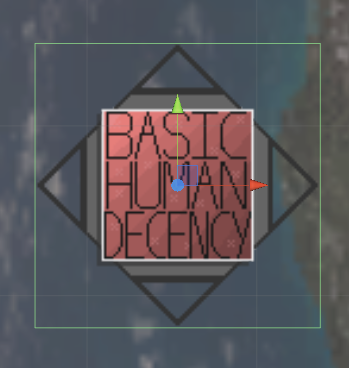
With polygon collider

Thank you for any insight, :).
The only explanation I can suggest is that "box" does normally imply an axis-aligned rectangular shape. If you could rotate it, it would become an arbitrary quadrilateral collider and, if you want one of those you can use the polygon collider as suggested.
– tanoshimiyou are a genius! it worked perfect for me, i created a child gameobject with a box collider and transformed the gameobject. This is the result :D [93371-2dboxcollidertransformed.jpg|93371]
– Nicola-Patti