Hello, i am a very beginner in unity.
I started to create something what does move:)))
so i have a Character(avatar) wich is suppose to act like Mario. jumping, etc.
but when i hit play, the camera is rotating with the character
only when is child of the character.
if is not child, camera doesnt follow the character,
why camera is rotating? :)))
btw, the character is a cube,
and why the CUBE is rotating.?
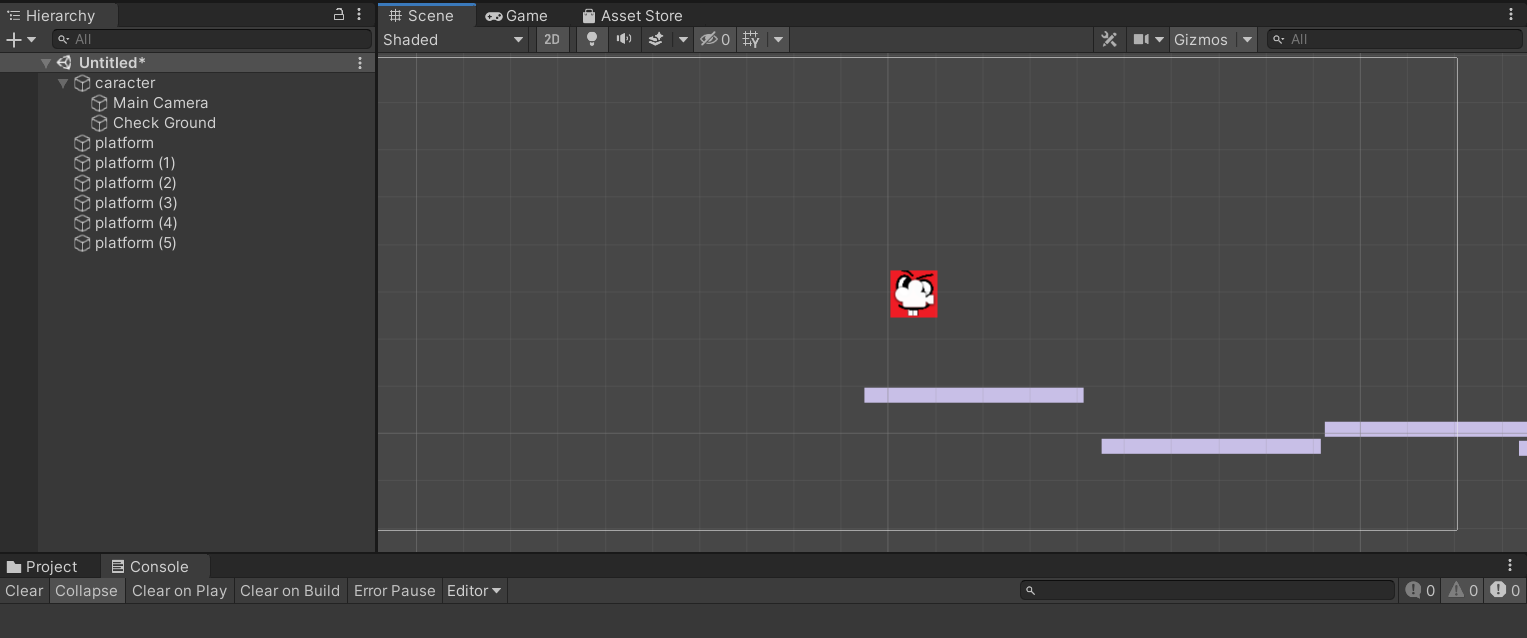
All children of an object will rotate with their parent, so that’s why you’re getting the rotation.
There is quite a few ways to do this without getting the rotation. You can keep the two separate and add a script to the camera, on update, to adjust its position to match the player (that’s generally the solution I’ve seen used most). Alternately could make the camera the parent, and do all x y motion on the camera but rotation on the child player. It would work, but its devious and I wouldn’t recommend it. Another similar possibility is to counter the rotation on the camera, so the two rotations cancel out Again, don’t recommend it for the same reason. The first method is very straight forward and obvious what it is doing.
but why the cube is rotating? it`s a cube that is suppose to slide, and jump. not rotating, and the camera to follow the cube… :))))
If the cube has a Rigidbody2D on it, it will follow the physics engine.
It’s likely rotating when it falls off a platform, in the same way that objects rotate when they fall off any surface in real life.
In the Rigidbody2D’s inspector, expand the “Constraints” option and check the “Z” box next to “Freeze Rotation”. This will prevent external forces from rotating the object.