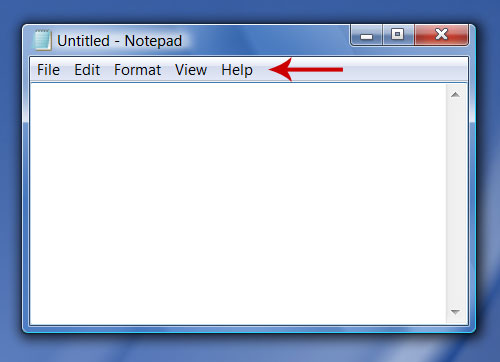
I’ve got quite a weird question, or at least, not a very common one. Let me just get straight into it.
Is there a way to either easily implement a menu bar into your application/game or “hack” it in?
(if you are not sure what I mean by menu bar)
Menu bar examples
Windows:
OSX:
I won’t really go into why I need this. Just wondering if it is possible by any means?
EDIT: I realize now afterward that this might be more fitting to put in the “Platforms” forum section. If a mod agrees, please move it.
Well, I know you can do that on Mac.
When you build your standalone Mac. Right click on yourBuild.app, Show Package Contents, and navigate to Contents/Resources/MainMenu.nib
Open the file with XCode, and you’ll see that you can edit here the menu bar!
But that’s all I know, don’t ask me how to add new items or callbacks when an item is clicked etc…
But hey, it’s a start
At least on Mac!
For Windows, maybe you can achieve that with native plugin, by accessing the current window or something and add a bar? I really don’t know.
Thank you for this information! It will come in handy if I ever get my hands on a Mac! (that sounded sarcastic, didn’t mean it in a sarcastic way. :P) I’ll do some more research when the time comes!
I was thinking, if I can somehow access that file menu on the menubar, I can access the export gameobject option in it, so that when I press a button in the gamemode, it exports the gameobject in the .obj format without having to go through the complex process of serializing all the objects.