Hello.
I want my player to shoot to my mouse direction.
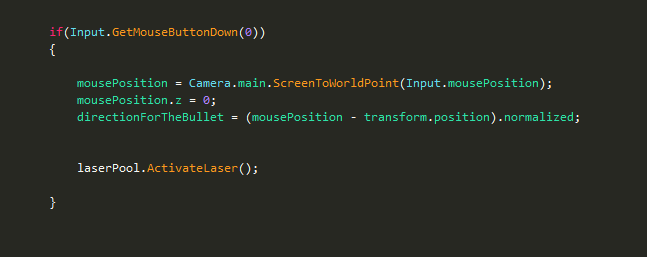
I used:
This code gives me the current location my mouse is on, now all left to do is make the shoot go to the direction.
The problem is when I using “MoveTowards”, the shoot indeed moving to the mouse location , however it also stops on the same location , (instead of keep moving in the same direction).
I would take the mousePosition vector and multply its normalized value with a defined speed. You can then use the resulting vector by multiplying it during the update loop with the deltaTime and using it to increment the position of your projectile step by step for example by mutating the transform.position vector.
You can calculate a direction rather than a destination, and use that to translate the projectile each frame:
mousePosition = Camera.main.ScreenToWorldPoint(Input.mousePosition);
mousePosition.z = 0;

directionVector = (mousePosition - transform.position).normalized;    //Normalizing the direction vector keeps the same direction but makes its magnitude 1

...

//On the projectile object, in Update()

transform.Translate(directionVector * moveSpeed * Time.deltaTime)
You can also attach a Rigidbody to your projectile and set its Rigidbody.velocity to directionVector*Speed in Start().
Note that you can’t just use the mousePosition as a directional vector. If you do, then it will just be the direction from world (0, 0, 0) to the cursor.
I have another issue.
Lets say i’m shooting my bullet to ‘A’ position, and right after (while the bullet is still active in the scene) i’m shooting another bullet to ‘B’ position . So, the “mousePosition” have now a new location (‘B’ location) and the first bullet also change his direction to ‘B’.
There are alot of things which can cause this. Let me give you 2 examples:
You might have an issue with a reference. Alot of highlevel languages such as the ones we use in unity hide pointers behind references. Maybe you didn’t create a new and/or properly scoped reference variable to store the bullet movement or even the bullet itself.
Or you are mutating your projectiles from a containing scope instead of individually for example in a procedure which has knowledge of all the projectiles (might be the player for example) instead of mutating them within their own scope (Class or Script, depending on how you programmed it).
If none of that makes sense then please just send your code so we can point to the error directly.
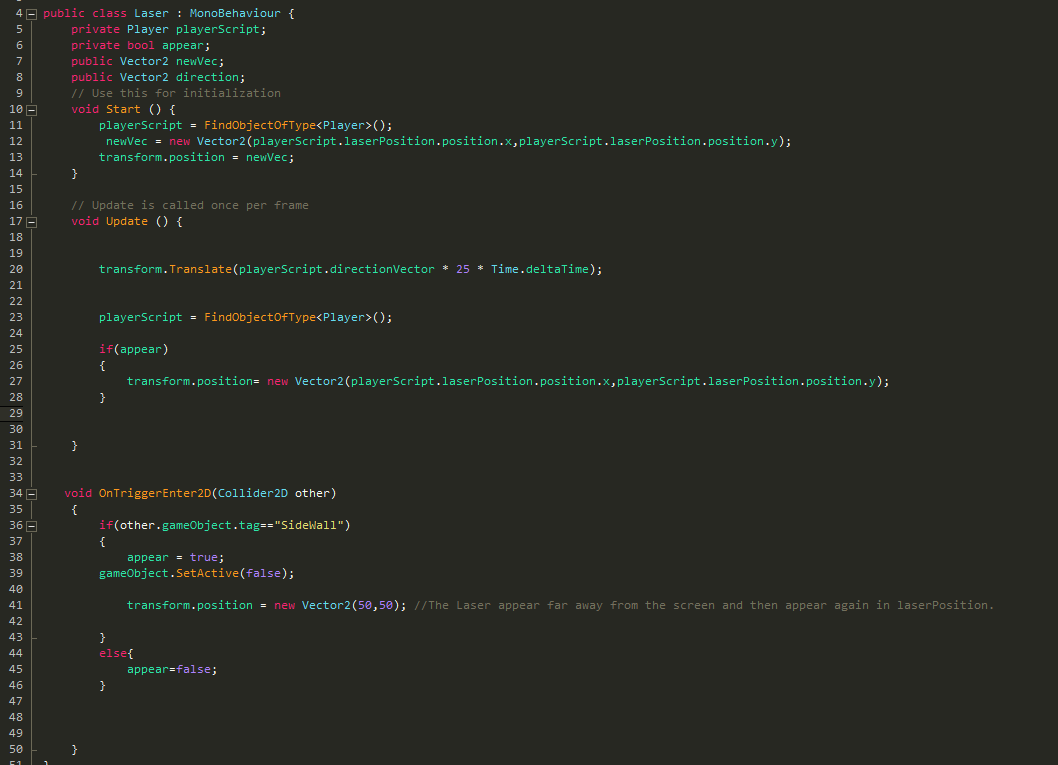
You mutate the position of your projectiles on each update by referencing the: playerscript.directionVector.
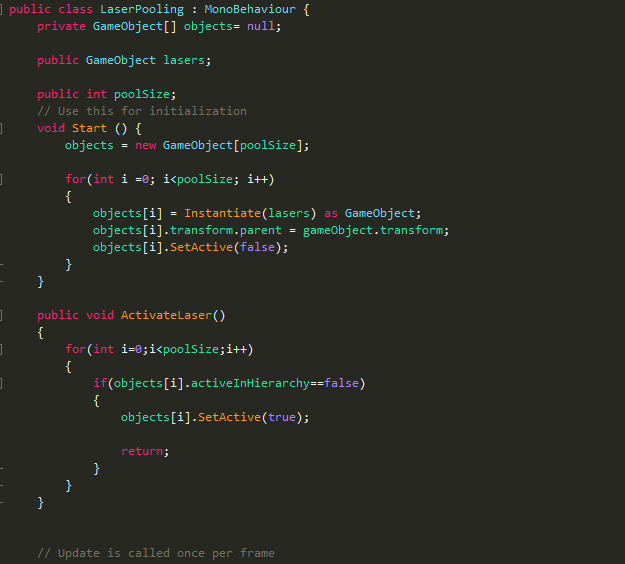
Instead you should assign a direction vector for each projectile individually: Create a private member for the Laser class which is the direction vector and set it right after you activate or instantiate the Laser (I assume you do that based on a mouseclick Input).
Im not sure how am I supposed to do it .
Am I need to put - transform.Translate(playerScript.directionVector 25time.deltaTime); in mouseclick input?(when the laser becoming active)?
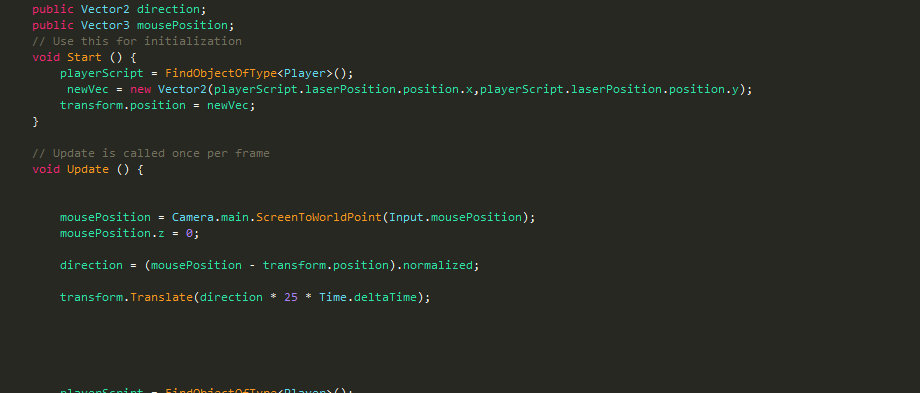
you are still doing the same mistake: referencing the mouseposition during the laser Update will constantly move it towards the mouse.
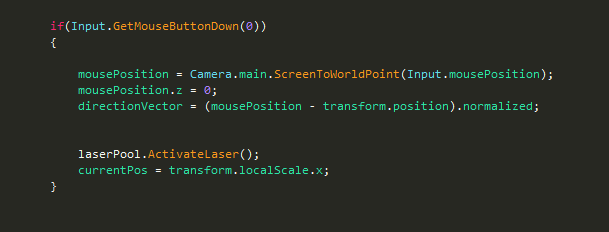
The only place and time you need to reference the mouseposition is during the Input.GetMouseButtonDown(0) check! That is where you calculate the direction vector for the laser. in order to pass the newly calculated direction vector to the laser, you need to have a reference of the laser during that Input check.
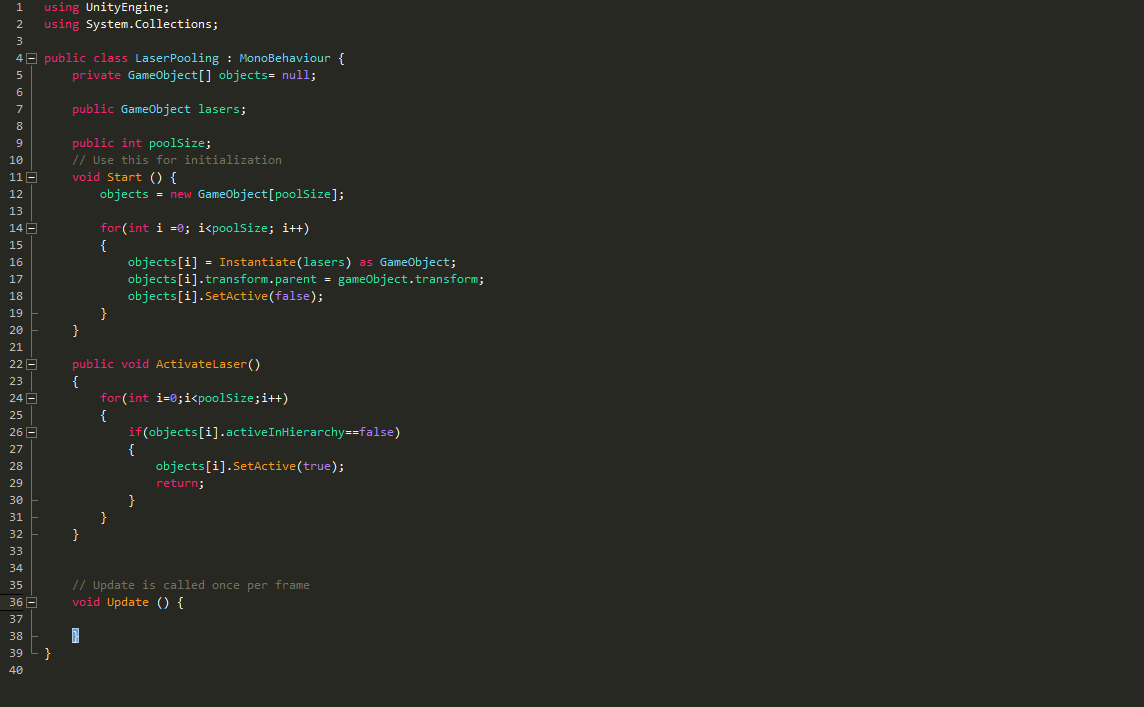
Here is where your laser pool comes in the way. I would activate exactly 1 laser during “laserPool.ActivateLaser()” and return it to the caller (which is the player in this case) then you can set the direction vector on that laser.
If this still doesn’t make sense to you then I suggest you look up some coding tutorials on variables, references and class members. It is very important that you get the concept of variable and reference scopes or you will get in trouble all the time.

 *
*