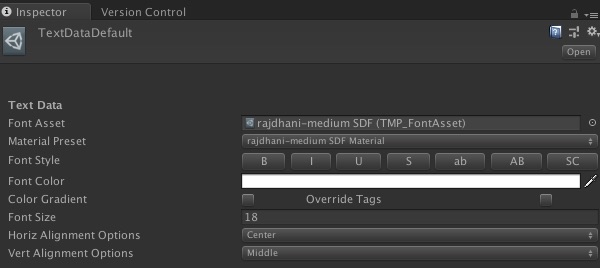
I’ve searched for a way to show a font’s material presets in a custom inspector, but have been unable to find a solution. Anyone ever try implementing this before? I would look at the TextMeshPro editor scripts, but can’t seem to find them anywhere.
Thanks!
Well, I was able to find the source now that I figured out where the Package Manager’s packages folder is.
On Mac: /Users/username/Library/Unity/cache/packages
Will look in here to see if I can find an answer, but if you have one, please post!
Can you provide more insight on the use case for this inspector?
Currently, TMP identifies the material presets for a given font asset based on the name of the material (to narrow down the potential list) and then by looking at the texture referenced by these materials.
@Stephan_B Sorry for the late reply. In my case, taking inspiration from a live training (Customizing UI with Scriptable Objects) Learn game development w/ Unity | Courses & tutorials in game design, VR, AR, & Real-time 3D | Unity Learn
I’m creating a custom inspector for a scriptable object which will set the font asset and material preset along with other text properties for any TextMeshPro object that uses that scriptable object.
Looking through the source of TextMeshPro editor scripts I was able to create something like this (see image attached).