Hello everyone,
I’m currently working on a 2D isometric game and encountering an issue with the SpriteRenderer.
I have a “warehouse” with 12 piles, and each pile can store up to 20 items. When an item prefab (WoodLogs) is stored, the “SortLayerWarehouse” function calculates the “Order in Layer” through code, and it seems to work correctly.

    public void SortLayerWarehouse(int RessourceStorageNumber)
    {
        float precisionMultiplierWarehouse = 5f;

        Debug.Log(RessourceStorageNumber + " " + transform.position.y + " " + ((int)(-transform.position.y * precisionMultiplierWarehouse)));


        spriteRenderer.sortingOrder = ((int)(-transform.position.y * precisionMultiplierWarehouse)+ RessourceStorageNumber);

        Debug.Log(RessourceStorageNumber + " " + transform.position.y + " "+ spriteRenderer.sortingOrder);


    }
!(http://
)
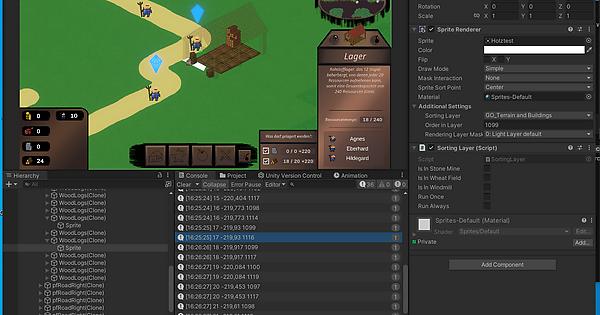
However, randomly, the wrong “Order in Layer” is sometimes assigned to the item prefab. In my example, it should be 1116.
!(http://
)
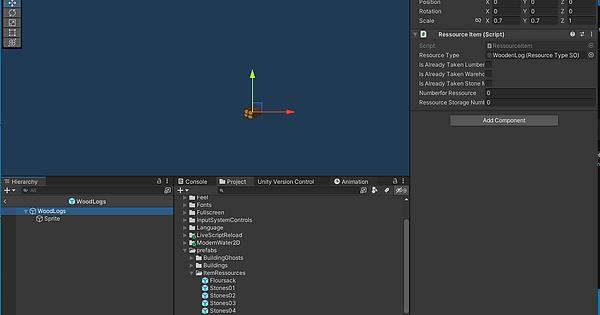
According to the code and debug information, the calculation appears to be correct. However, when I click on the item prefab, the “Order in Layer” is 1099. It seems that the “ResourceStorageNumber” was forgotten to be added. This happens randomly in each pile, and the “ResourceStorageNumber” is consistently missed. I tried running the code under LateUpdate, but it didn’t help. Does anyone have an idea what might be causing this?
!(http://
)