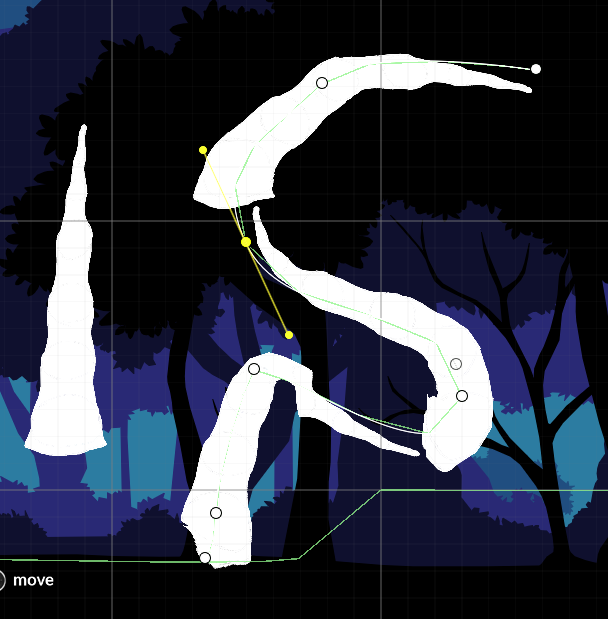
Hi @Venkify @Sergi_Valls
I was wondering if you guys had any updates on the fog bugz I reported? 
1104919
Thanks for the help!
Hi @Venkify @Sergi_Valls
I was wondering if you guys had any updates on the fog bugz I reported?
1104919
Thanks for the help!
Hi, been messing around with this and it is great for the most part. I was going to extend it for my own use in both graphics and UI, however I ran into a problem.
I was going to start by adding uv scale instead of pixelperunit (fillscale) but this line stopped me from adding any.
 SpriteShapeUtility.GenerateSpriteShape(spriteShapeRenderer, m_CurrentShapeParameters,
                    shapePoints.ToArray(), shapeMetaData.ToArray(), m_AngleRangeInfoArray, m_EdgeSpriteArray,
                    m_CornerSpriteArray);
I wanted to add per point scale and rotation, and fill texture x,y scale, rotation, and x,y offset.
I also was going to look into adding a border texture / width option that could be just inset of the tiled texture. It would work like offset / of fill texture from the edge instead of center. Also I would like to extend the offset to go past 0.5 to allow for large faded fill effects (glow, effects, other gradients that need to leak past the border)
Any way to add these with out messing with your dll? I could not find where texture / material uses fill scale to set the texture. It can’t be edited with our re baking it can it? I mean I can’t bake it then edit the materials of one or more of the sprites inside, just the points and a rebake?
If there was a way to make just the tessellation process more generic, could expose the more standard options of the managed content?
For holes the sprite mask works great.
Thanks!
Hmm I’m having an issue. Basically if I instantiate a sprite shape, and it’s too big, it generates but it’s invisible until I zoom the camera out either in the scene or in the game view. Thought it may be some kind of occlusion culling but it really seems like it’s simply not generating the visual mesh unless it’s within some kind of distance. Pretty weird.
EDIT: It seems the Camera frustum culling could be the issue with sprite shapes. Not sure how the bounds register with sprite shapes but it seems like if the bounds are off screen it doesn’t render.
Sorry for the delay. Based on inputs from @MelvMay who took a look on the project “The bodies are falling through the floor because they are moving fast and simply step over the line-collider used as the ‘floor’ because they’re using discrete collision detection i.e. they detect where they step to only, not the intervening space. To stop that you can use the more expensive continuous collision detection on the 2D rigidbodies. Also project has mix of 2D and 3D physics with 3D rigidbodies as children of 2D ones. That will give undefined results. In this case, the 2D rigidbody is the parent so it is in control of the transform hierarchy.”
An updated version with bug-fixes and refinements (also includes fixes for bugs posted in forums and github) will be published before release of Unity version 2019.1. Will post an update on release.
@shieldgenerator7 Thanks for the feedback. Both the issues above are in the our existing buglist to fix and will be fixed in the upcoming release.
Thanks for reporting. This has already been fixed and will be available in the next update.
There is a current issue with Spriteshape, and Tilemaps and Unity in general that any overlap of sprites causes double brightness at the point of overlap. This is an elephant of a problem. And I can see posts running from 2013 with people trying to fix across the Unity world. In terms of Spriteshape specifically, when joining any gaps, with the end cap method, the overlap means no diffuse shader lighting can be used.
I’d say this was a fairly major bug.

I notice that a workaround has been to try to put overlapping sprites on different z layers, but for Spriteshape and Tilemaps, i can’t see how this can be accomplished.
Amazing to hear! I’m very excited where this is going as I’ve been finding a lot of really cool ways to use Sprite Shapes. And it seems just so performant which is a huge deal! Keep up the great work!
Hi @Venkify @MelvMay
Thanks for the reply. So it seems the only solution is to use the more expensive continuous collision, right?
This is going to sound dumb, but is there a way to “thicken” the line collider? So objects won’t step over the line collider so quickly? (Hope that makes sense) 
Thanks for the help!
@MercurialKid I believe its the same issue as the post below. Please try the suggested solution and let us know.
https://forum.unity.com/threads/sprite-shape-border-overlap-fill-become-transparent-issue.582217/#post-4095799
Thanks for the feedback. For sprites, tessellation does take into account Pivot of the sprite, however Collider may not. We are simplifying Collider generation in the upcoming version that will take sprite’s Pivot into account. Will post an update once it gets released.
@Devilwhale Thanks for the feedback. For fill texture, the PixelPerUnit property can be set in SpriteShape Profile’s Inspector. It does require rebake.
We will take a look into this. Thanks.
I’m trying to make a single non-tilable object bend with sprite shape, but the image still repeats.
I want to do something like the tree branch from this video:


My sprite is similar. It’s a PNG and it has one end that is really thick, and one end that is really thin. Repeating them like you would the bridge sprite wouldn’t make any sense.
This is what I’m getting:
It’s the “Adaptive UV” setting in the sprite shape that you are looking for.
Does/will this system support 3d colliders as well?
Is there any indication as to when this package will be moving out of preview and can start being used in production? I have a project that I’m working on and need to decide whether to incorporate this or use some alternative.
Just tried to make some trees with it too. Sprites follow the spline pretty well (although it’s quite annoying to have to import trunk textures horizontally instead of vertically) but I there are 2 flaws that popped up pretty quickly:
1- the height slider is capped to 2, which makes width variation pretty limited without using extremely low values and compensating with frowned-upon transform scaling
2- Polygon and Edge colliders don’t follow the height value, so any width change is only cosmetic because colliders don’t match
Is there any plan to change this?
An option to rotate UVs by 90° would be a nice addition too
@shieldgenerator7
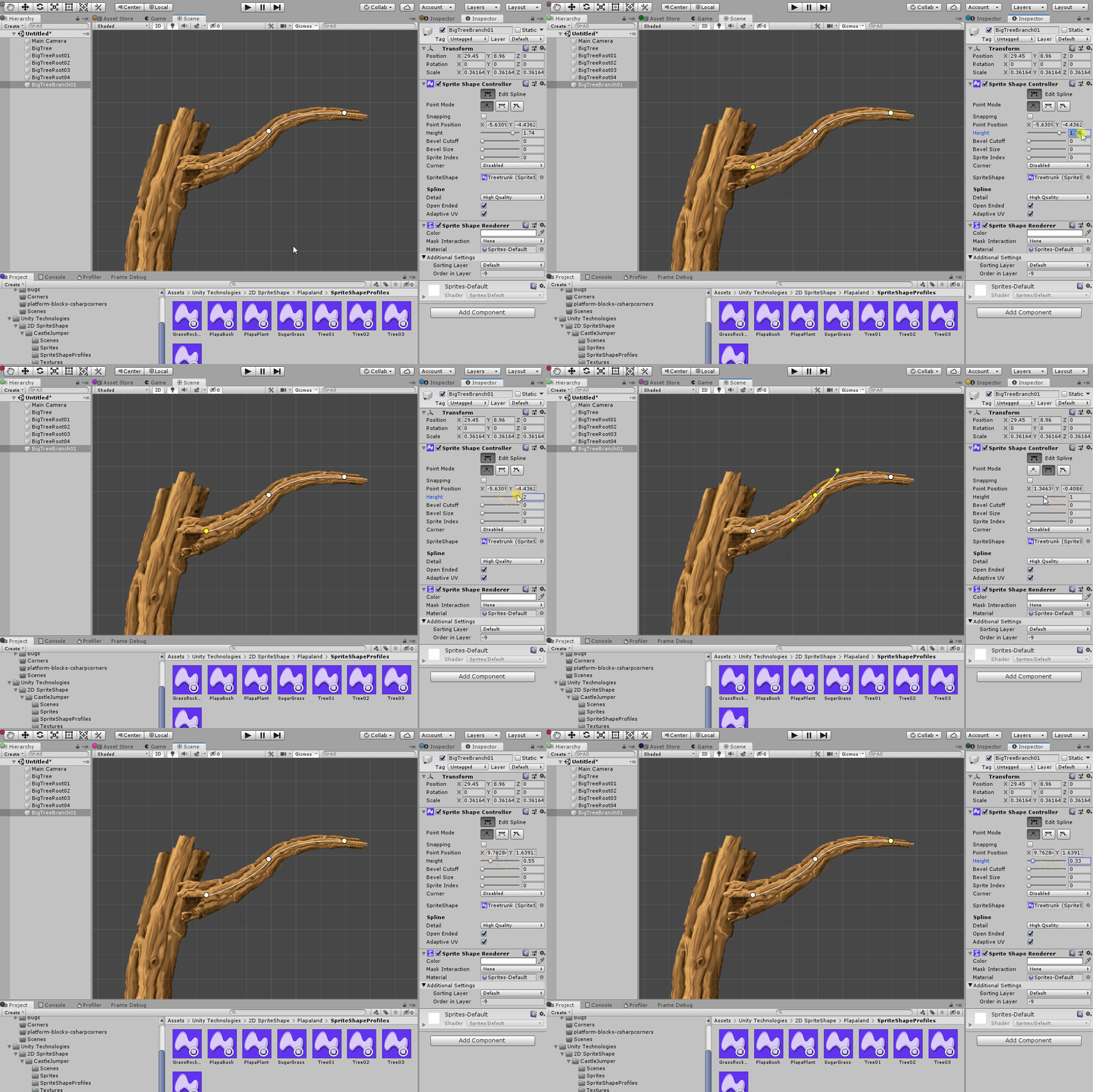
You can also adjust the Height on each point to achieve the same (as seen in attached gif).
@alanmthomas We are aiming for a major release before 2019.1 (with all the bugfixes and updates). However we will ensure 2018.3 gets bugfixes and updates if necessary.
@MrKilljoy 1) We are increasing it to 4 in the upcoming version… 2) This is fixed in the upcoming version for 2019.1
Could you please provide the use-case and is it for the fill area?
@abatcat
3D Colliders are not supported. Could you please provide us the use-case you are looking for ?
I’m using 2d Flexible Platformer Controller as a character controller and it doesn’t support 2d colliders.
Ferr2d seems to have the ability to work with both 2d and 3d colliders, but I’m hesitant to use it because I’m
unsure of its continued development.
This is the character controller I’m referring to Unity Asset Store - The Best Assets for Game Making
yes option to switch between 2d and 3d would be good for a 2.5D platform game
@MrKilljoy 1) We are increasing it to 4 in the upcoming version… 2) This is fixed in the upcoming version for 2019.1
Oh cool then. Thanks for the info 
“Could you please provide the use-case and is it for the fill area?”
Just noticed I missed your other question. My use case is that my line is supposed to go mostly vertically along a non-closed spline, for example a tree that I want to curve a little here and there, and it’s more intuitive for graphic artists to draw their tileable textures how they visualize it.
At the moment the SpriteShape tools assume -just like the LineRenderer- that it will be mostly used horizontally, so it just repeats horizontal tiling on a vertical line.
So no, it’s not for the fill area, as in my case, it’s not even used.
Hey is there any way we could animate a sprite shape? Like for example I want to do a “conveyor belt” object in my game and it would be super useful to use sprite shapes for it.
Like maybe we could switch the current sprite in the sprite array over time?
ChubbyFemaleIchidna
The easier way to do that would be to animate the UVs of the material. With a little math, you’d be able to have object on the conveyor belt move at the same speed as the UV animation.