Glad you figured it out. Object scale needs to be uniform in order for the object to render correctly using the Distance Field shaders.
Thank you for the kind words
Please feel free to reach out to me should you run into any other issues. Also be sure to register to the TextMesh Pro User forum and to visit there as well since you will find lots of additional information and video tutorials there.
Should this be the case even in Orthographic mode? z-scale seems to have no effect as long as it’s >1 anyways, and for 2d games we generally don’t bother setting z on anything (except the camera). So would be nice to not have this edge case if it’s possible.
Cheers,
Uniform scaling should be used at all times for proper rendering. Some deviation can be ok but in the case of X,Y will deform the text so it isn’t really advisable. More importantly, non-uniform scaling breaks dynamic batching in Unity so that is another reason not to deviate from it. Now, if I recall correctly that might (is) change in 5.0 but thus far it has been the case.
How do you make the material presets? Like in your examples you include a bunch of materials for each font, such as “ARIAL SDF Ortho.mat”
How are you creating those? I don’t see where you find the texture to link in. The texture seems to be hidden from the Project view, and I don’t see any valid Material to duplicate either.
That feature is called “Text Auto-Sizing” and is available in the beta 0.1.45 & 0.1.46 which haven’t been released yet. However, those two versions are available to registered users who wish to help out in the testing of these releases to make sure they are ready for general release.
To get access to these early releases, please visit the TextMesh Pro User Forum and register. Once you have done so, PM me here or email me via support@DigitalNativeStudios.com to let me know what username you have selected and I will add you to the private beta group.
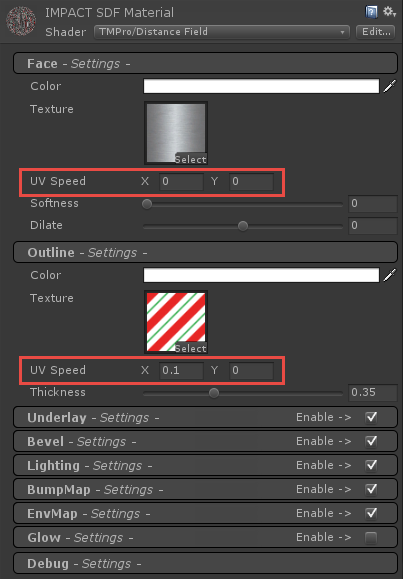
I added a Context Menu to the material editor which allows for easy duplication and assignment of materials. You can watch the following video which will explain this feature and options.
Added some additional Rich Text tags
The new tags provide the ability to do “All caps”, “Small Caps”, and control character spacing within the body of the text. Here is an example of these new tags.
Also note the use of <size=%150> to make the first line larger. for the “Pro!” and for underline. The tag examples are aligned using the <pos=x.xx> tag.
this seems very much like all I ever wanted for text in Unity. But before I buy it I would like to know if it supports Playmaker. I googled and searched around (also on your forum) but didn’t find any statement. As my current project depends text-wise on playmaker (and much of the other stuff, too) I don’t know if TMp would actually be usable for me.
Playmaker and and a nice Input-System, that’s what I would need
TextMesh Pro does work with PlayMaker. Here is a quote from one of my users which was posted on the previous page.
Once you get TextMesh Pro, please be sure to register to the TextMesh Pro User Forum. Once you have done so, send me a PM and I will get you access to the latest Beta for Unity 0.1.45 or 0.1.46 which includes several new features but more importantly a minor tweak to vertex colors to make it play nicer with PlayMaker.
Last question (for now): is the newest beta safe enough to replace the text I have now. I know, it’s some work to change it all, but I’m fed up with the blurry text or having to do the scaling trick to have it sharp it enough. So, the sooner I can change the better it is.
I have been using those Betas for a while now for making demos / videos as well as my users and the latest beta is pretty solid especially when it comes to the normal TextMeshPro Component for Unity 4.3 ~ 4.5.
The TextMeshProUGUI Component for Unity 4.6 is also looking good but since Unity 4.6 is still in beta and evolving, I am still working on a few more things there.
BTW: The latest beta works with Unity 4.3 and above although it is labeled as 0.1.46. Again, be sure to register to the TextMesh Pro and send me a PM with your username and I will add you to the Private Beta Group.
Seems that with Playmaker you can only change the TMPGui-Text, not the normal TMP-Text. Tried uscript, and that works, but I don’t want to use both (or pay for uscript, but the ple-version is great for testing and evaluation).
You wouldn’t want to add a TMP-Addon to PM, wouldn’t you? That would certainly booooost the sales :))))
Okidoki, got it, when using ‘send Message’ from Playmaker I can do all I want. Or I can write a little function that sets the properties I want. All is good, all is great :))