I’ve been using Unity 2018, but after updating to the 2020 version, I am unable to read the text as the font size is too small. I tried increasing the screen scaling to 1.25x, but then all the text gets blurry and I am unable to work accurately with a blurry screen.
Here is how the editor looks right now (no scaling):
As you can see, the text in the editor is smaller than the text in the toolbar. I am on a 1080p screen and Windows 10.
I do not need every text element to be bigger - I only need the Inspector, Project and Hierarchy views to be the same size as the text in the toolbar, or at least for the font size to be a few pixels larger.
Is it possible to change the font sizes without scaling?
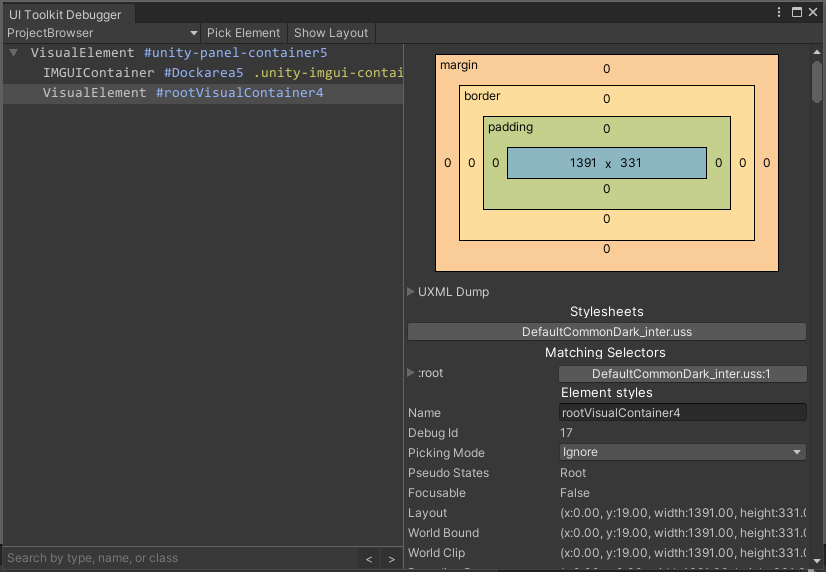
I see under “Stylesheets” it lists DefaultCommonDark_inter.uss, but I cannot find this file under my Editor install at \Unity\Hub\Editor\2020.2.1f1\Editor\
Not sure if you meant this with screen scaling: You can change the scale inside Unity under Edit > Preferences... > UI Scaling. There, you can either use Windows’ own scaling settings or use your own custom scaling.
It is also possible to customize the Editor as you wish and how it works is described here:
Huge caveat: It’s not a officially supported feature and quite hard to do, thus you’ll be (more or less) on your own. Unity Staff simply won’t help you.
I haven’t tried 2020 yet, so I have no idea if the following is still accurate, but… don’t use the UI Toolkit Debugger for this. Try the IMGUI Debugger instead. It gives you the actual names of certain elements. For instance, the assets name text label is internally called “ProjectBrowserGridLabel”.
With that in mind, you could write this CSS part into your common.uss file:
Most of the text in the Editor is internally called ControlLabel, so replacing ProjectBrowserGridLabel with that will make some text in the Inspector and other Editor windows bigger.
I tried the IMGUI Debugger, and it opened up. I can see the per-element class name and styles.
However, where should I put the common.uss file?
I set UI Scaling back to 125%, and I’m able to read text at this screen size. On Play mode, the game will not stretch to the edges of my screen, so I had to put it on “Free Aspect” and uncheck “Low Resolution Aspect Ratios”. I hope that changing the UI Scaling does not affect the display resolution on Play/Scene modes?