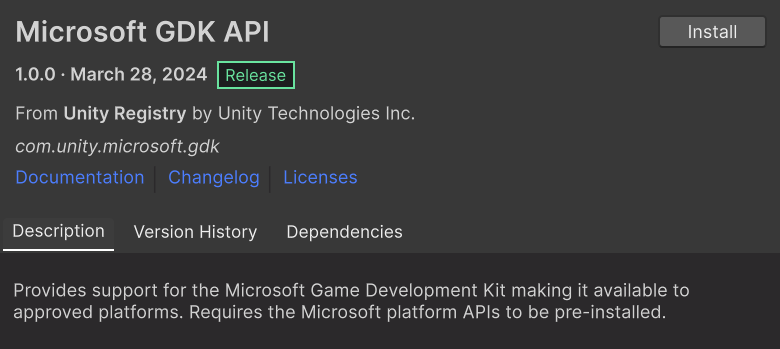
Unity and Microsoft previously announced the availability of the Microsoft GDK Packages for Unity 6 beta 16 and up that targets Windows x64 and other platforms that are supported by the Microsoft GDK with the same configuration and code base. The packages are now available for 2022.3 LTS release 27 (2022.3.27f1) and 2021.3 LTS release 38 (2021.3.38f1). With these packages creators can target building for Xbox and the Windows and use the same configuration and code to utilize Xbox services like User Identity, Player data, Social, Cloud Storage and more.
These packages are:
Microsoft GDK API (com.unity.microsoft.gdk) - contains C# wrappers to make the native APIs available in Unity script for the supported platforms.
Microsoft GDK Tools (com.unity.microsoft.gdk.tools) - Provides the Microsoft GDK workflow for the Windows platform.
Previously, Unity developers had to install a separate Windows GDK package that worked differently from the existing Game Core package.
Migration
Creators who have been using the Microsoft provided GDK package for Windows, or the Game Core package, and wanting to migrate to these new GDK packages can follow the instructions detailed in this migration guide. We encourage developers using the Windows GDK package, or the Game Core package, who are early in their development to migrate to the new Microsoft GDK packages.
Download
Unity developers can just go to the package manager and install the publicly available Microsoft GDK packages to develop for Windows by following this guide.
Requirement for development on Windows: Download the Microsoft GDK for Windows from Microsoft’s GitHub
To learn more about Microsoft’s policy on GDK builds on what is possible with them, please check out the Microsoft GDK documentation
We would love to get your feedback on these packages for Unity 6 Preview, 2022.3 LTS release 27 (2022.3.27f1), and 2021.3 LTS release 38 (2021.3.38f1). We look forward to the discussion on this thread.
This is neat, but one problem we’re having is that you get errors if you don’t have any GDK installed. I don’t want to make everyone on the team install it - we support multiple platforms, and our PC builds support multiple backends, GDK being one. There’s no reason anyone should need to install the GDK to work in the editor. However, if it’s not installed, you get the errors shown in the screenshot.
The first one is because the registry key doesn’t exist (and I guess can’t be created without admin).
The second one is because the returned GDK edition is (correctly) an empty string, which is then blindly used with .Substring() all over the place to check the GDK version.
It should be simple to fix and would make this package more usable for multi-platform projects.
Hi, I think the current implementation offered in the version 1.0.0 and 1.1.0 is very confusing for anyone that has to support multiple platfroms like Steam and other targets like Consoles.
There seems to bug since the Store wizard doesn’t work but if I download the code from and testing along some samples they code in this repository seems more stable
Can you tell me please are there any advantages in using GDK over using UWP?
We want to port our existing Steam Windows game to Microsoft Store (PC only, both Intel and ARM if possible).
We don’t plan to use any Xbox Live features.
We want to use in app purchases, and as we know Unity IAP already has support for Microsoft Store IAPs.
Also, three more questions:
Does the UWP deprecated? Info in Internet is confusing.
Does Unity plan to support UWP build target in future?
You should use the GDK when you want to use Xbox services. As far as we know the GDK is not supported on Windows on Arm and does not support UWP. I apologies for not having all the answers for you.
1- We do not know what Microsoft is planning for UWP, so this should be a question for Microsoft.
2- This depends on if Microsoft supports it in the future.
3- Please contact your Microsoft partner manager for more information about that. What we know is what is communicated in their public documentation.
Thanks for the feedback. Could you tell us more about what is confusing about it as we tried to unify the way the GDK packages work across Microsoft gaming platforms. If you want to discuss Xbox please post in appropriate area please.
The link you sent here is for the deprecated package that was built by Microsoft to support the GDK on PC. This workflow has been replaced by the packages we mentioned in the announcement to unify the workflow between the Microsoft gaming platforms.
We decided to use “Microsoft GDK Packages for Unity” for publishing our game to Microsoft Store.
If you know can you tell us please does the Unity IAP supports Microsoft Store game that uses GDK?
To be honest, I do not know. The Microsoft Store IAP in Unity IAP was introduced for UWP. Reading the documentation for the GDK at Microsoft shows a different path for handling DLC and consumables. The terminology is a bit different too between the “apps” world and “games”. I would say to contact your Microsoft relationship manager and ask for more clarification since you already need to do that to get access to the Xbox services in their portal.
I will continue investigating and update this thread if I found an answer.
@Petr77777 After further discovery, we found out that the Unity IAP package does not support Microsoft Store access via the GDK API package. However the GDK API package offers full access to the native XStore API. You should use that if you are building game with the GDK.
We are porting our existing game for MS Store now (GDK, PC only for now).
We are trying to build our game on Windows and we get following error:
Internal build system error. BuildProgram exited with code -2146233088.
error: Could not set up a toolchain for Architecture x64. Make sure you have the right build tools installed for il2cpp builds. Details:
IL2CPP C++ code builder is unable to build C++ code. In order to build C++ code for Windows Desktop, you must have one of these installed:
 * Visual Studio 2022 or newer with C++ compilers and Windows 10 SDK (recommended)
 * Visual Studio 2019 with C++ compilers and Windows 10 SDK
 * Visual Studio 2017 with C++ compilers and Windows 10 SDK
 * Visual Studio 2015 with C++ compilers and Windows 10 SDK
Can you tell us please do we understand correctly that we need Visual Studio (2022 recommended) to build with il2cpp backend?
We double checked that we have Windows SDK installed.
We don’t have Visual Studio installed.
Do we need VS to build for IL2CPP on Windows?
Can we build for IL2CPP without Visual Studio?
We want to avoid purchasing Visual Studio, if this is possible to build without it.
To answer my own question - yes, we need Visual Studio to build with IL2CPP on Windows - IL2CPP without VisualStudio
I found the following in several places in Internet:
Community edition is free for commercial development if:
You are an individual developer (not part of a team).
You are on a team which has 5 or fewer developers AND your organization is not an “enterprise.” An enterprise is defined as an organization with more than 250 PCs or users OR annual revenues of $1 million US dollars or more.
Possible our team not satisfying the criteria of free use of VS Community. I sent this question to our legal department. They will look at VS Community license and decide do we need to buy it.
We are trying to build with “Create Microsoft Store Package” set to true, and build fails with error:
BuildFailedException: FAILED - 'makepkg.exe pack ...' (3):

Stderr:
StoreLogo was not found: C:\Users\cguser17\Downloads\proj_build_dir\StoreLogo.png.
Square150x150Logo was not found: C:\Users\cguser17\Downloads\proj_build_dir\Square150x150Logo.png.
Square44x44Logo was not found: C:\Users\cguser17\Downloads\proj_build_dir\Square44x44Logo.png.
SplashScreenImage was not found: C:\Users\cguser17\Downloads\proj_build_dir\SplashScreenImage.png.
Square480x480Logo was not found: C:\Users\cguser17\Downloads\proj_build_dir\Logo480.png.

Missing logo file - Error Code: 0x80070002
We see that correct icons are generated in Assets/ folder of our Unity project.
But they are not copied to proj_build_dir (build dir) during build.
Do we need to copy generated icons to build dir ourselves in postprocess?
Hi, could you post your question on a separate thread please, it’s getting hard to sort out the issues that are occurring here from the original topic
thanks.