Dear Unity and Amplify fellows,
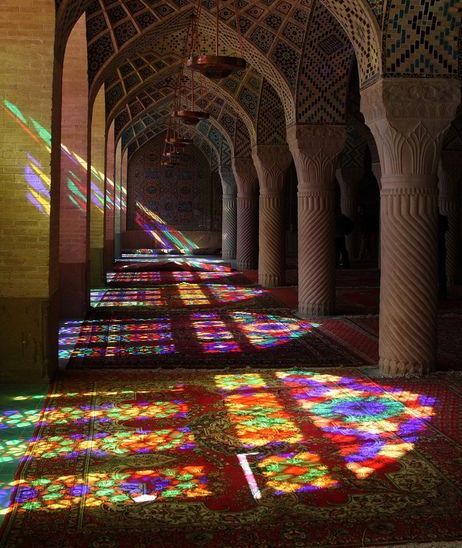
I’m trying to recreate colored shadow effects like from the stained glass (see the first fig).
I’m using ASE version 1.9
and Unity version 2021.18
I took information from this thread
[URP] Correct shadows from materials with alpha masks and question related to translucent materials - Unity Forum
As I understood, the color shades are still available in baked mode only.
However, before even turning to the colored shadows I have several questions.
- I tried to create a very basic shader “create->Amplify Shader ->Universal->Lit”.
- I switched to Transparent mode and added uniform color with alpha 82.
- The directional light is in Realtime mode.
Question 1
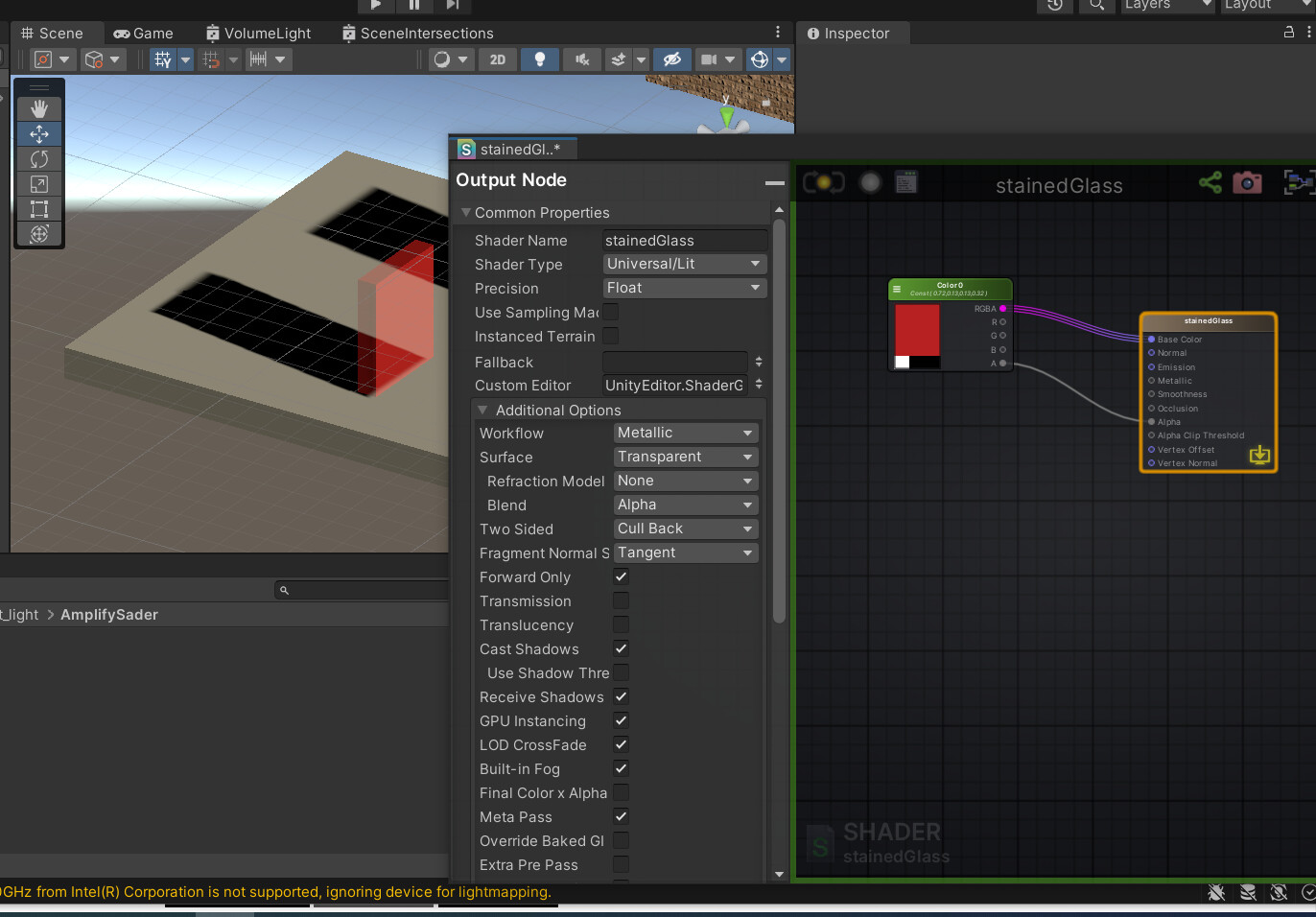
Regardless of transparency of the material, the shadow remains of the same black color.
Comment 1
I would expect that this problem is due to directional light set to be in a realtime mode.
I switched to baked mode and created for comparison the object colored with Standard URP material (transparent mode)
Then I baked GI () and found that Standard URP material shadow does respect the transparency. The shadow from Standard URP transparent material is indeed much weaker (As it should). See the attached Fig.
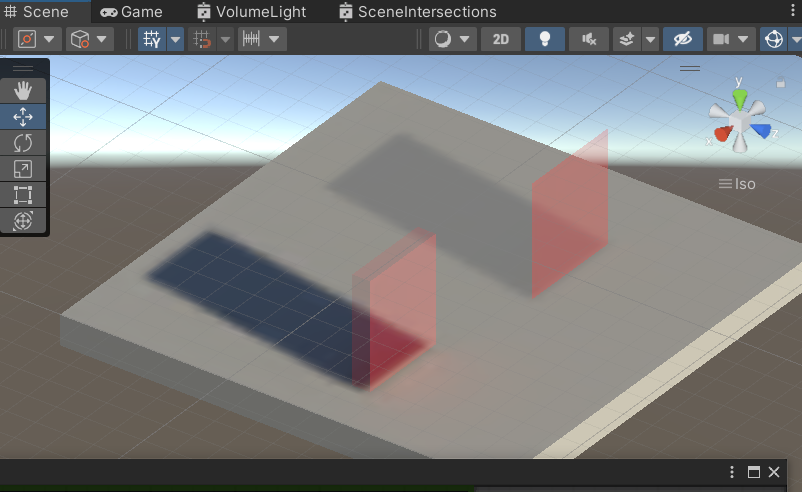
What do I do wrong?
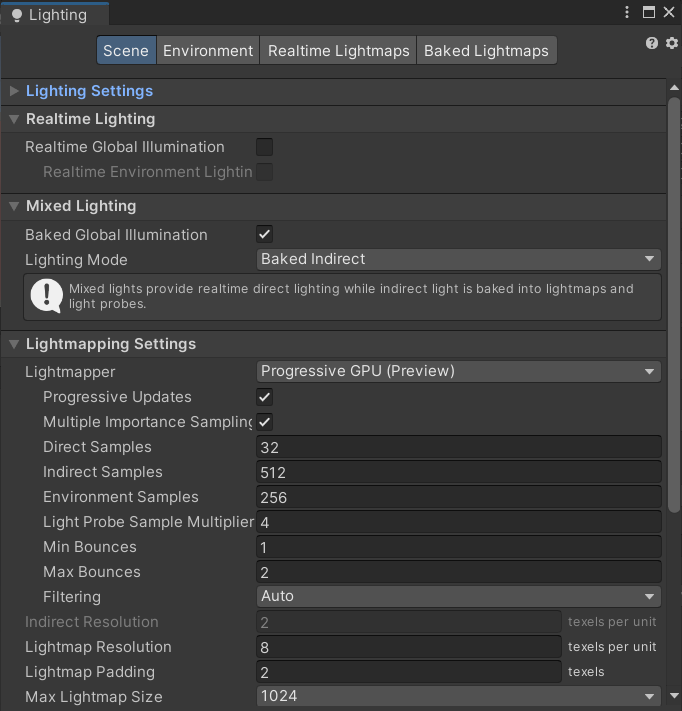
Here are my baked lighting settings:
Question 2
In the Amplify shader settings I set Transmission and Transmission Shadow to 0.6 and then rebaked GI. So far no difference is seen.
What I found out is that even when I switch off the Cast Shadow option, the shadow does disappear in Realtime directional lighting but remains unaffected in baked directional light.
What do I miss? How do I make the Unity baking engine respect the Amplify shader settings?
How can I get colored shades and in which lighting mode in Unity?
