I created this thread one week ago, but it got taken down, because I posted on the wrong forum.
I am looking for any advice or direction to solving this issue.
I can’t figure out why WebGL game keeps crashing on our iOS device. I searched trough forum and google for a solution and couldn’t quite pinpoint the reason for crashing.
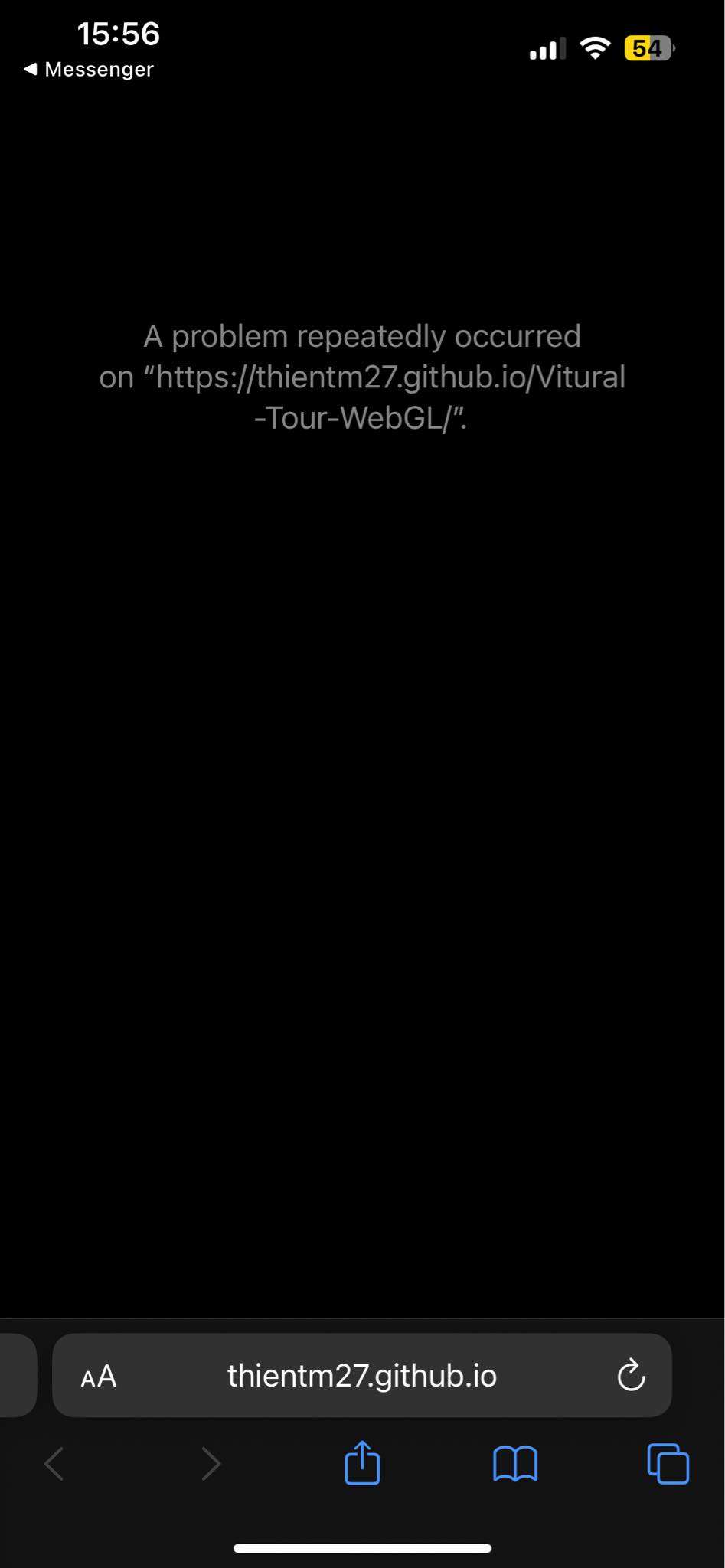
Game crashes both during loading/instantiating addressables and while playing the game. Safari shortly displays “This webpage was reloaded because a problem occurred” and then the website refreshes.
WebGL game doesn’t crash on Android or newer iPhone device.
Details:
iPhone 8
iOS 16.3.1
Unity 2021.3.18f1
WebGL 2
Color space - Linear
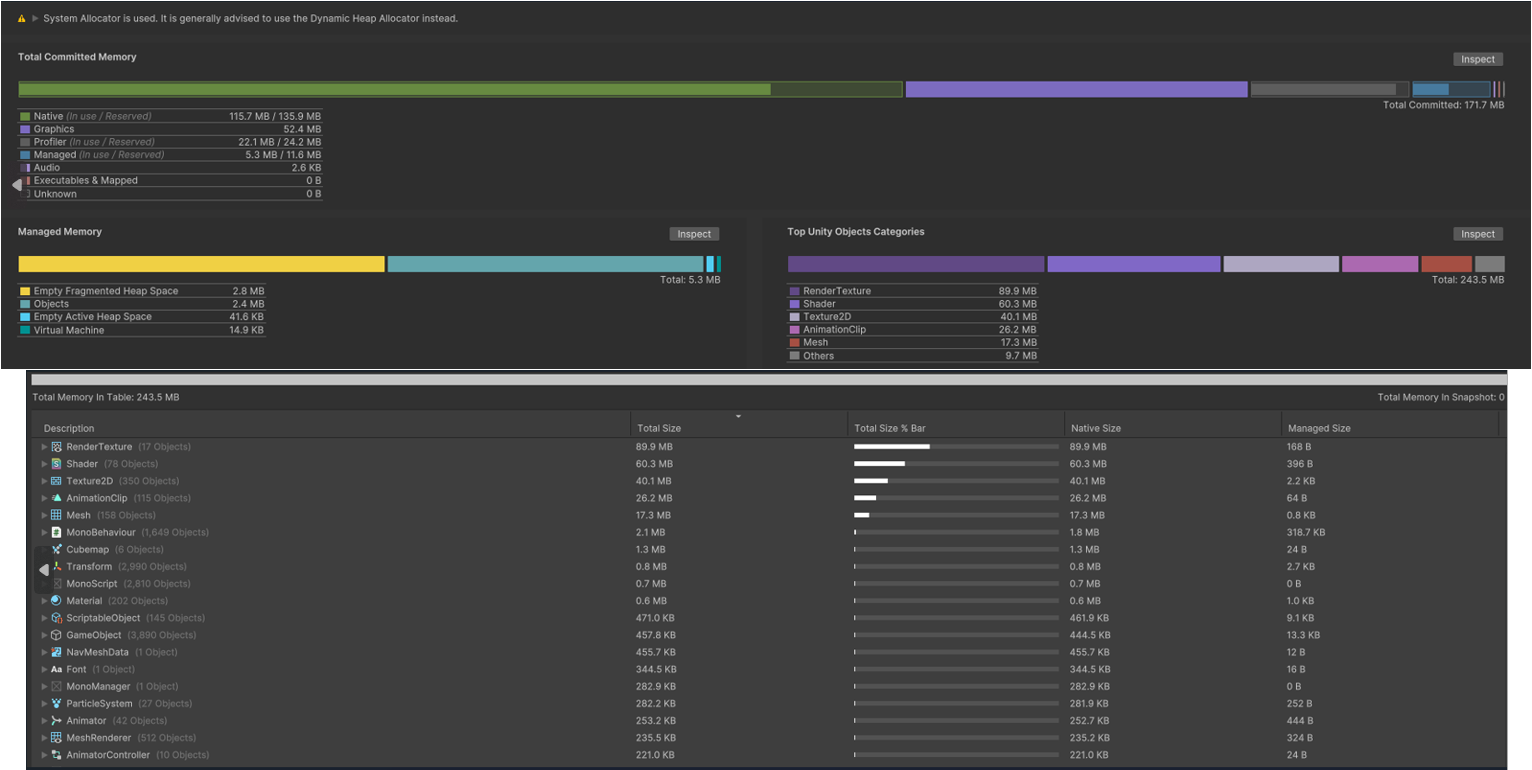
We used memory profiler and exported results to Unity 2022 version for more data. It uses around 250MB, up to 300MB.
Another issue that could be connected with my problem are pixelated shadows. This issue is also present on newer iPhones. Disabling “WebGL via Metal” solves this. Android doesn’t have this problem.
The good news is that Apple recently fixed a Webkit bug that was causing our applications to crash and that fix landed in: 16.4 beta 3 https://bugs.webkit.org/show_bug.cgi?id=248768
The bad news is you’ll have to update your iOS version. Sadly there’s not much we can do about this from our side.
@sinedsem would you mind sharing a build that shows the crash? we’re having a hard time reproducing the problem consistently in some of our projects that use addressables.
Initially, I was using only one scene. When I open it on iOS, I encounter an error after the loading screen. I tried placing an empty scene before my main scene and loading the main scene after a delay of 1 second, but the error still occurs. In some instances, iOS manages to load my main scene and operate normally, but this is not consistent.
Android and Windows platforms, as well as an iPhone 7 Plus running iOS 15.8.2, run smoothly without any issues.
Update:
I’ve tried numerous methods to fix the issue, such as switching to WebGL 1, changing project settings, continuously building and testing with various fixes, but none of them worked, consuming an entire day of troubleshooting.
However, the good news is that when I used Unity 6 beta versions to build, the product seemed to run fairly smoothly on iOS. So far, no errors have occurred, and I hope this solution can help others
This crash issue occurs when I adjust the image at 2048 level; when I adjust it to 1024, everything operates fairly well. The problem here is that the crash seems to only appear in newer versions of iOS. I’m also not sure if this is an issue with GitHub or my build version. I really hope you can take a look at it.
I have rebuilt my product’s crash and deployed it here.
@denkhotieu could you please open a bug report, so that our customer QA team can take over testing this on different devices/iOS versions and we can get a concrete repro?
additionally, since we haven’t been able to reproduce the crash on iOS 17.4.1, can you upgrade to the latest iOS version on your iPhone 13 to see if it happens there?
Hello,
We’ve recently received complaints about WebGL crashes on our end as well. The issue occurs when the game reaches a midway point, where the screen freezes. Currently, we suspect it’s a problem related to how iOS handles WebGL image memory. Android users haven’t reported any similar issues.
In the game, we utilize addressable assets to load images with resolutions including 2048, 1024, 512, 256, 128, and 64. Should we suggest updating their iOS version at this point?
Yes this seems like an issue that I’m experiencing when I attempt to load certain scenes. I get the same error. Sometimes increasing the Initial memory allocation can help in the first instance but seems like something doesn’t get cleaned up from memory and it just delays the crash until the next time.
Makes me wonder what I’m doing wrong but works fine on Android and desktop browsers. My suspicion is a memory limitation or something.
Unity 2023.2.11f1, iOS 17.4.1, iPhone SE(3rd Gen), iPhone 12, older iPad Mini
Maybe because 2021 is ancient
“Unity 2021.3 is now the legacy LTS. It will be updated monthly until it reaches the end of its support cycle in mid-2024.” https://unity.com/releases/editor/qa/lts-releases
For what it’s worth, I’ve tried projects built in Unity 2021.3.24f1, 2022.3.7f1, 2022.3.16f1, 6000.0.0b13 & 6000.0.0b15 on both iOS 17.3-17.5b4 (iPhone 13 Pro) & Android 12-14 (Nokia 6.1); and none have worked reliably on iOS. No matter the build configuration, or utilisation of addressables, I’ve found that projects will work up until they use a certain amount of memory (whether this is while the wasm & initial data is still loading, or during runtime). In my most recent project on 2022.3.16f1, we utilise addressables to keep our initial download times low. This project will load to our bootstrapping scene just fine, but exhibit this crashing behaviour while it is downloading additional scenes and resources.
If the issue is with the use of IndexedDB, is it possible to enable/disable the use of IndexedDB depending on the browser the build is running on?
Well I was able to reduce the occurrence of this issue for me by really cutting back on the texture memory burden in the asset bundle I was loading, and increasing the starting heap size to 512MB. Not gone completely but the theory about heap resizing kind of has a bid more cred IMO
I thought Unity 6 finally officially supports mobile WebGL. But I’m still crashing on iOS Safari due to memory. We’ve reduced our app to use very little textures and it still is very unstable.
Device logs show highwater killing it due to memory pressure. Doesn’t happen all the time, but I can get it to happen regularly enough. Only iOS safari!


 We’re still looking for a project that reliably crashes!