Hi everyone, I have been asking a question to myself for a while now. May be it is a silly question but I don’t really find an answer.
What are the benefits to create my own lightmaps for each of my assets than let Unity generates it ? I know that is possible to create my own lightmap but I don’t really understand why is it better and if it worths the work.
I would be great to read your advises, thank you in advance.
I don’t know what algorithm Unity uses to pack the UVs. There’s potentially better solutions I suppose that utilizes the UV space more efficiently. It’s just never gotten to the point where that mattered in my work at least. The UV packing Unity does is good enough.
Control of seams (and texel density) is the only reason(s) why you’d wanna make custom ones afaik. Maybe you want some area to have higher resolution so you’d make that island bigger and repack.
FYI you can control texel density per object (not per island) by using the lightmap scale property in a static mesh renderer. Would also recommend setting the draw mode to “Baked lightmap” when tweaking such parameters to get a live display of what you’re doing.
I am making my game for mobile devices and I saw that when I switch to Android platform, my ambiance is not the same, less beautiful. I suppose is due to the mobile device performances which are of course less than PC. May be I juste have to tweak some values or it is just not possible to get the result I am looking for on mobile.
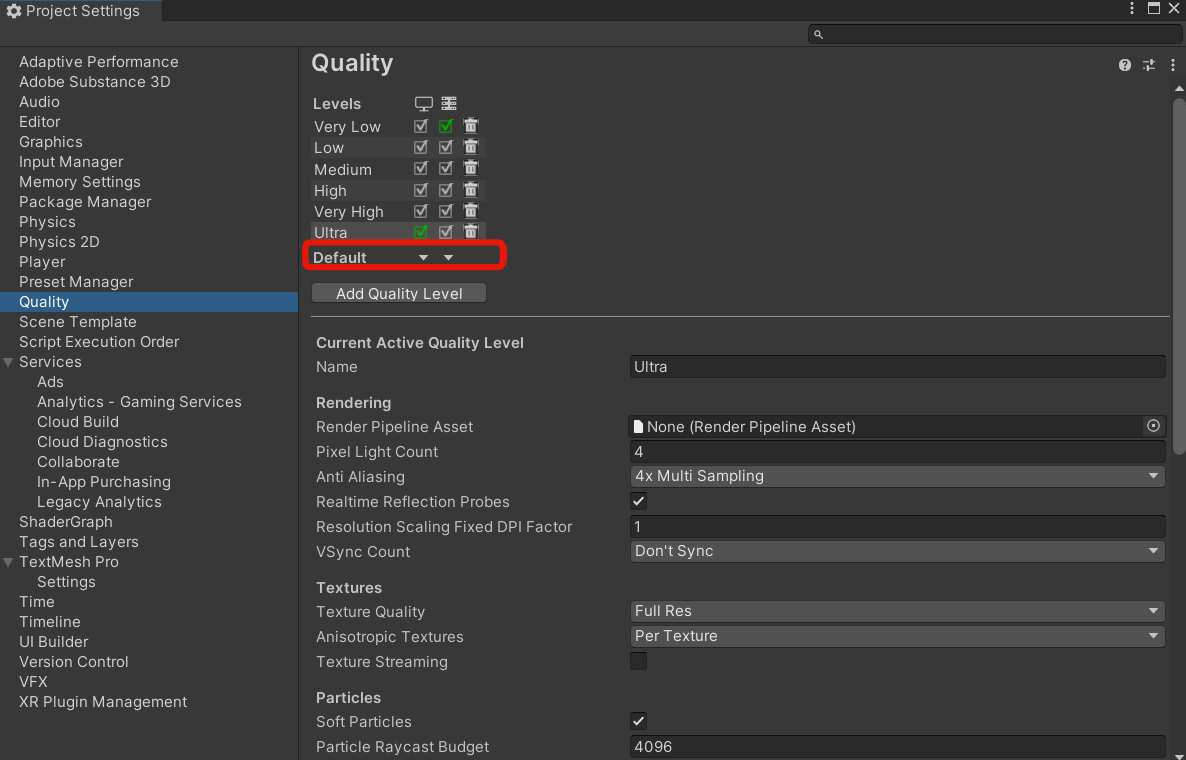
Sorry, I don’t have experience of deploying to mobile. But it might be a quality setting issue. Make sure you have the correct one selected for your platform.
So what do you advise me, make the UV lightmap myself or let Unity does it. Taking into account, I would like good graphism and keeping texture lightmap as light as possible in term of weight.
Is there a specific way to do my own lightmap for my assets or I can reuse the UV unwrap for the texture ? I read that is good to limit the distorsion on UV.
Using Unity UV generation unless you have issues with it is a fairly sensible idea, as you don’t need to do anything. On other hand, generating basic lightmap UVs in blender is just something like 3 button presses.
Additionaly, the issue with your statement is that you said “I read”. Instead you should “test”. Try and see which approach works.
You can’t really reuse normal UV made for the main texture on lightmaps, you need a second set of coordinates for lightmaps. That’s because lightmaps cannot reuse UV coordinates (and main texture can), and in some places it is important to have space between surfaces, while main texture has no such restrictions.
You can probably find tutorial on that subject without much trouble.
In main texture you can reuse the same area multiple times in many different parts of geometry. You cannot do that with lightmaps, as in lightmaps no texel should be used twice.
You’ve nitpicked at a single point and gave completely misleading information as a result. Kindly refrain from doing that in the future.
In main texture, it is possible to use same fragment multiple times, while in lightmaps that’s not the case. That’s why there’s a second set of coordinates.
Unity’s UV generation is terrible. It was pretty bad 10 years ago and it hasn’t really improved since (and in some aspects it got worse). You can do much better on your own, plus there are occasions where controlling where the seams are is critical, but all of this takes time.
The cons of using Unity’s lightmap UV generation are that you will probably need more and bigger lightmaps (which will need more ram and maybe a bit of a performance hit), or you will have less detailed lightmaps.
These are NOT efficient lightmap UVs (this is from Unity’s official HDRP sample scene)
Another con is that as Unity tweaks (intentionally or by mistake…) the uv generation algorithm, when you upgrade Unity versions, suddenly your lightmaps might break. This also happens when switching from Windows to Mac (UV generation happens a bit different on a Mac and PC, or maybe it’s a CPU architecture thing? Not sure). This used to be such a big issue that I don’t think letting Unity generate the UVs was the “less work” option, since you had to keep re-baking and re-baking your scenes all the time. Supposedly the issue is a bit better these days, but I mostly use my own UVs now, so I don’t know.
The cons of making your own lightmap UVs is it takes a significant amount of time and Unity really doesn’t do anything to make this workflow any easier for you and it’s quite a bit of a mess.
Unity has said they are working on improving the lightmap UV generation and packing, but I wouldn’t hold my breath.
There’s also Bakery, which I haven’t really used too much, but has a much better lightmap UV generation and packing out of the box.
All in all you have to decide how important lightmapping is for you and weigh it against the considerable time investment manually managing your UVs is. I would also be tempted to tell you to just use Unity’s generated UVs if Unity’s algorithm wasn’t an embarrassing inefficient atrocity that tends to cause problems.
It’s actually almost the same as a lot of Unity’s tools, they are good and easy only if you don’t give a fuck about the result. WHICH IS VALID by the way. Maybe your game doesn’t need great lightmapping and you want to spend time elsewhere.
That’s is true. But you post is still wrong because main texture follows the same principles as lightmaps when it comes to bleed. But its different when it comes to overlapping UVs that is true. Its a texture atlas after all.
If making my own lightmap means only, create a second UV layer and unwrap my asset by avoinding deformation, it souds very simple and not very time consuming for the improvement. May be I am wrong and it is much more complexe.
Here is the kind of graphism I am looking for. It is not finished of course but it gives an idea.
I know that is too much for a mobile to calculate the light at real time that is why I am interested in understanding how lightmap behave and how could I manage it to be performant.
You are right neginfinity, I only read it and didn’t try because I wanted more information about it since I am a beginner on this topic. I did not know where to start and your answers really help me.