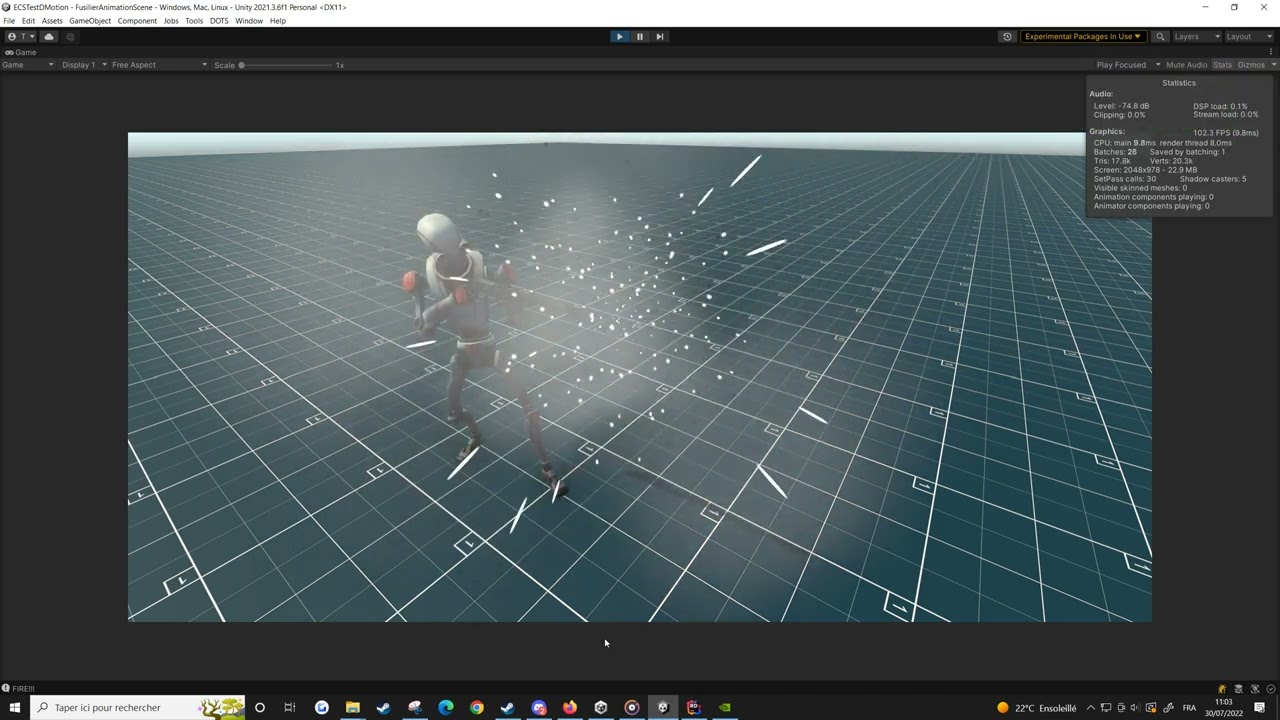
After some time working on this, I’m happy I finally get to share it here
DMotion is an open-source animation framework and state machine for DOTS built on top of Kinemation.
I’ve built this tool with usability and performance in mind. The runtime is 100% bursted, and it’s currently ~6 times faster than Unity’s Mechanim, for 10,000 animated skeletons on screen at the same time.
v0.3.0 is the earliest version were the API is more or less solid, and possibly ready for you to try it out if you are in need of a DOTS animation solution. Bugs are to be expected. If you find any, feel free to open issues or better yet, a Pull Request :).
Thanks a lot to everyone that helped test and gave feedbacks on the early versions! And specially to @DreamingImLatios , whose framework allowed me to build this tool
You ask for a reason to use int transitions in github Readme.
I have use them a lot and mostly only int transitions overall.
Why?
Because logically mob can be only in one state simultaneously and in logic it is actually enum of possible states.
Replicating all states as series of bool is error prone (because with 3 booleans you have 8 possible states while enum with 3 states is only 3 possible states) and uncomfortable that’s why I use Int transitions
They bad actually because Int is not Enum. So my point is: we need enum transitions so we can just put enum value from logic to animator and see exactly enum transitions in editor.
I actually have no idea how you would add enum support without type punning (generic blobs aren’t supported and type IDs for enums aren’t stable). And if you go the route of type punning, you might as well just expose the int.
If you do figure something out, let me know, because it is the same use case for animation event parameters.
My initial thought is that enums would be an editor only thing. So runtime wise it would be int parameters, but the custom editor would work something like the following: User creates new “enum condition” → Editor shows a search box to select the enum type → This type is then used for editing the int value.
The enum type would be stored in the ScriptableObject, but not ever converted to DOTS.
It could be done that way, but there are a lot of performance benefits of making an int specific implementation. For instance the implementation could use ushort (16 bit) or even sbyte (8 bit), which is a big save from floats (32 bits). Float operations on the CPU are also much slower, even if the actual value has no decimals, and there are usually many more aritmethic modules specialized for int operations, versus float operations.
This differences are usually unnoticeable on modern hardware for low mesh counts, but when processing millions of bones, those add up significantly.
JEEZ! i’m impress by the gain in performance, last time i tried the stress test, 1000 puppets run at 10-15 fps and run at around 90!, does the ~30% less performant than mecanim you mention in your documentation still stand?
That’s a good point, this value is incorrect and the performance difference is probably much higher (possibly by one order of magnitude even). I’ll re-run the comparison later and update the README.
One important thing: If you want to get an accurate (ish) DOTS performance in Editor, you need to switch a couple of settings. 90 FPS is actually slow for 1000 puppets, and it’s probably because of the default Burst settings in editor (which are not the most performant options).
In case you’re interested, here’s what you need to change to get maximum Burst performance in editor (those settings are not recommended for development, they are only useful if you want to stress test thing)
Just tried out the new version, the vent system works perfectly now, but i seem to encounter a new issue:
for what i understand the “has end time” toggle allow you to define where the transition can occure (0means dont even play the clip go to next and 1 = play the clip completly then go next). i tested several case that seems to confirm that until…
In The Clip below we can see after the shot, the character start to reload but shoot before finishing the animation.
PS: the moment he stop shooting and goes back to idle is done manually by the user
here is the StateMachine (with focus on the Reload transition)
StateMachine
EDIT: i tried to replace the reload with the slash and slash forward provided by the samples, and it seems to works with them, my guess is the duration of the reload (~9s) may be the issue
Thanks for the bug report. You’re totally right - end time is broken for clips longer than 1 sec.
I will fix this in a minor release sometime this weekend. In the mean time, if you want to add a quick fix on your local project, here’s what you need to do:
Make sure you’re using a local copy of the package (adding via git url in the package managers adds the package as readonly)
Go to AnimationStateMachineSmartBlobberSystem.cs, line 139, replace whatever is there by this line: TransitionEndTime = outTransitionAsset.HasEndTime ? outTransitionAsset.EndTime : -1f,
Go to AnimationTransitionGroup.cs, line 15, remove the Range(0,1)
On your state machine, set the end time as an actual time of the animation (i.e 8.5s, 7.0s, etc)
This should fix the bug.
The settings for the comparison where all the default ones for Unity and URP. I wanted to compare a straightforward implementation on both systems (i.e the Animator update is done in Monobehaviours, even thought it would be faster in a system).
GPU skinning was turned on (FPS is arround 1-2 with GPU skinning off), and URP Dynamic Batches was turned off (I tried turning it on but it made no difference).
You’re correct though that the Mechanim example is heavily GPU bound. I have no idea why there are so many batches tbh.
One perhaps useful piece of info: if you run the comparison test with the camera off, which is more or less a comparison of CPU performance only, the results are that DMotion is around 3x faster, rather than 6x. So I would assume 3x would be as close as Mechanim would get, if the GPU side was optimized (?)
i have to say this is amazing, but there are a issue with netcode. I installed package to my nedcode projec and got someerror . “Multiple custom ICustomBootstrap specified, ignoring Unity.NetCode.ClientServerBootstrap”. i tried gg it but there was nothing.
The sample project when imported creates a LatiosBootstrap.cs which is not compatible with NetCode. Delete that file and in the Create menu there should be a Latios → Bootstrap ->NetCode Standard - Injection Workflow.
Hi @DatCong , I believe the tool can work with Netcode by follownig @DreamingImLatios instructions (deleting LatiosBootstrap.cs and creating a Netcode bootstrap via Latios -> Bootstrap ->NetCode Standard - Injection Workflow).
That said, truth is I haven’t tested the package with Netcode yet. I’ll create a Netcode sample as part of the v0.3.1 (some time next weekend), and update this thread when it’s released.