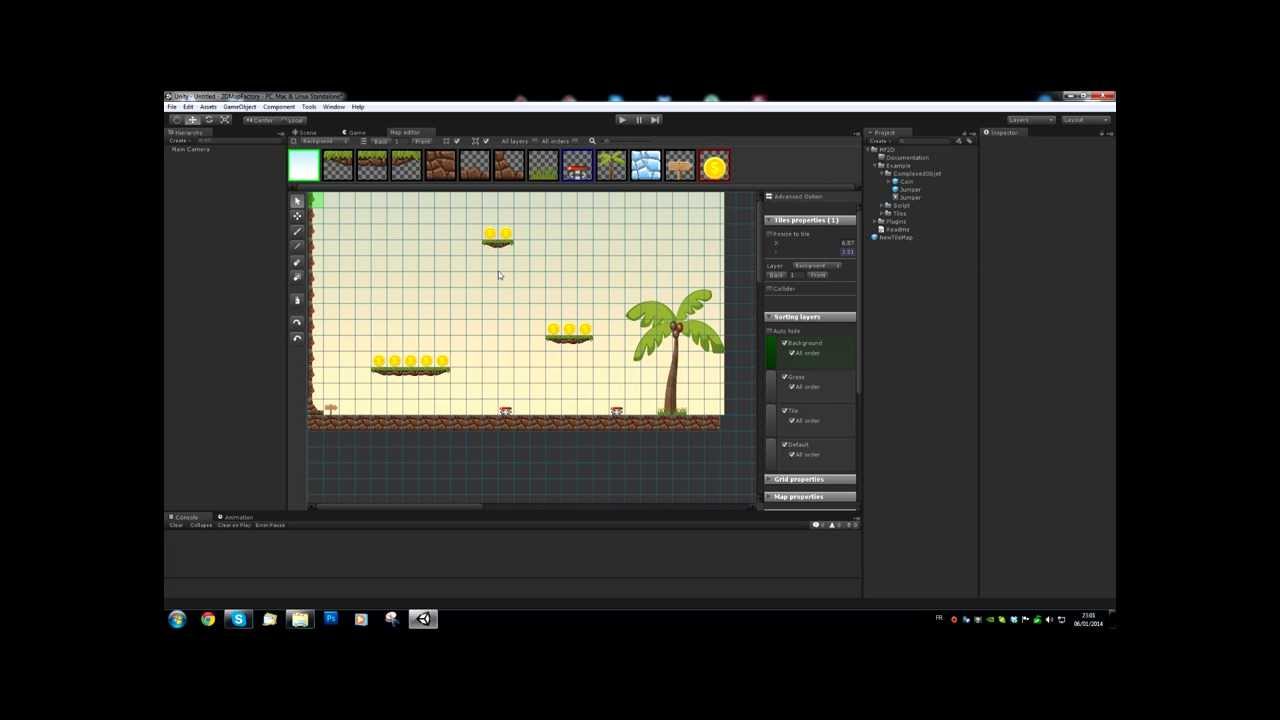
We are pleased to announce the upcoming release of our new tool 2D Map Factory.
2D Map Factory use Unity 4.3 sprite feature.
2DMF lets you create 2D map in minutes, as well as free-standing or tilemap from sprite, animated sprite, complexed GameObject. 2DMF generates your map tile by tile, or generate 2D textures.
Many tools allow you to easily create your telque map:
Pencil
Filling
Eraser
Eye dropper
Management of layers
Order Management in layers
Management of colliders
snap to grid
Resize
…
Check out the video quick start (switch to 720 p HD it’s better)
Top left on 2DMF correspond to the center of the 3D world (0,0,0), but for now you can’t choose the position of the corner. But it’s another good idea.
Could you use 2DMF for vertical scrolling also (we want to do a minigame with a raft floating on a river, avoiding obstacles etc) ?
And how w0uld you achive scrolling? Scroll the world or the camera (and stick the player to it)?
I normally don’t post about assets I’ve bought, but, this is an exception
I’m really impressed by this package, and it’s quickly becoming a critical part of my work flow for a prototype I’ve been working on. There are just two issues that, while I can work around, keep 2DMF from being next to perfect
-Importing sprites into the map editor takes a LONG time. A sprite sheet of 50 or so sprites can take upwards of 20+ minutes.
-It DESPERATELY needs some type of Folder/filtering system for sprites. A typical project will have hundreds of sprites - having to scroll through them all to find exactly what I need is becoming really time consuming. I’d much rather import them and move them to specific folders (groundcover, buildings, vegetation, etc).
-Importing sprites into the map editor takes a LONG time. A sprite sheet of 50 or so sprites can take upwards of 20+ minutes.
Very strange I don’t have this case at home… I’m going to look at that.
-It DESPERATELY needs some type of Folder/filtering system for sprites
I know, I take it into account for the next release
When will you gonna roll out an update? at this point - it looks like it is not compatible with Easy Touch so if i want to use both of them - i am basically screwed and i need to rewrite or copy-paste bunch of code to sync HTGUILayout classes.
-I have 32x32 pixel tiles, even when I set the sprite import to 32 pixels per unit, when I Create Grid from a map, they’re still tiny with huge gaps in between.
-The tutorial PDF included with the package shows “Tiles Properties” as having Colliders selectable. How is this possible?
Do I need to create a “Complex Object” in order to combine a Collider and a Sprite? Do I need to do this for every sprite I want to use on a map?
Does the map save anywhere? If I accidentally close my map tab in a scene, is the thing erased?
Hello, I bought this fantastic tool, thank you. Everything is fine but I can not figure out how to add new layers… It is very important to me. Please help me.