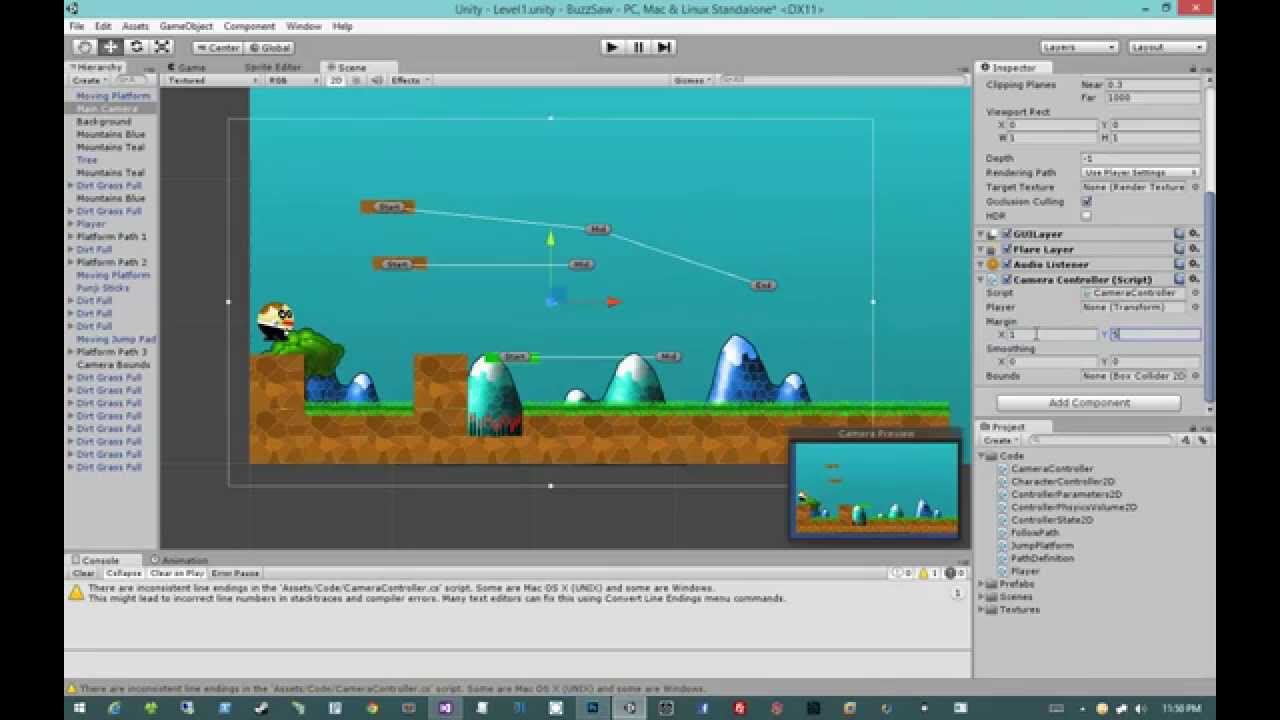
I’m running in a bit of an issue. I’m currently in the process of re-working the way the camera is working for a platform game I’m working on. As shown in the following video the camera is having the following issues:
Shifting too fast when player changes direction
The camera is constantly moving. As shown in the image below, I would like to have the section in red in the middle of the screen where the camera doesn’t move while the player is in those bounds.
Here is the code I’m using to get the results shown in the above video:
public class BuzzCameraController : MonoBehaviour
{
   public Transform player;
   public Vector2 Margin, Smoothing;
   public BoxCollider2D Bounds;
   public bool IsFollowing { get; set; }
   public BlobMove PlayerInfo;

   private Vector3 _min, _max;

   void Start ()
   {
     _min = Bounds.bounds.min;
     _max = Bounds.bounds.max;

     IsFollowing = true;
   }

   void Update ()
   {
     var x = transform.position.x;
     var y = transform.position.y;

     if (IsFollowing)
     {
       if (Mathf.Abs(x - player.position.x) > Margin.x)
       {
         //Following IF statement checks if Player is Facing in the Right direction
         if (PlayerInfo.IsMovingRight())
         {
           x = Mathf.Lerp(x, player.position.x + 2f, Smoothing.x * Time.deltaTime);
         }
         else
         {
           x = Mathf.Lerp(x, player.position.x - 2f, Smoothing.x * Time.deltaTime);
         }
       }
       if (Mathf.Abs(y - player.position.y) > Margin.y)
       {
         y = Mathf.Lerp(y, player.position.y, (Smoothing.y * Time.deltaTime));
       }
     }
     //The following 3-lines of code is used to contrain the camera from not going out of the bounds I have set.
     var cameraHalfWidth = Camera.main.orthographicSize * ((float)Screen.width / Screen.height);
     x = Mathf.Clamp (x, _min.x + cameraHalfWidth, _max.x - cameraHalfWidth);
     y = Mathf.Clamp (y, _min.y + Camera.main.orthographicSize, _max.y - Camera.main.orthographicSize);

     transform.position = new Vector3 (x, y, transform.position.z);
   }
}
For a perfect example of how I would like the camera to work here’s an example from Leo’s Fortune:
Regarding the speed of the transition when you change direction, I don’t know if that can be solved with a smoothdamp rather than Lerp. Since the distance it has to reach is further away, it’s going to get there at a faster rate since you’re using the same speed. Lerp maintains linear consistency but smoothdamp is a curve.
For clamping the camera, I don’t know what you’re doing wrong, are you trying to clamp by min and max length of the screen? With my camera for example I tell it the furthest X and Y position it could keep going.
cam.ScreenExtents is a variable from the 2D Toolkit but it should be similar to what you’re doing with the orthographic size. Make sure about the values they are returning, I remember having a problem with Chaos Control.
Awfully Nice Studios here if you remember me from GDC Europe last year.
Here is my pseudo code that should do what you wanted. you would put this script in a class and attach it to your camera… the “smoothTime” adjusts your falloff.
    public Transform     playerTrans;
    public float         smoothTime = 1.5f;
    private Vector3     velocity;

    // Update is called once per frame
    void Update ()
    {
        updateCameraPos();
    }

    void updateCameraPos()
    {
            transform.position = Vector3.SmoothDamp(this.transform.position, playerTrans.position, ref velocity, smoothTime);
    }
Thanks for the input @Kamadake . Yeah looks like i need to rework the transition using SmoothDamp.
Thanks @Cybertiger_1 I tried implementing the following using SmoothDamp but getting weird movement, probably something silly I’m doing:
public Transform player;
public Vector2 Margin, Smoothing;
public BoxCollider2D Bounds;
//Following determines if we are following the Player or Not
public bool IsFollowing { get; set; }
public BlobMove PlayerInfo;

private Vector3 _min, _max;
private Vector3  velocity, NewPosition;

void Start ()
{
    _min = Bounds.bounds.min;
    _max = Bounds.bounds.max;

    IsFollowing = true;
}

void Update ()
{
    velocity = new Vector3(PlayerInfo.GetPlayerVelocity().x, PlayerInfo.GetPlayerVelocity().y, -10f);

    if (IsFollowing)
    {
        if ((Mathf.Abs(x - player.position.x) > Margin.x) || (Mathf.Abs(y - player.position.y) > Margin.y))
        {
            if (PlayerInfo.IsMovingRight())
            {
                NewPosition = Vector3.SmoothDamp(transform.position,
                                                 new Vector3(    player.position.x + 2f,
                                                                player.position.y,
                                                                -10f),
                                                 ref velocity,
                                                 1.5f);
            }
            else
            {
                NewPosition = Vector3.SmoothDamp(transform.position,
                                                 new Vector3(    player.position.x - 2f,
                                                                player.position.y,
                                                                -10f),
                                                 ref velocity,
                                                 1.5f);
            }
        }
    }
    transform.position = NewPosition;
}
BTW I’m using the following tutorial to create the camera controller:
Is the player moving with FixedUpdate by any chance? Usually when there’s that stutter the issue is because the player and the camera are not moving at equal speeds.
When I had that stutter once, the problem was because my player moved with FixedUpdate and the camera moved with Update and Update is called more often.

 I tried implementing the following using SmoothDamp but getting weird movement, probably something silly I’m doing: