Hello, I have 2 pixel art texture for my game. I researched how I setup my asset in my project and I did it. My first asset look good but second very pixel. I dont understand why second asset like this. I did same import settings for this two asset.


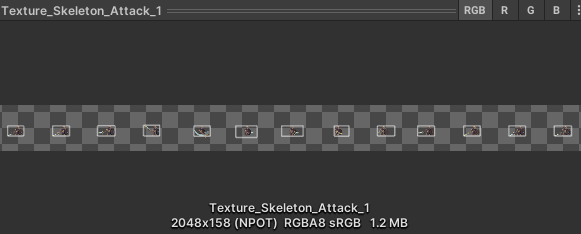
Hello, I have 2 pixel art texture for my game. I researched how I setup my asset in my project and I did it. My first asset look good but second very pixel. I dont understand why second asset like this. I did same import settings for this two asset.
u need to click apply, also keep in mind that your settings are all reset for each asset
you should find the button create preset of your good settings, and set it to default, if you do that it will apply automatically your good setings everytime you import new sprites
also i see another problem, you see there where it says max size? 2048, if you put a png bigger than 2048 it gets messed up, you should take care with that
I see that on your second sprite sheet your sprite sheet seems to be bigger than 2048
Yes, this looks like issue caused by texture exceeding Max size.
When a texture is bigger than max size, Unity will downscale it to match the max size. This will make pixelart blurry.
So my recommendations when working with sprite animations like that.
When exporting your animation check if you can configure your software to generate a grid instead of single long line of frames.
If necessary in the Unity texture import settings configure Texture max size so that it is bigger than the actual image size. Having a gigantic texture may be problematic on some devices so it’s recommended to do the next step as well.
Create a Sprite atlas using builtin Unity functionality. This will place the sprites in a more reasonable layout instead of single long strip and thus avoid use of large texture in the exported build. Using a sprite atlas will also have a secondary benefit of removing any unused empty space around your character. That way you can draw your animations freely with a generous empty space (in case it’s needed for some frames of some animations) without worrying that it will waste memory consumption in the final game.