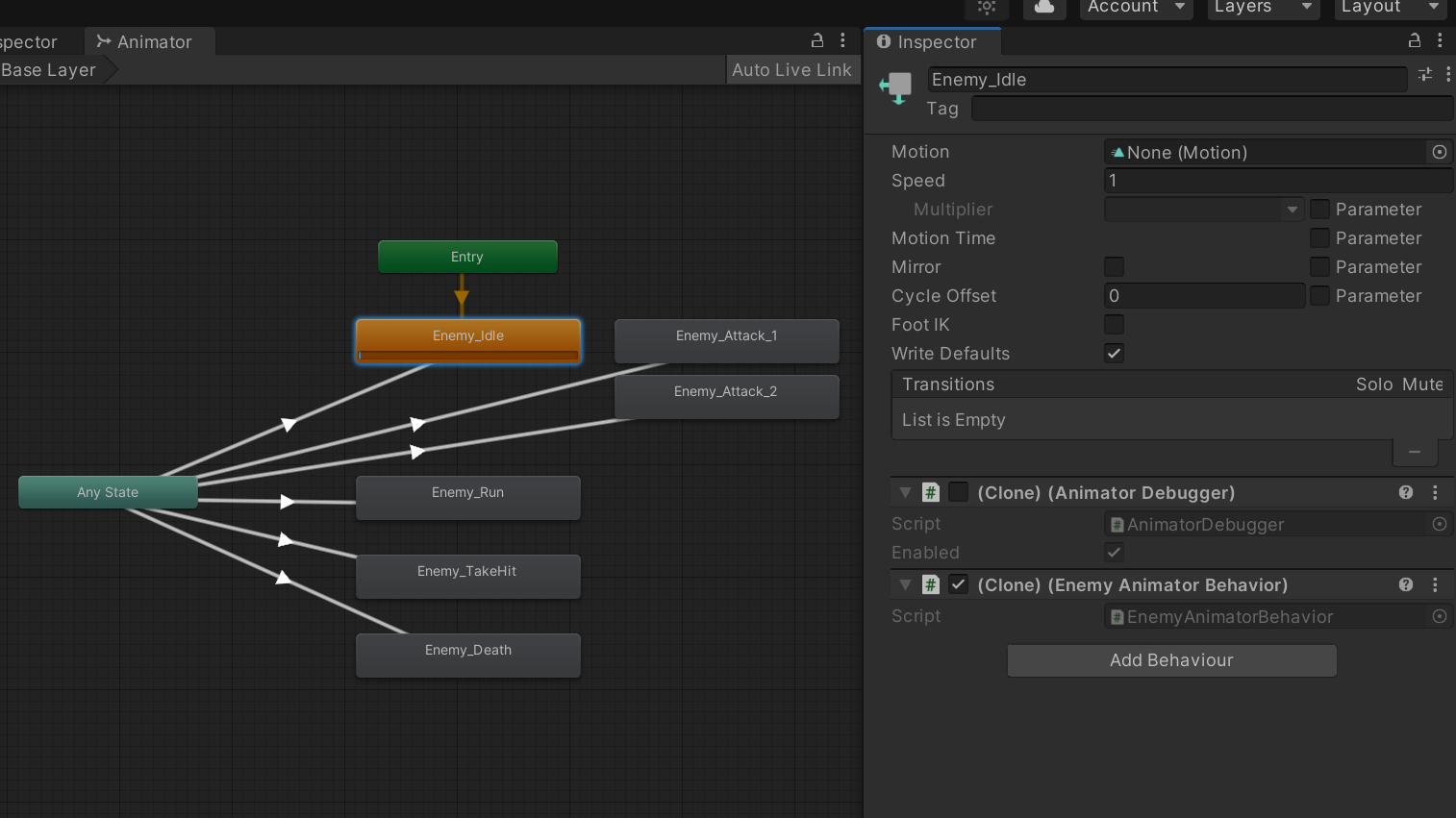
I’ve got an Animator with a bunch of named clips with their motions set to blank:
In a script attached to the enemy GameObject, I’ve got the following code:
public AnimationClip clip; //set in inspector
private void Start() {
    animator = GetComponent<Animator>();
    animatorOverrideController = new AnimatorOverrideController(animator.runtimeAnimatorController);
    animator.runtimeAnimatorController = animatorOverrideController;
    animatorOverrideController["Enemy_Idle"] = clip;
    Debug.Log(clip); //output: "Enemy_Mushroom_Attack_Boom (UnityEngine.AnimationClip)"
    Debug.Log(animatorOverrideController["Enemy_Idle"]); //output: "Null"
  }
This does nothing. The Animator → Enemy_Idle state retains None for motion, and the second log shows Null. What am I missing? This is taken basically straight out of the first example in the AnimatorOverrideController docs.
You’re missing the fact that Animator Override Controllers were designed stupidly, just like the rest of the Animator Controller system.
They override based on clip name, not state name. So you can’t just have empty states, you need to assign default clips with unique names.
Or you could check out Animancer (link in my signature) which lets you avoid Animator Controllers and just play whatever animations you want without wasting time worrying about overrides.
5 Likes
@Kybernetik Thanks, I ended up realizing this too a few minutes after you posted, and yeah, my solution was to do like you said, create a bunch of empty placeholders and dump them in there in order to override them. This is all very unclear in the documentation, and questionably designed: if someone is making an Animator designed to be generic and overridden by various entities, why does it require existing clips to work?
I fell for this too, annoying feature
1 Like
stupid design! it’s sooo ugly!