SOLUTION PART 1
OK, I found my way.
This is not very elegant, I’m sure I’ll be back on this code in a couple of weeks with more inspiration, but I thought I’d have to share it here if some of you guys are dealing with the same problem…
I am working with the same rigged character.
Let’s say I wanna hold with my fist this randomly build mesh via code:
The first thing you have to is to make the mesh a child of an object, otherwise things will become impossible as soon as you’ll try to play with position and rotation.
To make it short I am targetting right now the object Tetra0, which will become the object weaponMesh named Tetra0_Mesh, child of weaponObject named Tetra0, which is stored in a child “Weapons” of my character.
string meshName = Tetra0.name;
GameObject weaponObject = new GameObject(meshName);
weaponObject.transform.parent = transform.Find(“Weapons”);
GameObject weaponMesh = Tetra0;
weaponMesh.name = meshName + “_Mesh”;
weaponMesh.transform.parent = weaponObject.transform;
Now I assign this weaponObject to my fist:
string fistPath = “Player/Armature/Belly/Torso/Shoulder.R/Arm.Up.R/Arm.Down.R/Hand.Up.R/Weapon.Up.R”;
Transform fistTransform = transform.Find(fistPath);
Transform weaponTransform = transform.Find(“Weapons/Tetra0”);
weaponTransform.parent = fistTransform;
weaponTransform.position = fistTransform.position;
weaponTransform.rotation fistTransform.rotation;
weaponTransform.localPosition = Vector3.zero;
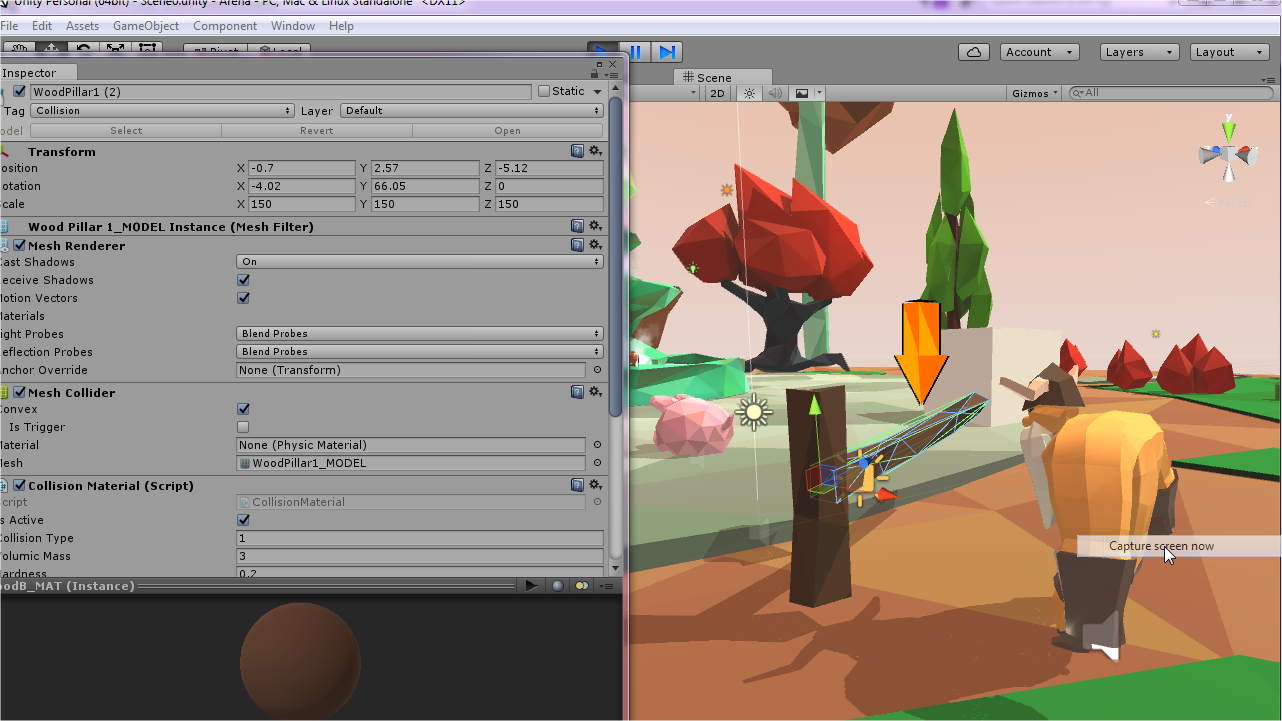
At this point, this is what I have:
I reset the localPosition of the mesh Tetra0_Mesh contained in weaponObject like this:
GameObject weaponMesh = weaponTransform.Find(“Tetra0_Mesh”).gameObject;
weaponMesh.transform.localPosition = Vector3.zero;
to get this result:
Now this is where things get more delicate. First I had to find a way to get the shape of the mesh so I can align it in a “physically” logical way = not crossing the body of the chara, and with longest side perpendicular to the carrying arm (PS: my chara is supposed to be very strong…).
This is why I am sorting the length of the sides of my mesh in a world-scale in the class called CollisionMaterial of weaponMesh:
public class CollisionMaterial : MonoBehaviour {
private float sideX;
private float sideY;
private float sideZ;
public float sortedSides;
public int sortedIndexes;
public Vector3 center { get; set; }
public void SetGround()
{
Transform locTransform = transform.parent;
transform.parent = null;
sideX = transform.localScale.x * GetComponent().mesh.bounds.size.x;
sideY = transform.localScale.y * GetComponent().mesh.bounds.size.y;
sideZ = transform.localScale.z * GetComponent().mesh.bounds.size.z;
sortedSides = new float[3] { sideX, sideY, sideZ };
sortedIndexes = new int[3] { 0, 1, 2 };
System.Array.Sort(sortedSides, sortedIndexes);
SetCenter();
transform.parent = locTransform;
}
public void SetCenter()
{
center = transform.TransformPoint(GetComponent().mesh.bounds.center);
}
Back to my fist code, I check which one of the sorted sides X, Y or Z is the biggest to define the angle I will rotate the mesh:
CollisionMaterial weaponMaterial = weaponMesh.GetComponent();
// Side X is the biggest one
if (weaponMaterial.sortedIndexes[2] == 0)
{
weaponMesh.transform.localRotation = Quaternion.LookRotation(transform.right, transform.forward);
}
// Side Y is the biggest one
else if (weaponMaterial.sortedIndexes[2] == 1)
{
weaponMesh.transform.localRotation = Quaternion.LookRotation(transform.forward, transform.forward);
}
// Side Z is the biggest one
else if (weaponMaterial.sortedIndexes[2] == 2)
{
weaponMesh.transform.localRotation = Quaternion.LookRotation(transform.up, transform.forward);
}
I now have this result:
The last thing is now to make the fist hold the extremity of the mesh and not its center. The problem is, in my case, the origin can be wherever, since my meshes are generated randomly. As a comparison the same code with a mesh designed with Blender gives me this:
since I can’t use the transform.position of my mesh as a reference I then re-used the SetCenter of my CollisionMaterial class (the same used during the sort of the sides, but it’s important to update it after the rotation process):
weaponMaterial.SetCenter();
Vector3 offSet = weaponTransform.position - weaponMaterial.center;
weaponTransform.position += offSet;
// At this point, I hold the mesh by its center along the biggest side axis; now I arbitrarly move up the mesh 25% of the length of this side
weaponTransform.position += weaponTransform.up * weaponMaterial.sortedSides[2] * 0.25f;
…and this is what I get: